Card Comparison

BILL Spend & Expense
Integrated travel and expense management
This is some text inside of a div block.
  • Smart company cards with real-time tracking, flexible limits, and instant visibility [1]
  • Unlimited free virtual cards with unique numbers for each vendor or subscription—freeze, delete, or set custom limits instantly to prevent overcharges and reduce fraud risk [11]
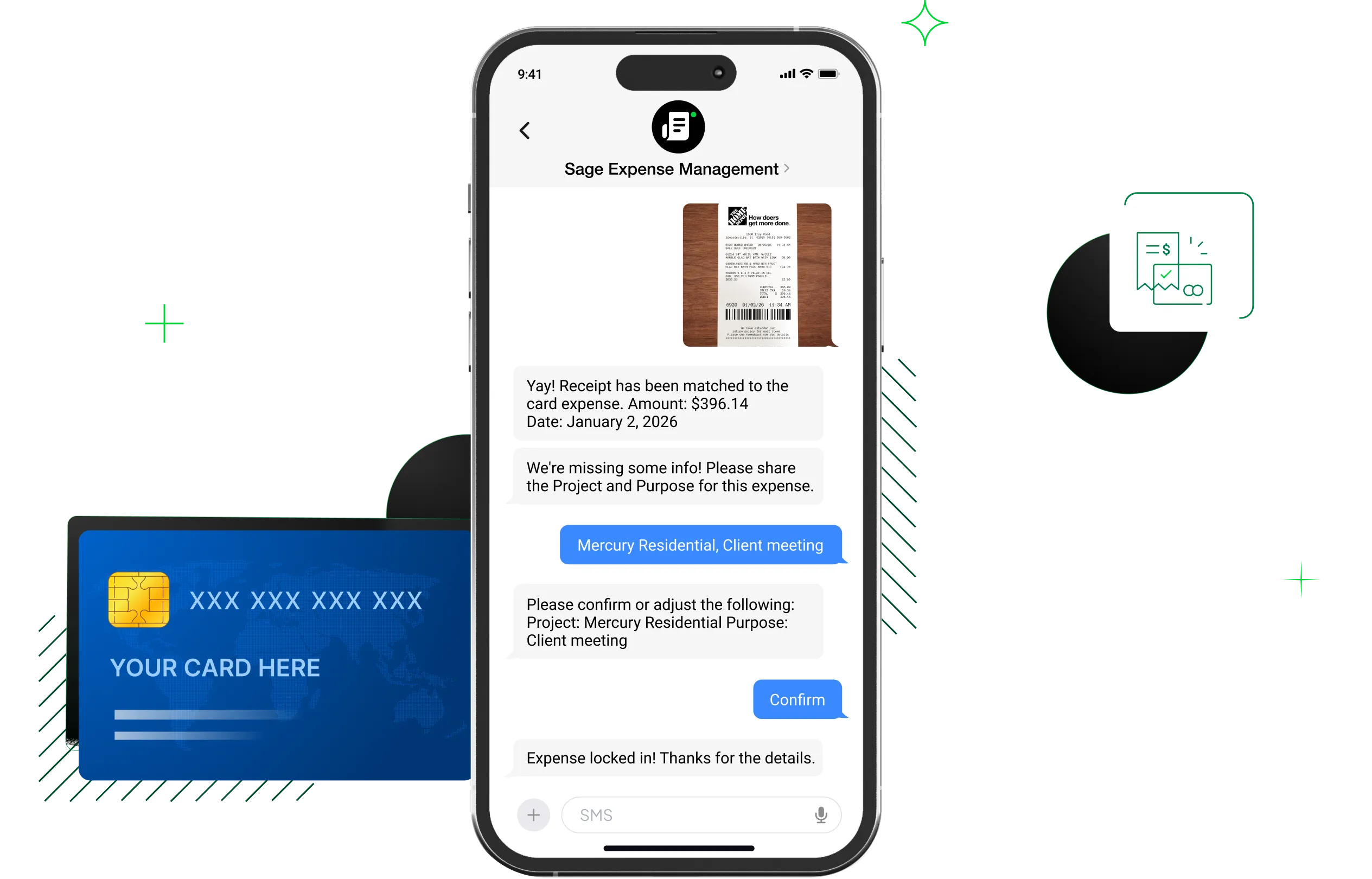
  • AI-powered auto-categorization and receipt matching for expenses [1]
  • Customizable budgets with spend controls based on merchant, amount, receipt requirements, and approval workflows [4]
  • Travel booking powered by TravelPerk with 24/7 human support and 80% refund on cancellations [2]
  • Up to 7x points on restaurants, 5x on hotels, 2x on recurring software, and 1.5x on all other purchases (rates shown are for weekly or daily billing cycle; rates vary by billing frequency) [3]
  • Two-way sync with QuickBooks, NetSuite, Sage Intacct, Xero, and Microsoft Dynamics; additional integrations with Acumatica, Slack, and HRIS platforms [1]

Pros

  • $0 annual fee, no per-card fees, no monthly fees [5]
  • Built-in expense management and budget controls at no cost [1]
  • Credit lines from $1,000 to $5,000,000 based on approval [5]
  • Travel booking with 24/7 support and 80% cancellation refund [2]

Cons

  • Category multipliers cap at $5,000/month per category [3]
  • Pay-in-full card; balance due in full each billing cycle [5]
  • 12-month holding period before rewards can be redeemed [3]
  • No airport lounge access included [1]

BILL Spend & Expense is not a traditional credit card—it is an AI-powered expense management platform with a card attached. The rewards rates (up to 7x on restaurants, 5x on hotels) are competitive with premium travel cards, but the real differentiator is the built-in budgeting, approval workflows, and accounting integrations that come at no additional cost. [1][3]

Commonly compared to: Chase Sapphire Reserve for Business, Capital One Venture X Business, and The Business Platinum Card from American Express (for general travel cards).

Pricing
$0/month
Rewards
Up to 7x rewards, budget controls, AI expense tracking, free employee cards
Chase Sapphire Reserve for Business
Best for flexible travel rewards with strong travel protections
This is some text inside of a div block.
  • 8x points on all purchases through Chase Travel (including The Edit, Chase's curated luxury hotel collection); 4x on direct airline and hotel bookings; 3x on social media and search engine advertising; 1x on all other purchases [6]
  • $300 annual travel credit, $250 hotel credit (through 12/31/26), and $500 annual credit for The Edit bookings [6]
  • Complimentary Chase Sapphire Lounge by The Club and 1,300+ Priority Pass airport lounges with up to two guests [6]
  • Business credits: $420 DoorDash value, up to $200/yr Google Workspace, up to $400/yr ZipRecruiter, up to $120/yr Lyft, up to $100/yr gift cards, $120 Global Entry/TSA PreCheck every 4 years [6]
  • Primary auto rental coverage (up to $75,000), trip cancellation insurance (up to $10,000/traveler), cell phone protection (up to $1,000/claim), baggage delay, purchase protection (120 days), extended warranty [6]
  • Employee cards at no additional cost with individual spending limits [6]
  • IHG One Rewards Platinum Elite status (complimentary through 12/31/27) [6]

Pros

  • High portal earning rate at 8x [6]
  • Primary auto rental coverage up to $75,000 [6]
  • Over $1,000 in annual credits plus business-specific perks [6]
  • Free employee cards with individual spending limits [6]

Cons

  • $795 annual fee is second-highest on this list [6]
  • Top earning rates require booking through Chase Travel [6]
  • Pay-in-full card; balance due in full each month [6]

The Chase Sapphire Reserve for Business reports a high portal earning rateat 8x through Chase Travel, and the listed travel protections are unusually specific—primary auto rental coverage up to $75,000 and cell phone protection up to $1,000 per claim. [6] The $795 annual fee is offset by over $1,000 in enumerated annual credits, though capturing them requires booking through Chase Travel rather than directly with airlines or hotels. [6]

Commonly compared to: The Business Platinum Card from American Express and Capital One Venture X Business (for general travel cards).
Pricing
$795/yr; employee cards $0 [6]
Rewards
8x via Chase Travel, lounge access, $300 travel credit, travel insurance
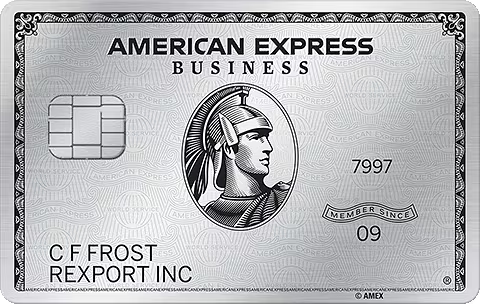
The Business Platinum Card from American Express
Best for extensive lounge access and elite hotel status
This is some text inside of a div block.
  • 5x points on flights and prepaid hotels booked at AmexTravel.com; 2x on key business categories (construction materials, electronics/software, shipping) and eligible purchases of $5,000+; 1x on all other purchases [7]
  • 35% Airline Bonus: 3.5 points back for every 10 redeemed on flights with selected airline (up to 1,000,000 points back per year) [7]
  • Access to The Centurion Lounge, Sidecar, Escape Lounges, Lufthansa Lounges, Delta Sky Club (10 visits/year; unlimited after $75,000 in annual spend), and Global Lounge Collection partner lounges [7]
  • Complimentary Hilton Honors Gold status, Marriott Bonvoy Gold Elite status, and Leaders Club Sterling status from The Leading Hotels of the World [7]
  • Statement credits totaling $3,000+/year: $600 hotel, $200 airline fee, $200 Hilton, $209 CLEAR, up to $1,150 Dell, $250 Adobe, $360 Indeed, $120 wireless, $120 Global Entry/TSA PreCheck every 4 years [7]
  • Travel protections: trip cancellation, trip delay, baggage, car rental, cell phone, purchase protection, return protection, extended warranty (all secondary coverage) [7]
  • Car rental privileges: Hertz, Avis, and National Emerald Club [7]

Pros

  • Broadest lounge network on this list across 5+ programs [7]
  • Gold elite status at both Hilton and Marriott included [7]
  • Over $3,000 in available statement credits annually [7]
  • 35% airline bonus on point redemptions [7]

Cons

  • $895 annual fee—highest on this list [7]
  • Employee Platinum Cards cost $400 each [7]
  • Top earning rates limited to Amex Travel portal [7]
  • Travel protections are secondary, not primary [7]

The Business Platinum Card reports the highest annual fee on this list at $895, but the listed statement credits total over $3,000 if your team would capture them all. [7] Its strength is its advertised breadth—Centurion Lounge and Delta Sky Club access, Gold status at both Hilton and Marriott, and a 35% airline bonus on point redemptions give it a footprint across multiple travel ecosystems that no single co-branded card matches. [7]

Commonly compared to: Chase Sapphire Reserve for Business and Capital One Venture X Business (for general travel cards).

Pricing
$895/yr; Employee Platinum $400/ea; Expense Cards $0 [7]
Rewards
5x flights/hotels via Amex Travel, Centurion Lounge access, hotel elite status
Capital One Venture X Business
Best for premium rewards and affordable lounge access
This is some text inside of a div block.
  • 10x miles on hotels and rental cars booked through Capital One Business Travel; 5x on flights, vacation rentals, and Capital One Entertainment; 2x on all other purchases [9]
  • Access to 1,300+ lounges worldwide, including Capital One Lounges and Landing [9]
  • $300 annual Capital One Business Travel credit; 10,000 bonus miles each anniversary [9]
  • Premier Collection hotel benefits: daily breakfast for two, complimentary Wi-Fi, $100 experience credit, room upgrades and early check-in/late checkout when available [9]
  • Cancel-for-any-reason flight protection, price drop protection, and price match guarantee through Capital One Business Travel [9]
  • Hertz President's Circle status (via enrollment); $120 Global Entry/TSA PreCheck credit every 4 years [9]
  • Free employee and virtual cards; purchase records downloadable to QuickBooks, Quicken, and Excel [9]

Pros

  • Low annual fee for a premium card at $395 [9]
  • 10x on hotels and rental cars—highest portal rate for those [9]
  • $300 travel credit + 10,000 anniversary miles reduce net cost [9]
  • Free employee and virtual cards [9]

Cons

  • Foreign transaction fees not listed in fee disclosures [9]
  • Travel insurance details not specified on product page [9]
  • Pay-in-full card; balance due in full each month [9]
  • Welcome bonus requires $30,000 in spend within 3 months [9]

For $395 per year with a $300 travel credit, the Venture X Business lists 1,300+ lounges, free employee cards, and a 10x portal rate on hotels and rental cars—at roughly half the annual fee of some competing premium cards. [9] Two gaps worth noting: foreign transaction fees are not listed in the card's fee disclosures, and travel insurance protections are not specified on the product page. [9]

Commonly compared to: Chase Sapphire Reserve for Business and The Business Platinum Card from American Express (for general travel cards).
Pricing
$395/yr; employee cards $0 [9]
Rewards
10x hotels/cars via Capital One Travel, 1,300+ lounges, free employee cards
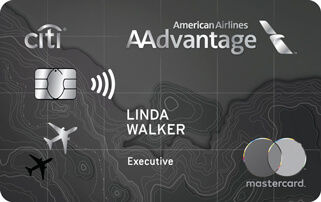
Citi / AAdvantage Executive World Elite Mastercard
Best for businesses loyal to American Airlines
This is some text inside of a div block.
  • 10x miles on eligible hotels and car rentals booked through AAdvantage; 4x on eligible American Airlines purchases; 5x on American Airlines after $150,000 in annual spending; 1x on all other purchases [10]
  • Complimentary Admirals Club membership (valued at up to $850) with lounge access, complimentary drinks/snacks, Wi-Fi, and conference rooms [10]
  • 1 Loyalty Point per eligible AAdvantage mile earned from purchases, plus 10,000 bonus loyalty points at 50,000 and 90,000 points in the same qualification year [10]
  • First checked bag free for cardholder and up to 8 companions; priority check-in, screening, and boarding [10]
  • 25% savings on inflight food and beverage [10]
  • Global Entry or TSA PreCheck credit (up to $120 every 4 years); travel protection benefits included [10]

Pros

  • Full Admirals Club membership included (valued at $850) [10]
  • 10x earning on hotels and car rentals through AAdvantage [10]
  • Free checked bags for cardholder and up to 8 companions [10]
  • Loyalty points path toward AAdvantage elite status [10]

Cons

  • Authorized users cost $175 each [10]
  • 1x earning rate on non-category purchases [10]
  • Value is concentrated in American Airlines ecosystem

The Citi AAdvantage Executive is the only card on this list that promotes a full Admirals Club membership, valued at up to $850 by American Airlines—which on its own could cover the $595 annual fee. [10] The reported 10x earning rate on hotels and car rentals through AAdvantage and the loyalty points path toward elite status make it a strong fit for AA-focused businesses, though authorized users at $175 each add up faster than the $0 employee cards offered by Chase and Capital One. [10]

Commonly compared to: Delta SkyMiles Reserve Business Card from American Express and United Club Business Card (for co-branded airline cards).


Pricing
$595/yr; authorized users $175/ea [10]
Rewards
10x hotels/cars via AAdvantage, Admirals Club access, loyalty points

Software Comparison

BILL
Best for scalable AR automation
This is some text inside of a div block.
  • Customizable invoice templates with automatic numbering and flexible delivery via email or US mail [1]
  • Recurring invoices for regular customers, with scheduled or immediate delivery [1]
  • Auto-charge and auto-pay to put collections on autopilot for enrolled customers [1]
  • ACH and credit card payment acceptance directly into your bank account [1]
  • Automated payment reminders that nudge customers on your behalf [1]
  • Invoice status tracking and filtering so you can quickly assess outstanding receivables [1]
  • Two-way sync with QuickBooks, Xero, Oracle NetSuite, Sage Intacct, and Microsoft Dynamics [1]

Pros

  • Published pricing starting at $49/user/month [2]
  • Auto-charge and auto-pay reduce manual collections work [1]
  • Two-way accounting sync with five major platforms [1]
  • Part of an AI-powered financial operations platform that also covers AP and spend management [3][4]
  • 8.3M network members [4]

Cons

  • No built-in cash application or AI payment matching
  • May not include some features desired by global enterprise operations
  • Customer portal features are less extensive than dedicated mid-market AR tools

BILL's AR product is built for small and midsize businesses that need to get invoices out and payments in without standing up a complex collections operation. The auto-charge and auto-pay features are a genuine differentiator—enrolled customers pay automatically, which reduces the manual follow-up that consumes time for lean finance teams. The transparent per-user pricing (starting at $49/month) is also notable on a list where most competitors require a sales conversation to get a quote. Businesses that need AP or spend management can add those on the same platform. [1][2][4]

Commonly compared to: Upflow (for AR analytics) and Invoiced (for invoice-to-cash automation).

Pricing
$49/user/month
Key Features
Auto-pay, invoicing templates, payment reminders, accounting sync
Ideal company size
Startups to mid-market
HighRadius
Best for complex global operations
This is some text inside of a div block.
  • Full order-to-cash suite: collections management, cash application, deduction management, credit management, and electronic invoicing [5]
  • AI agents that prioritize accounts, resolve disputes, and optimize cash flow [6]
  • FreedaGPT generative AI assistant for the Office of the CFO [5]
  • LiveCube no-code AI platform for automating data analysis [5]
  • Electronic invoicing compliance for 50+ countries with Peppol certification and 30+ government portal connections [8]
  • Cash application that matches incoming payments to correct customer invoices [7]

Pros

  • Gartner Magic Quadrant Leader in Invoice-to-Cash [6]
  • AI agents automate collections prioritization and dispute resolution [6]
  • E-invoicing compliance across 50+ countries [8]
  • Serves 1,300+ companies globally [5]

Cons

  • Quote-based pricing with no published rates [5]
  • Enterprise-focused; may be more than smaller teams need
  • Implementation can be complex for organizations without dedicated IT resources

HighRadius reportedly includes agentic AI for collections and a generative AI assistant, designed for large finance teams managing complex, high-volume receivables across global operations. The trade-off appears to be accessibility: pricing seems to require a sales conversation, and the platform's listed breadth encompasses enterprise-scale complexity rather than quick deployment. [5][6][8]

Commonly compared to: Versapay and Quadient AR (for mid-market to enterprise AR), and SAP (for broader enterprise finance).

Pricing
Quote-based
Key Features
AI agents, cash application, credit management, global e-invoicing
Ideal Company Size
Enterprise
Versapay
Best for collaborative AR with customer self-service
This is some text inside of a div block.
  • Self-service customer portal where buyers can view invoices, pay, and manage their accounts [9]
  • AI/ML-powered cash application with 90%+ straight-through processing rates [10]
  • OCR for digitizing remittance data from emails, PDFs, EDI files, portals, and lockboxes [10]
  • Automated collections with dunning notifications and high-risk account prioritization [9]
  • Multiple payment methods: ACH, credit cards, wire transfers, and virtual cards [9]
  • Exception management with collaborative tools for resolving short-pays, discounts, and deductions [10]

Pros

  • 90%+ straight-through processing for cash application [10]
  • Collaborative customer portal for invoice and dispute management [9]
  • 10,000+ customers and $257B in annual payment processing [9]
  • Forrester study reports 138% ROI within 60–90 days [10]

Cons

  • Con: Quote-based pricing with no published rates [9]
  • Con: Primarily targets mid-market and enterprise; may be more than SMBs need
  • Con: ERP integrations limited to NetSuite, Sage Intacct, and Dynamics 365 [9]

Versapay's reported core differentiator is the collaborative AR model—a shared portal where finance teams and their customers can view invoices, submit payments, and resolve disputes in one place. The AI-powered cash application may be a good fit for companies with high payment volumes and complex remittance data. A Forrester study cited on their site reports 138% ROI and payback within 60–90 days. The platform appears to be aimed at mid-market B2B companies, particularly in manufacturing and wholesale, so smaller teams with simpler AR needs may find it more than they require. [9][10]

Commonly compared to: Quadient AR and HighRadius (for mid-market to enterprise AR), and BILL (for SMB AR).

Pricing
Quote-based
Key Features
Shared AR portal, AI cash application, collections management
Ideal Company Size
Mid-market to enterprise
Quadient AR
Best for predictive analytics and customizable collections
This is some text inside of a div block.
  • Cash flow forecasting with 94% claimed accuracy [11]
  • No-code workflow builder for creating and editing collections workflows [12]
  • Automated dunning letters with AI-driven rules and personalized emails [12]
  • Multi-channel outreach via email, SMS, and payment portal [12]
  • Automated credit assessment combining external credit data with historical payor information [11]
  • Integrated secure payment portal for customers to view invoices and submit payments [11]
  • Dispute management with auto-routing, escalation settings, and real-time dashboards [12]

    Pros

    • 94% cash flow forecasting accuracy [11]
    • No-code workflow builder for collections customization [12]
    • Reports 34% DSO reduction and 3X AR efficiency gains [11]
    • SPARK Matrix Leader 2025 and G2 Top Accounting and Finance Product 2024 [11]

    Cons

    • Quote-based pricing with no published rates [11]
    • Workflow customization implies a steeper setup curve than simpler tools
    • No unified AP or spend management platform

    Quadient AR stands out for its predictive analytics—the platform claims 94% accuracy on cash flow forecasting. The no-code workflow builder reportedly lets teams configure multi-channel sequences (email, SMS, portal) by customer segment without developer involvement. Quadient reports that clients see a 34% DSO reduction and 3X AR efficiency gains. The trade-off is that this level of configurability may requires more upfront setup than simpler invoicing-focused tools. [11][12]

    Commonly compared to: Versapay (for mid-market AR), and HighRadius (for enterprise AR).

    Pricing
    Quote-based
    Key Features
    Cash flow forecasting, no-code workflows, multi-channel dunning
    Ideal Company Size
    Mid-market
    Invoiced
    Best for invoice-to-cash automation with global payments
    This is some text inside of a div block.
    • Invoice-to-cash automation covering invoicing, collections, payments, and reporting [14]
    • AI-powered reconciliation for matching payments to invoices [13]
    • Automated collections with configurable outreach cadences and messaging [17]
    • Complex invoicing with dispute handling, deduction management, and credits [17]
    • Self-serve customer portal with AutoPay, invoice viewing, and payment capabilities [17]
    • Automation builder for creating custom no-code workflows [17]
    • Global payments and multi-currency support including ACH, SEPA, and Bacs [14]

      Pros

      • Part of Flywire, adding global payment infrastructure and multi-currency support [13][14]
      • AI-powered reconciliation and cash flow forecasting [13][14]
      • Integration Studio connects to 1,000+ apps alongside six native ERPs [18]
      • Enterprise customers including T-Mobile and Berkshire Hathaway [13]

      Cons

      • Quote-based pricing with no published rates [13]
      • Mid-market and enterprise focus; may be more than smaller teams need
      • No unified AP or spend management platform

      Invoiced, now part of Flywire, reportedly covers complex invoicing with dispute and deduction management, automated collections, AI-powered reconciliation, and a self-serve customer portal with AutoPay and Flywire's global payment infrastructure for multi-currency transactions. The listed Integration Studio gives mid-market and enterprise teams flexibility in connecting their finance stack. The trade-off is accessibility: pricing appears to require a sales conversation, and the platform's depth seems to be oriented toward larger B2B operations rather than small businesses looking for quick, simple AR automation. [13][14][17][18]

      Commonly compared to: Versapay (for mid-market collaborative AR), and HighRadius (for enterprise invoice-to-cash).

      Pricing
      Quote-based
      Key Features
      AI reconciliation, automation builder, customer portal, multi-currency
      Ideal Company Size
      Mid-market to enterprise
      Upflow
      Best for AR analytics and peer benchmarking
      This is some text inside of a div block.
      • Cash collection automation with AI-powered capabilities [15]
      • Analytics dashboards for measuring AR performance [15]
      • Peer benchmarking against companies of similar size and stage (available in the free plan) [16]
      • Cash application for reconciling incoming payments to invoices [15]
      • Payment processing to help customers pay faster [15]
      • Custom API for building proprietary integrations [15]

      Pros

      • Free Discover plan with analytics and peer benchmarking [16]
      • Integrates with subscription billing platforms (Stripe, Zuora, Chargebee) [15]
      • Tiered by company ARR for right-sized pricing [16]
      • Modern platform founded in 2018 with a SaaS-native approach [15]

      Cons

      • Custom pricing for all paid plans [16]
      • Narrower scope—an AR layer rather than end-to-end invoicing
      • Primarily targets SaaS companies; less suited for traditional B2B

      Upflow seems to take an analytics-first approach to AR, positioning itself as a Financial Relationship Management platform rather than a traditional invoicing tool. The listed free Discover plan—which includes peer benchmarking against companies of similar size—claims to give finance leaders a low-risk way to assess their AR health before committing to a paid tier. The trade-off is scope: Upflow appears to be designed to layer on top of existing tools, so companies that need end-to-end invoicing and payment acceptance may need additional software. [15][16]

      Commonly compared to: BILL (for SMB AR automation) and Tesorio (for AR analytics).

      Pricing
      Free (analytics); custom (full platform)
      Key Features
      Analytics dashboards, cash collection, peer benchmarking
      Ideal Company Size
      Startups to mid-market

      Software Comparison

      BILL
      Best for Scalable, AI-powered AP and procurement
      This is some text inside of a div block.
      • Purchase requests and purchase orders with automated approval routing based on customizable policies—approvers are added automatically based on rules you set [1]
      • 2- and 3-way matching across purchase orders, invoices, and receipts with configurable tolerance limits for price and quantity mismatches, plus duplicate invoice detection before payment [1][2]
      • AI Invoice Coding Agent that reduces manual time by 20% while capturing key invoice fields with 99% accuracy [2][4][5]
      • Unlimited purchase requestors at no additional per-seat cost—any employee can submit purchase requests without adding to your subscription [1]
      • Vendor network of 8.3 million members processing $345 billion in annual payment volume, with vendors receiving POs directly and tracking payment status in real time [1][2]
      • Payment options including ACH, credit card, check, and international wire transfers, with a BILL Cash Account offering 3% APY and next-day ACH [2]

      Pros

      • Procurement and AP in one subscription—no separate tools [1][2]
      • Unlimited purchase requestors at no extra cost [1]
      • AI invoice coding with 99% accuracy on key fields [2][4]
      • Benefits visible within 2 weeks of implementation [2]

      Cons

      • Procurement is an add-on for Essentials and Team plans; included in Corporate and Enterprise [3]
      • Best suited for small to midsize businesses; not designed for complex global supply chains

      BILL is built around a straightforward idea: scalable, AI-powered procurement and AP should be available not just to the Fortune 500 but to the Fortune 5 million. Purchase requests flow into purchase orders, POs match to invoices automatically with 2- and 3-way matching, and payments go out through a network of 8.3 million vendors. The AI Invoice Coding Agent's 99% accuracy on key fields and the unlimited free purchase requestors make it particularly cost-effective for growing teams where many employees need to request purchases but only a few manage AP. [1][2][4]

      Commonly compared to: Procurify, Precoro, and Stampli (for SMB and mid-market procurement).
      Pricing
      $49/user/month
      Key Features
      Small to midsize
      Ideal company size
      Startups to mid-market
      Coupa
      Best for Enterprise procurement, supply chain, and treasury
      This is some text inside of a div block.

      • Source-to-pay suite covering intake and orchestration, procurement, spend analysis, invoicing, payments, virtual cards, and expense management [6]
      • Supply chain design and planning with network optimization, transportation optimization, and demand modeling [6]
      • AI informed by approximately $9 trillion in real-world spend data from a network of 10M+ buyers and suppliers over 19 years [7]
      • Coupa Navi agentic AI that goes beyond traditional copilots to enhance source-to-pay processes, optimize supply chain planning, and enable custom agentic experiences [7]
      • 160+ pre-built certified connectors for ERPs, banks, and invoice data, plus buying integrations with Amazon Business, CDW, Grainger, and Office Depot [8][10]
      • Treasury and cash management with AI-driven fraud controls and cash flow forecasting [6]

      Pros

      • Covers the full design-to-pay lifecycle in one platform [6]
      • AI built on $9 trillion in community spend data [7]
      • 160+ pre-built ERP and bank connectors [8][10]
      • Leader in 2026 Gartner MQ for Source-to-Pay Suites [11]

      Cons

      • Pricing is not published; requires a sales conversation [6]
      • Platform breadth adds complexity for smaller teams [9]
      • Enterprise sales model with longer implementation timelines [6]

      Coupa reports the broadest platform on this list—covering everything from supply chain design and strategic sourcing through procurement, AP automation, and treasury management. According to its website, its AI draws on approximately $9 trillion in transactional spend data across 10M+ network participants, and the platform claims to have been named a Leader in the Gartner Magic Quadrant for Source-to-Pay Suites for three consecutive years. That breadth comes at a cost: pricing does not appear to be published on the site, implementation is presented as enterprise-scale, and smaller teams may find more platform than they need. [6][7][8][11]

      Commonly compared to: SAP Ariba, Zip, and GEP SMART (for enterprise spend management).

      Pricing
      Quote-based
      Key Features
      Source-to-pay, supply chain, AI spend analytics, treasury
      Ideal Company Size
      Mid-market to enterprise
      Zip
      Best for Enterprise procurement with AI-powered orchestration
      This is some text inside of a div block.
      • Intake-to-procure workflow that converts plain-language employee requests into completed purchase forms and auto-routes them for approval across departments [15]
      • Purpose-built AI agents for tasks including intake validation, price negotiation, contract review, renewal management, and adverse media detection [15][17]
      • Procure-to-pay with PO creation, invoice processing, and automated matching [13]
      • AI-driven sourcing with RFx management [13]
      • No-code custom agent builder for creating and deploying additional AI agents [17]
      • Vendor management with centralized records, duplicate flagging, and preferred supplier routing [15]

      Pros

      • Visionary in 2026 Gartner MQ for Source-to-Pay Suites [13]
      • Purpose-built AI agents for procurement tasks [15][17]
      • Intuitive intake drives higher process adoption [15][16]
      • $6 billion in total customer savings reported [15]

      Cons

      • Pricing is not published; requires a demo [13]
      • Procure-to-pay capabilities are newer and still maturing [13]
      • Enterprise-oriented; may be more than smaller teams need

      Zip maintains that any employee can submit a plain-language purchase request and the platform handles routing, approvals, and compliance automatically. Listed AI agents cover specific tasks from intake validation to contract review, and customers report results of up to 70% reduction in cycle time. Zip claims to be the only procurement orchestration platform named to the Gartner Magic Quadrant for Source-to-Pay Suites, though its procure-to-pay capabilities appear to be newer additions compared to its intake orchestration core. [13][15][17]

      Commonly compared to: Coupa, Procurify, and Tonkean (for procurement orchestration).

      Pricing
      Quote-based
      Key Features
      Intake-to-pay, AI agents, workflow orchestration, sourcing
      Ideal Company Size
      Mid-market to enterprise
      Procurify
      Best for Enterprise procurement with AI-powered orchestration
      This is some text inside of a div block.
      • Purchase requests with AI Intake for Orders that auto-converts vendor quotes into purchase requests, plus automated PO generation and receiving logs [21][25]
      • Modular platform: start with purchasing, then add AP automation, contract management, or expense and spending cards as separate modules [19]
      • Physical and virtual spending cards with pre-approved limits where employees request funds before spending, rather than submitting for reimbursement afterward [23]
      • AP automation add-on with AI-enhanced invoice processing, automated 2-way and 3-way matching, and bill payments [22]
      • AI Spend Analyst for plain-language questions about spending patterns with instant visual insights [25]
      • PunchOut catalog integrations with Amazon Business, Staples, Home Depot, Grainger, and Uline [24]

      Pros

      • Modular packaging—start with purchasing, add modules later [19]
      • Physical and virtual spending cards with pre-spend limits [23]
      • PunchOut catalogs with Amazon Business, Staples, and more [24]
      • SOC 2 Type 2, GDPR, and ISO 27001 compliant [25]

      Cons

      • Pricing is not published; requires a demo request [19]
      • AP automation is a separate paid add-on, not included [19]
      • Mobile app required for some features like receiving [21]

      Procurify appears to be built for mid-market teams that want to start with purchasing control and expand over time. The reported spending cards with pre-approved limits offer a different model than traditional corporate cards—employees request funds before spending rather than submitting for reimbursement after. The trade-off is that full procure-to-pay functionality seems to require multiple add-ons, and pricing does not appear to be published, so the total cost may depend on which modules you need. [18][19][23]

      Commonly compared to: BILL, Precoro, and Zip (for mid-market procurement).

      Pricing
      Quote-based
      Key Features
      Purchase requests, spending cards, AP automation, AI intake
      Ideal Company Size
      Mid-market
      Precoro
      Best for Affordable procurement on top of existing ERP
      This is some text inside of a div block.
      • Purchase requests, purchase orders, receipts, and invoices with automated approval workflows and custom fields [28]
      • 2-way and 3-way matching across purchase orders, invoices, and receipts [28]
      • Real-time budget tracking available in the Automation tier and above [28]
      • Vendor management with onboarding, supplier portal, and RFPs (Automation tier) [28]
      • AI-powered OCR for invoice capture, AI expenses, and an AI assistant (Automation tier) [28]
      • SOC 2 and HIPAA compliant with 99.9% uptime guarantee [26]

      Pros

      • Transparent pricing starting at $499/month [28]
      • 2-way and 3-way matching included from the Core plan [28]
      • Designed to layer on top of existing ERPs [26][27]
      • SOC 2 and HIPAA compliant [26]

      Cons

      • AI features require the Automation tier at $999/month [28]
      • PunchOut catalogs only in Automation tier and above [28]
      • Bill payments and expense cards listed as "coming soon" [28]

      Precoro’s listed pricing (starting at $499/month) is a differentiator in a category where most competitors appear to require a sales conversation. The promoted Core plan covers procurement basics with listed 2- and 3-way matching, but AI features, PunchOut catalogs, and real-time budget tracking appear to require the $999/month Automation tier. Bill payments and expense cards are listed as coming soon. [26][27][28]

      Commonly compared to: BILL, Procurify, and ProcureDesk (for affordable procurement tools).

      Pricing
      $499/month
      Key Features
      Purchase orders, 3-way matching, budget tracking, vendor management
      Ideal Company Size
      Small to midsize
      SAP Ariba
      Best for Organizations in the SAP ecosystem
      This is some text inside of a div block.
      • SAP Business Network enabling buyers and suppliers to collaborate on transactions, exchange information, and discover trading partners [29]
      • Source-to-settle procurement automation with spending controls and savings identification [29]
      • Contract lifecycle management with AI-driven contract authoring and standardization [30]
      • AI-powered sourcing engine for demand aggregation and bid analysis [30]
      • Supplier management with 360 profiles, performance evaluations, and sustainability ratings [29][30]
      • Free Standard Account for suppliers to exchange unlimited documents (POs, invoices) and participate in sourcing events [29]

      Pros

      • Deep native integration with SAP S/4HANA and SAP ERP [29]
      • Free supplier accounts for document exchange and collaboration [29]
      • Global network spanning procurement, supply chain, and logistics [29]

      Cons

      • Pricing is not published; requires a sales conversation [29]
      • Designed primarily for the SAP ecosystem
      • Enterprise-scale implementation typical of SAP products

      SAP Ariba—now part of the broader SAP Business Network—seems to be intended for organizations already running SAP ERP or S/4HANA. The network promotes buyer-supplier collaboration across procurement, supply chain, logistics, and asset management, and the listed free supplier account means trading partners can exchange documents and participate in sourcing events without a paid subscription. The trade-off is ecosystem dependence: SAP Ariba appears to deliver the most value when it's connected to other SAP products, which means organizations outside the SAP ecosystem may find less reason to choose it over other procurement platforms. [29][30]

      Commonly compared to: Coupa, Zip, and Jaggaer (for enterprise procurement).

      Pricing
      Quote-based [29]
      Key Features
      Business network, source-to-settle, supplier collaboration
      Ideal Company Size
      Enterprise

      Software Comparison

      BILL
      Best for AI-powered AP automation
      This is some text inside of a div block.
      • AI-powered invoice coding that automatically extracts and codes multi-line bills, reducing manual time by 20% while capturing key fields with 99% accuracy [1][2]
      • Automated 2-way and 3-way matching across invoices, POs, and receipts, with configurable tolerance rules and duplicate detection [1][4]
      • Customizable approval workflows with automated routing, real-time tracking, reminders, and mobile approval [1]
      • Payment options including ACH, virtual card, credit card, check, and international wire transfers across a network of 8.3 million members [1][7][8]
      • Procurement features including purchase requests, purchase orders, and unlimited requestors at no extra cost (Corporate plan or Team add-on) [3][4]
      • Predictive fraud detection monitoring transactions in real time—8 million fraud attempts stopped in FY25 [7]

      Pros

      • 99% accuracy on key invoice fields with AI coding [1]
      • Published pricing from $49/user/month [3]
      • 8.3M-member vendor network for payments [7][8]
      • Procurement with unlimited requestors included [3][4]
      • Benefits visible within 2 weeks of implementation [1]

      Cons

      • Essentials plan limited to CSV import/export [3]
      • NetSuite and Sage Intacct sync require Enterprise plan [3]
      • Procurement requires Corporate plan or add-on [3]

      BILL's AP automation is built on a data foundation that no other platform on this list can match—1.3 billion processed documents and over $1 trillion in transaction data powering its AI, with 8 million fraud attempts stopped in FY25 alone. [7] It is also one of the few invoice automation platforms with fully published per-user pricing, so finance teams can evaluate costs before talking to sales. [3] Over 90 of the top 100 US accounting firms partner with BILL, which matters for businesses whose accountant plays a role in software selection. [3]

      Commonly compared to: Tipalti and Stampli (for AP automation), and Ramp (for spend management with bill pay).

      Pricing
      $49/user/month
      Key Features
      AI invoice coding, 2- and 3-way PO matching, fraud detection, 130+ country payments
      Ideal company size
      Startups to mid-market
      Tipalti
      Best for complex global payment needs
      This is some text inside of a div block.
      • Global payments to 200+ countries and territories in 120+ currencies via 50+ payment methods including ACH, wire, local bank transfer, virtual card, and PayPal [11]
      • AI-powered invoice capture that reads header and line-item data across tables and varying formats, with auto-coding for GL accounts, departments, and custom fields [12]
      • Two-way and three-way PO matching at header and line levels with configurable tolerance ranges [13]
      • Self-service supplier onboarding in 27 languages with built-in tax form collection (W-9/W-8) and global tax ID validation across 62 countries [10][11]
      • AI assistant and 8 specialized AI agents for invoice capture, approvals, PO matching, reporting, and more [14]
      • Multi-entity management with entity-specific rules, approval workflows, and ERP integrations [10]

      Pros

      • Pro: Broadest global payment reach on this list (200+ countries) [11]
      • Pro: No per-user or per-approver fees [10]
      • Pro: Built-in tax compliance across US, UK, EU, and Canada [10]
      • Pro: Up to 80% reduction in AP workflow time [9]

      Cons

      • Starts at $99/month before per-invoice and per-payment fees [10]
      • No free tier available [10]
      • Full cost depends on entities, modules, and payment volume [10]
      • Procurement, expenses, and treasury are paid add-on modules [10]

      Tipalti's advertised strength is its global payables infrastructure, listing 200+ countries with 120+ currencies, 50+ payment methods, and compliance automation that validates tax IDs across 62 countries against 3,000+ rules. [10][11] The platform claims to process $85B+ in annual global payments and lists recognition as a leader in the IDC 2024 MarketScape for midmarket AP automation. [9] The trade-off is cost transparency: while the listed $99/month starting price includes unlimited users, reported total spend depends on invoice volume, payment methods, and add-on modules, making it harder to predict all-in costs upfront. [10]

      Commonly compared to: BILL and Stampli (for AP automation), and AvidXchange (for mid-market AP).

      Pricing
      $99/month
      Key Features
      200+ country payments, tax compliance, AI agents, multi-entity management
      Ideal Company Size
      Mid-market to enterprise
      Stampli
      Best for invoice collaboration
      This is some text inside of a div block.
      • Invoice-as-workspace model where every conversation, document, approval, and status update lives on the invoice itself [17]
      • Billy AI trained on $150B+ in annual spend across 70+ ERPs, with no upfront training required—works from the first invoice [19]
      • Automatic 2-way and 3-way PO matching at the line level, included at no additional cost [22]
      • Omni-channel invoice capture via email, drag-and-drop, vendor portal, or CSV upload [17]
      • Unified payment execution across ACH, check, virtual card, and international payments with pre-payment ERP validation [21]
      • Trays (team-based work queues) for automatic invoice routing by business unit, region, department, or vendor [17]

      Pros

      • All AP context lives on the invoice—no email threads [17]
      • 70+ in-house ERP integrations with field-level mirroring [18]
      • Line-level PO matching included at no extra cost [22]
      • Billy AI automates 86% of finance work [19]

      Cons

      • Pricing is not published; requires a sales conversation [24]
      • Payments, procurement, and vendor management are add-on modules [23]
      • Primarily targets mid-market and enterprise buyers
      • Stampli Card and advanced vendor management are separate add-ons [23]

      Stampli's reported invoice-as-workspace approach claims to centralizes every conversation, document, and approval on the invoice itself, with the goal of eliminating scattered email threads and spreadsheets. [17] The listed 70+ in-house ERP integrations would provide syncing for most fintech stacks. [18][19] The main consideration is that pricing seems to require a sales conversation, and features like payments, procurement, and vendor management appear to be add-ons rather than included in the base platform. [23][24]

      Commonly compared to: BILL and Tipalti (for AP automation), and AvidXchange (for mid-market AP).

      Pricing
      Quote-based
      Key Features
      Invoice-as-workspace, Billy AI, line-level PO matching, 70+ ERP integrations
      Ideal Company Size
      Mid-market to enterprise
      Ramp
      Best for essential AP automation with corporate cards
      This is some text inside of a div block.
      • AI-powered invoice OCR that captures details and line items with 99% accuracy, with an auto-coding agent that learns from past invoices [25]
      • Four AP-specific AI agents for auto-coding, fraud prevention, approval recommendations, and automatic card payments to earn cashback [25][27]
      • Two-way and three-way PO matching with purchase orders created or imported within Ramp [25]
      • Configurable approval workflows with routing based on vendor, department, amount, and payment type [25]
      • Batch payments by ACH, card, check, domestic wire, and international wire [25]
      • Price Intelligence that benchmarks vendor pricing against anonymized data from 50,000+ businesses [27]

      Pros

      • Free plan includes invoice OCR, approvals, and payments [26]
      • Zero processing fees on domestic ACH, check, and card payments [25]
      • AI agents identify card-eligible vendors for automatic cashback [25]
      • 2.4x faster invoice processing than legacy software [25]

      Cons

      • Advanced AP features (auto-coded line items, batch payments) require Plus at $15/user/month [26]
      • NetSuite and Sage Intacct integrations require a paid plan [26]
      • Procurement is an add-on to Plus or Enterprise [26]
      • Platform fee on Plus tier in addition to per-user cost [26]

      Ramp lists invoice OCR, configurable approvals, fraud checks, and multi-method payments in its free tier. [26] The platform claims to be built around spend management with corporate cards, bill pay, expenses, travel, and vendor management all living in one system, with reported AI agents that identify card-eligible vendors to earn cashback. [25][27] The trade-off is that Ramp's AP capabilities are presented as added onto a broader platform rather than being an AP-first product, and features like auto-coded line items, batch payments, and ERP integrations beyond QuickBooks and Xero seem to require upgrading to Plus. [26]

      Commonly compared to: BILL and Brex (for corporate cards and spend management), and Stampli (for AP automation).

      Pricing
      $0/user/month
      Key Features
      Free AP tier, AI agents, cashback on card payments, vendor management
      Ideal Company Size
      Startups to mid-market
      AvidXchange
      Best for industry-specific solutions
      This is some text inside of a div block.
      • AI-powered invoice data extraction with 99.2% accuracy, validated by expert indexing services with human oversight [34]
      • AI Approval Agent that analyzes historical patterns to predict invoice approval likelihood and provide real-time insights [31]
      • AI Purchase Order Matching Agent that automates line-item matching between invoices and purchase orders [31]
      • AI line-item capture that handles invoices with up to 100 line items [34]
      • Natural language processing for querying AP data in everyday language [34]
      • AvidPay supplier network with flexible payment options including virtual credit card, direct deposit, and checks [35]

      Pros

      • 240 accounting system integrations—most on this list [32]
      • 99.2% extraction accuracy with human quality assurance [34]
      • Industry-specific solutions for 11 named verticals [33]
      • 25 years of AP automation expertise [35]

      Cons

      • Pricing is not published; requires a demo [35]
      • Accuracy model relies on human indexing services [34]
      • Implementation starts at six weeks [33]
      • Primarily targets mid-market companies [33]

      AvidXchange's listed strengths include 240 accounting system integrations and purpose-built solutions for industries like real estate, community management, and construction that give it a level of vertical specialization. [32][33] The reported people-plus-technology model, in which AI extraction is validated by human indexing services, claims to deliver 99.2% accuracy while relying on human oversight rather than fully autonomous AI. [34] Pricing seems to require a demo conversation, and the listed minimum six-week implementation timeline is longer than some competitors on this list. [33][35]

      Commonly compared to: BILL and Tipalti (for AP automation), and MineralTree (for mid-market invoice-to-pay).

      Pricing
      Quote-based
      Key Features
      240 integrations, AI invoice capture, expert validation, PO automation
      Ideal Company Size
      Mid-market
      MineralTree
      Best for payment optimization with virtual card rebates
      This is some text inside of a div block.
      • Automated invoice capture with OCR plus human-in-the-loop validation for up to 99% accuracy on header and line-level data [41]
      • SilverPay virtual cards—free, one-time-use payment tokens that generate cash-back rebates and are delivered to vendors within hours of approval [38]
      • Configurable approval workflows with multi-tier routing by amount, vendor, department, and location, plus email and mobile approvals [37]
      • 2-way and 3-way auto PO matching with exception handling for mismatched invoices [37]
      • Dedicated supplier enablement team that contacts vendors, enrolls them in ePayments, and handles ongoing payment support [37]
      • Real-time AP analytics dashboards for invoice aging, payment mix, and rebates earned [37]

      Pros

      • Pro: No per-user fees—pricing based on volume, not seats [40]
      • Pro: SilverPay virtual card rebates can offset platform costs [38][40]
      • Pro: Dedicated team handles vendor enrollment and support [37]
      • Pro: Implementation in as little as 12 days [39]

      Cons

      • Pricing is not published; requires a sales conversation [40]
      • Accuracy model relies on human reviewers [41]
      • AI capabilities are less advanced than agentic AI platforms
      • Three separate platforms may add complexity for growing teams [40]

      MineralTree's dedicated supplier enablement team that contacts vendors and enrolls them in electronic payments acts as an extension of your AP team, which is unusual in this category. [37] The platform uses OCR paired with human reviewers rather than fully autonomous AI, which delivers up to 99% accuracy but is a different approach than the agentic AI models offered by BILL, Tipalti, and Stampli. [41]

      Commonly compared to: BILL and AvidXchange (for mid-market AP), and Tipalti (for global payment capabilities).

      Pricing
      Quote-based
      Key Features
      Virtual card rebates, no per-user fees, OCR + human validation, multi-ERP
      Ideal Company Size
      Mid-market to enterprise

      Card Comparison

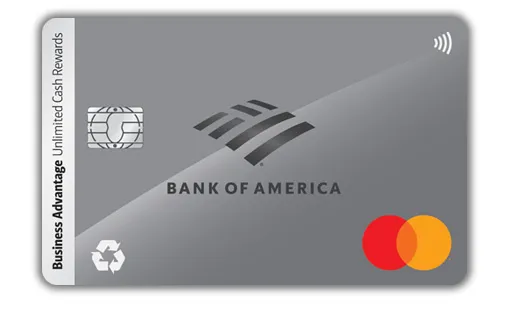
      Bank of America Business Advantage Unlimited Cash Rewards Secured Mastercard
      Best for nationally available card with cash back
      This is some text inside of a div block.
      • 1.5% unlimited cash back on all purchases [1]
      • Open the account with a $1,000 minimum security deposit; credit line equals the deposit amount on approval [1]
      • Periodic review of the account—if overall credit history improves, the cardholder could transition to an unsecured card (not all customers will qualify) [1]
      • Cash-back redemption as a deposit into an eligible Bank of America checking or savings account, as a statement credit, or as a check [1]
      • QuickBooks integration for automatic payments, transfers, and transaction downloads [1]
      • $100,000 in travel accident insurance, plus auto rental insurance, emergency ticket replacement, lost-luggage assistance, and legal and medical referrals when traveling [1]
      • Free access to Dun & Bradstreet business credit scores within the Business Advantage 360 online banking platform [1]

      Pros

      • 1.5% unlimited cash back, no category caps stated on the product page [1]
      • Periodic review with a stated path to upgrade to an unsecured card [1]
      • Free access to Dun & Bradstreet business credit scores [1]
      • $100,000 travel accident insurance plus auto rental insurance [1]

      Cons

      • $1,000 is the highest minimum security deposit on this list [1]
      • Upgrade to unsecured is not guaranteed—Bank of America's site states "not all customers will qualify" [1]
      • Foreign transaction fees and full APR schedule are not listed on the product page

      Bank of America's product page lists 1.5% unlimited cash back, free Dun & Bradstreet business credit scores, and a periodic review for a possible upgrade to an unsecured card. [1] The combination of a major national issuer, a published upgrade path, and cash-back rewards is the reason this card appears at the top of most secured-business-card roundups. However, the $1,000 minimum deposit is higher than several of the alternatives, and the page states "not all customers will qualify" for the upgrade to an unsecured card. [1]

      Commonly compared to: Valley Visa Secured Business Credit Card and FNBO Business Edition Secured Mastercard.

      Type
      Secured business card
      Listed fees*
      $0 annual fee; $1,000 minimum security deposit [1][2]
      Valley Visa Secured Business Credit Card
      Best for secured card with an intro APR
      This is some text inside of a div block.
      • 1% unlimited cash back on all purchases [3]
      • 0.00% introductory APR for the first six billing cycles on purchases and balance transfers; after the introductory period, 14.45% to 25.75% variable based on creditworthiness and Prime Rate [4]
      • No annual fee [3][4]
      • Security deposit equals 110% of the requested credit limit, up to $25,000 [3]
      • Online account access with fraud protection [3]
      • Available by mail or in-branch application; the product page notes the card is "available in branch only" through Valley's contact form [3]
      • Cash advance APR: 17.00% variable; penalty APR: 26.00% if minimum payment is more than 60 days past due [4]

      Pros

      • 0% introductory APR on purchases for the first six billing cycles is uncommon among secured business cards [4]
      • No annual fee [3][4]
      • Online account access with fraud protection [3]

      Cons

      • The deposit account does not earn interest [4]
      • 2% foreign transaction fee [4]
      • In-person or mail application only; the contact form notes the card is "available in branch only" [3]
      • 1% cash back is lower than the 1.5% on several alternatives [3]

      According to Valley's January 2026 Account Disclosures, the Valley Visa Secured Business Credit Card carries a 0.00% introductory APR on purchases and balance transfers for the first six billing cycles—a feature uncommon in the secured-card category. [4] The product page also reports 1% unlimited cash back and no annual fee. [3] The cost of those features shows up in the fine print: the deposit account does not earn interest, the foreign transaction fee is 2%, and applications must be submitted by mail or at a branch. [3][4]

      Commonly compared to: Bank of America Business Advantage Unlimited Cash Rewards Secured Mastercard and FNBO Business Edition Secured Mastercard.

      Type
      Secured business card
      Listed fees*
      $0 annual fee; security deposit equals 110% of credit limit (up to $25,000); 2% foreign transaction fee [3][4]
      FNBO Business Edition Secured Mastercard
      Best for pure credit-building with interest earned on the deposit
      This is some text inside of a div block.
      • Request a credit limit by providing a single deposit between $2,000 and $10,000 (in multiples of $100), subject to credit approval [5]
      • Earn interest on the security deposit (see Deposit Agreement at application for details) [5]
      • Variable 24.24% APR on purchases and balance transfers, based on the Prime Rate [5]
      • Contactless payment via tap-to-pay [5]
      • Mastercard Zero Liability fraud protection [5]
      • Mastercard Easy Savings automatic rebates at over 40,000 participating merchant locations [5]
      • Free 24/7 online account access for transaction activity, payments, alerts [5]
      • Auto rental insurance for collision or theft when the rental is paid with the card [5]
      • Global Services: emergency replacement card and emergency cash assistance [5]

      Pros

      • Security deposit earns interest, which is uncommon among secured cards [5]
      • Mastercard Easy Savings automatic rebates at 40,000+ merchants [5]
      • Auto rental insurance included [5]
      • Contactless and 24/7 online account access [5]

      Cons

      • $39 annual fee [5]
      • No cash back or rewards program [5]
      • 24.24% variable APR on purchases and balance transfers [5]
      • Higher minimum deposit than several alternatives at $2,000 [5]

      FNBO's product page describes the Business Edition Secured Mastercard as a way to "take control of your credit history and help rebuild your credit," and the standout term in the Account Summary is that the security deposit earns interest. [5] The trade-off is straightforward: a $39 annual fee and no rewards program in exchange for a deposit that earns and a card backed by a national issuer. The 24.24% variable APR applies to both purchases and balance transfers, so the card is most useful as a credit-building tool rather than a revolving-balance one. [5]

      Commonly compared to: Bank of America Business Advantage Unlimited Cash Rewards Secured Mastercard and Valley Visa Secured Business Credit Card.

      Type
      Secured business card
      Listed fees*
      $39 annual fee; security deposit $2,000–$10,000; 24.24% variable APR [5]
      Charity Charge Nonprofit Business Card
      Best for nonprofits building organizational credit
      This is some text inside of a div block.
      • Issued by Commerce Bank as a Mastercard, designed exclusively for 501(c) nonprofits [6]
      • The site reports the card can be underwritten directly to the organization without a personal guarantee, though a personal guarantee could be required in certain circumstances [7]
      • No annual fee, no setup fees, no per-card fees according to the Pricing Terms linked from the product page [6]
      • Reports to major business credit bureaus, so responsible use may help nonprofits build or establish business credit history [6]
      • QuickBooks Online integration to sync transactions [6]
      • Unlimited employee cards at no extra fee [6]
      • Mastercard Zero Liability fraud protection and ID Theft Protection [6]
      • Car rental insurance via Mastercard for damage or theft [6]
      • Real-time card controls to pause cards, adjust limits, and monitor spending [6]
      • Mastercard Easy Savings for automatic rebates on select fuel, hotels, dining, and more [6]
      • For nonprofits that don't qualify for the standard Nonprofit Business Card, Charity Charge's FAQ describes a Secured Credit Card option: the credit line matches the security deposit (for example, a $5,000 limit requires a $5,000 deposit), with the deposit held in a Business Savings Account [7]

      Pros

      • No personal guarantee required in standard cases—uncommon among business cards [7]
      • Free program for nonprofits: no annual, setup, or per-card fees [6]
      • Unlimited employee cards [6]
      • Reports to business credit bureaus to help build organizational credit [6]
      • Secured option available for organizations that don't qualify for the standard card [7]

      Cons

      • Eligibility limited to 501(c) organizations meeting revenue thresholds—5 years in operation and $100,000 in annual revenue, or 2 years in operation and $500,000 in annual revenue [7]
      • Late fee is 2.5% of the amount past due [7]
      • Application requires a 15-minute consultation and financial document submission for underwriting [7]

      Charity Charge's Nonprofit Business Card is built specifically for 501(c) organizations and addresses a real gap: the FAQ states that the card "can be underwritten directly to the organization without a personal guarantee," which most business cards require from a board member or executive. [7] The FAQ also describes a Secured Credit Card option for organizations that don't meet the standard eligibility, where the credit line matches a deposit held in a Business Savings Account. [7] Nonprofits that meet the revenue thresholds get a no-fee card with reporting to business credit bureaus; nonprofits that don't get a secured path with the same underwriting model. [6][7]

      Commonly compared to: Bank of America Business Advantage Unlimited Cash Rewards Secured Mastercard (for nonprofits that prefer a major-bank product).

      Type
      Secured business card
      Listed fees*
      $0 annual fee; secured option requires a Business Savings Account deposit equal to the requested credit limit; late fee 2.5% of past-due amount [6][7]
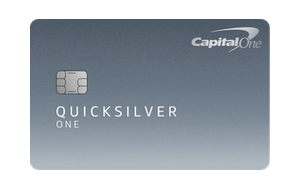
      Capital One Quicksilver Secured Cash Rewards Credit Card
      Best for sole proprietors with a low deposit
      This is some text inside of a div block.
      • 1.5% unlimited cash back on every purchase [8]
      • $200 minimum refundable security deposit; credit limit assigned upon approval, ranging from $1,000 to $3,000 based on creditworthiness [8]
      • Capital One reports cardholders can earn the deposit back as a statement credit with responsible use, or have it refunded when the account is closed and the balance is paid in full [8]
      • Possible upgrade to an unsecured Quicksilver card with responsible use [8]
      • 28.99% variable purchase APR [8]
      • Reports to all three major credit bureaus [8]
      • No foreign transaction fees, no replacement card fees, no authorized user fees [8]
      • $0 fraud liability if the card is lost or stolen [8]
      • Virtual card numbers from Eno; card lock in the Capital One mobile app [8]
      • The product page notes the Capital One Quicksilver Secured Rewards Credit Card "will not have the word 'secured' on it" [8]
      • The card is listed under Capital One's personal "Credit Cards" navigation, not the business cards section, and the page describes it as helping cardholders build personal credit [8]

      Pros

      • $200 is the lowest minimum security deposit on this list [8]
      • 1.5% unlimited cash back with no foreign transaction fees [8]
      • Stated path to earn the deposit back as a statement credit and to upgrade to an unsecured Quicksilver card [8]
      • Virtual card numbers from Eno for online purchases [8]

      Cons

      • The Quicksilver Secured is a personal credit card, not a business card—it reports to the three major consumer credit bureaus rather than business credit bureaus, so it will not build business credit [8]
      • Credit limit caps at $3,000 [8]
      • 28.99% variable purchase APR is among the highest on this list [8]

      The Capital One Quicksilver Secured Rewards Credit Card is included here as an alternative for sole proprietors rather than as a true secured business card. Capital One's own product page lists it under personal "Credit Cards" and reports activity to the three major consumer credit bureaus, not business bureaus—so it will build personal credit, not business credit. [8] For a sole proprietor who hasn't established a separate business entity, that distinction may not matter; for an LLC or corporation that needs to build credit under the business's name, it will. The page reports a $200 minimum deposit (the lowest in this comparison), 1.5% unlimited cash back, no foreign transaction fees, and a possible upgrade path to the unsecured Quicksilver card with responsible use. [8]

      Commonly compared to: Capital One QuicksilverOne and other personal credit-building cards.

      Type
      Personal secured card
      Listed fees*
      $0 annual fee; $200 minimum refundable security deposit; 28.99% variable purchase APR; credit limit $1,000–$3,000 based on creditworthiness [8]
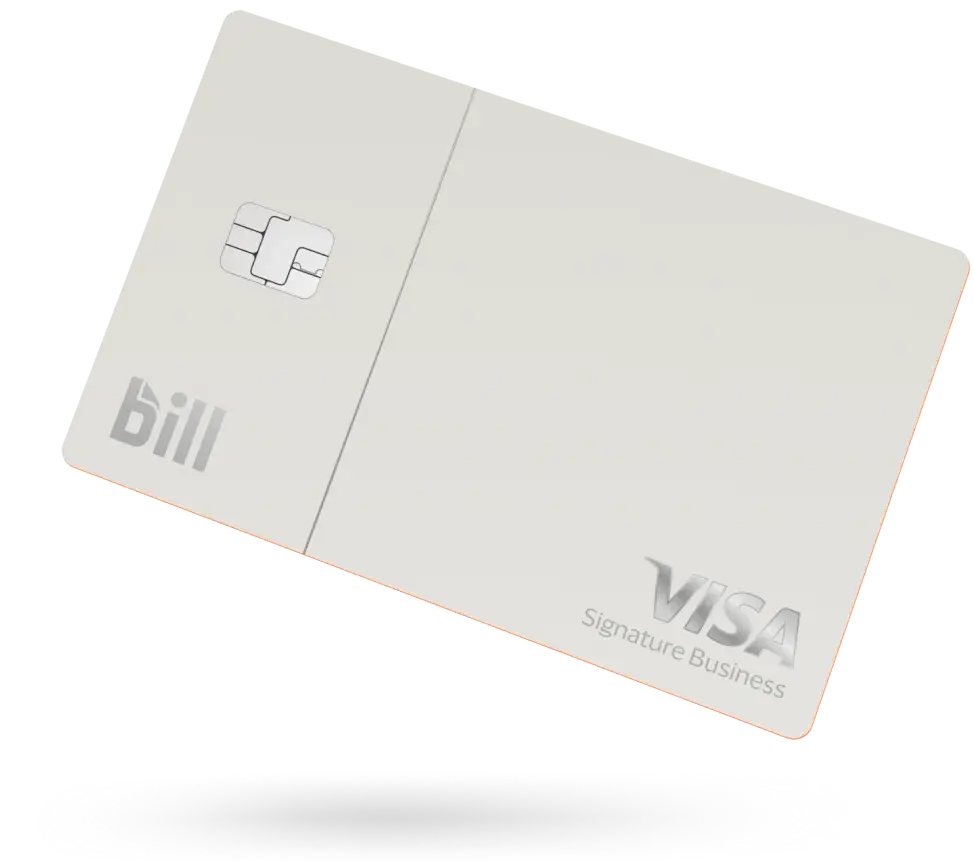
      BILL Divvy Card
      Best for spend management and budget controls in one platform
      This is some text inside of a div block.
      • Credit lines from $1,000 to $5,000,000 based on application approval (not guaranteed) [9]
      • $0 annual fee, no per-card fees, no monthly fees, no hidden fees [9][11]
      • Rewards points vary by billing cycle: on a weekly or daily billing cycle, the rewards page lists 7x points on restaurants, 5x on hotels, 2x on recurring software subscriptions, and 1.5x on everything else; semi-monthly and monthly billing cycles earn at lower multipliers [11]
      • Category multipliers apply to the first $5,000 spent per month in each category; subsequent eligible transactions earn at the "Everything Else" multiplier [11]
      • Visa Signature Business cardholder benefits, including Visa Signature Travel and Emergency Assistance, Auto Rental Collision Damage Waiver, Visa Signature Rental Car Privileges, Travel Accident Insurance, Lost Luggage Reimbursement, and Roadside Dispatch [11]
      • Unlimited free virtual cards with unique numbers for each vendor or subscription; freeze, delete, or set custom limits instantly [10]
      • Free physical and virtual employee cards with real-time tracking and admin-controlled spend rules [9][10]
      • AI-powered receipt matching and auto-categorization of expenses [10]
      • Customizable budgets and spend controls by merchant, amount, receipt requirements, and approval workflows [10]
      • Integrations: QuickBooks, NetSuite, Sage Intacct, Xero, Microsoft Dynamics, Acumatica, Slack, and HRIS platforms [9][10]
      • Advanced fraud protection via a third-party platform that monitors transactions in real time [9]
      • Reports customer credit performance to the Small Business Financial Exchange (SBFE), so on-time payment may help build business credit history [9]
      • Tap-to-pay with Visa, Apple Pay, and Google Pay [9]
      • Pay-in-full each billing cycle (the BILL Divvy Card is a charge card, not a credit card) [9]

      Pros

      • $0 annual fee, no per-card fees, no monthly fees [9][11]
      • Built-in expense management, budgets, and approval workflows included at no additional cost [10]
      • Free employee cards and unlimited free virtual cards [9][10]
      • Credit lines from $1,000 to $5,000,000 (not guaranteed) [9]
      • Reports to the Small Business Financial Exchange to help build business credit [9]
      • Five major accounting platform integrations plus Slack and HRIS [10]

      Cons

      • The BILL Divvy Card is a business charge card, not a secured card—it requires approval rather than a security deposit, so it may not be the right fit for businesses with no credit history that cannot qualify [9]
      • Pay-in-full each billing cycle; balance is due in full [9]
      • 12-month holding period before rewards points can be redeemed; minimum 5,000 points to redeem [11]
      • To retain rewards in a given month, total monthly spend must be at least 30% of the credit line, or the month's points are forfeited [11]

      The BILL Divvy Card is included as an alternative for businesses whose actual need is spend control and expense management rather than building credit from zero. It is not a secured card—it requires application approval rather than a security deposit—but the bill.com pages report $0 annual fee, no per-card fees, no monthly fees, and credit lines from $1,000 to $5,000,000 depending on approval. [9][11] The rewards page lists up to 7x points on restaurants and 5x on hotels on weekly or daily billing cycles, with multipliers stepping down for semi-monthly and monthly cycles. [11] For businesses that can qualify, the card bundles AI-driven expense management, customizable budgets, free employee cards, and accounting software integrations that the secured cards on this list either don't offer or offer in narrower form. [9][10]

      Commonly compared to: traditional business charge cards from American Express and other corporate-card providers (for businesses that can qualify for an unsecured product).

      Type
      Business charge card (not a secured card)
      Listed fees*
      $0 annual fee; no per-card fees; no monthly fees; credit lines from $1,000 to $5,000,000 based on approval; pay-in-full each billing cycle [9][10][11]