Blog
  /  
Business Basics
  /  
What do treasury managers do?

What do treasury managers do?

Krystal Alvarez
Contributor
illustrated button and cursor with the words business basicsHeader imageHeader imageHeader imageHeader image
Table of contents
Get more from BILL
Subscribe to finance insights and thought leadership content delivered straight to your inbox.
By continuing, you agree to BILL's Terms of Service and Privacy Notice.

Treasury managers are highly sought after experts that oversee the finances of a business to ensure stability and optimal cashflow with limited risk.

If you're considering a career as a treasury manager, understanding their responsibilities, qualifications, and earning potential can help you decide if this is the right path for you. This guide will explore the key aspects of this career, including salary insights, job roles, the skills needed, and how automation is shaping the field.

Key takeaways

Treasury managers maintain an organization’s financial stability by overseeing everything from cash flow to investments, while mitigating financial risks.

In order to be a successful treasury manager, you must have strong analytical, financial, and leadership skills, alongside the ability to adopt and use innovative tools.

Automation tools, like BILL Accounts Payable, are transforming treasury workflows and boosting efficiency.

What does a treasury manager do?

A treasury manager is responsible for streamlining an organization's finances by monitoring investments, managing risks associated with financial markets, and developing strategies to optimize working capital. This role is vital in ensuring the company's financial resources are used to meet both short-term and long-term goals. 
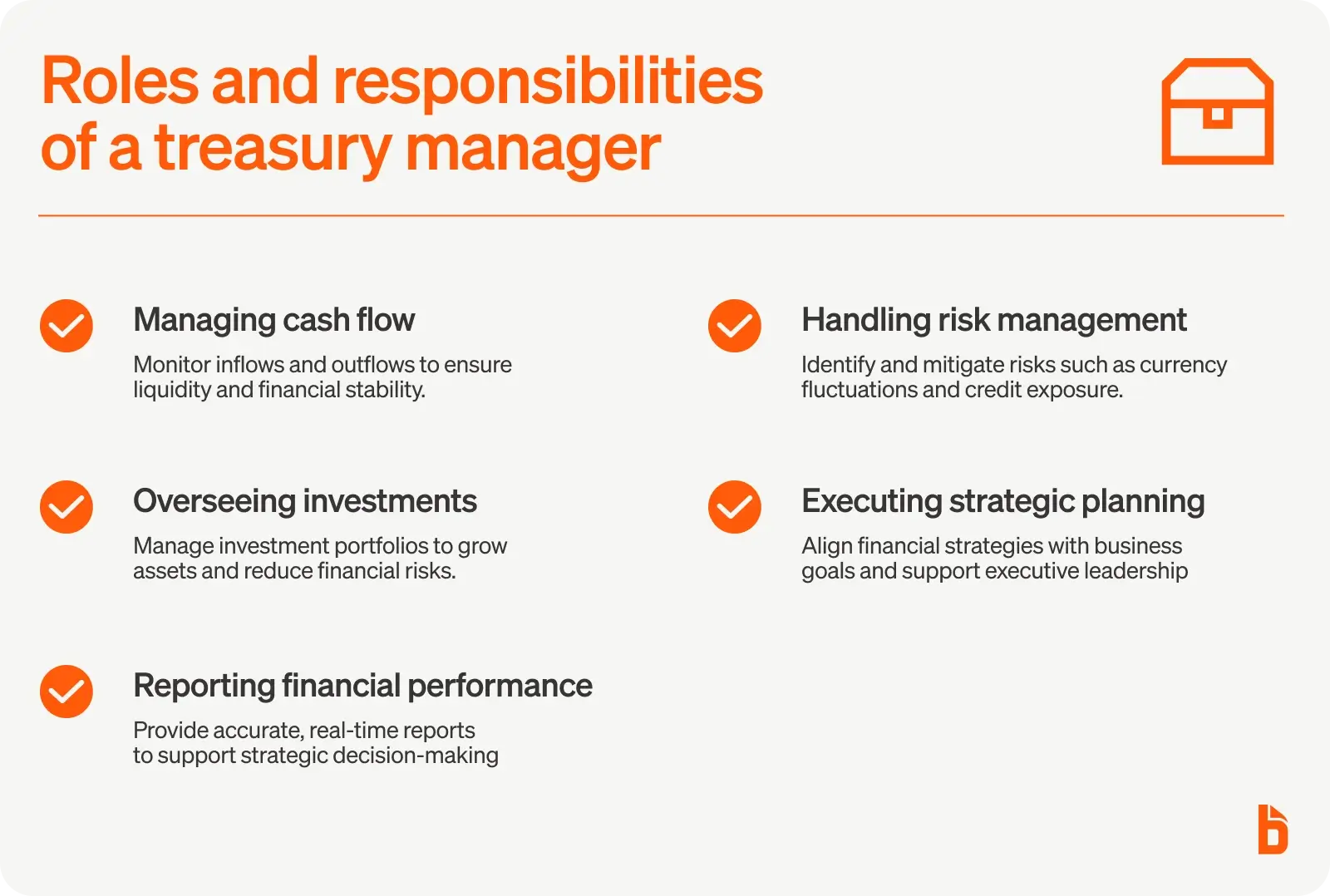
Roles and responsibilities of a treasury manager

Roles and responsibilities of a treasury manager

Managing cash flow 

In order to maintain company liquidity, it’s essential for treasury managers to monitor effectively what dollars flow in and out of the business.

Overseeing investments

Managing investment portfolios to ensure growth and mitigate risks is a key responsibility of a treasury manager. Knowing how to generate more revenue through smart investment decisions can help a company stay stable and navigate the ebbs and flows of the economy.

Reporting financial performance

Strategic decisions can only be made by leaders if they have the right information. That's why treasury managers prepare detailed financial reports that help shape executive decisions with real-time metrics and data. 

Handling risk management 

In order to be a successful treasury manager, you must identify risks related to currency fluctuations, market adjustments, and credit, while developing mitigation strategies.

Executing strategic planning 

Working with executive teams to align financial strategies with organizational goals is a major part of the position. As a treasury manager, you should be able to communicate with leaders that make crucial decisions for the business as well as maintain banking relationships and uphold company policy.

How to become a treasury manager 

Most treasury managers need a lot of experience in multiple areas in order to earn their position. To become a treasury manager you need to have the following experience on your resume:

  • Bachelor’s degree: A strong academic foundation is essential, with most employers requiring a Bachelor’s degree in either finance, economics, accounting, or a related field.
  • Relevant career history: Many treasury managers grow into the role after gaining experience in financial analysis, accounting, or other treasury-related positions. Some even start in banking and move to treasury positions later on in their career.
  • Professional certifications: Earning credentials such as the Certified Treasury Professional (CTP) or Chartered Financial Analyst (CFA) can demonstrate expertise and improve career prospects.

Treasury manager skills and qualifications 

Successful treasury managers possess a combination of technical knowledge and essential soft skills like:

  • Technical knowledge
  • Financial acumen
  • Proficiency in the latest tools and techniques
  • Strong analytical skills
  • Excellent communication skills
  • Leadership capability

You need to have financial acumen and proficiency in the latest financial tools and software. Knowing how to streamline workflows with automated tools like BILL BILL Accounts Payable, for example, can improve efficiencies and establish yourself at the forefront of the latest strategies. 

You should also have strong analytical abilities, so you can accurately evaluate data and make informed decisions. In order to articulate those informed decisions, you also need excellent communication and presentation skills—particularly when speaking to important stakeholders.

And finally, as a treasury manager, you’re at the forefront of vital financial decisions. You need to have leadership capabilities to inspire and manage teams that will be driving your financial strategies.

How much do treasury managers earn?

According to Salary.com, treasury managers in the U.S. make an average of $169,415 annually or $81 an hour with experienced professionals often earning more and those with less experience earning less. Bonuses and benefits, such as stock options and performance incentives, can further boost compensation.

*Data is based on publicly available information on Salary.com for all listed businesses and is not a reflection, nor a guarantee of, salary ranges at BILL.

How treasury managers can succeed with BILL

Automation is revolutionizing treasury management, enabling professionals to focus on more strategic initiatives. That’s where BILL comes in to drive the most value.

BILL Account Payable is designed to automate company expenses and take the guesswork out of managing finances. Because it has both an expense card and automated tracking, you’re able to streamline the entire expense cycle—from creating cards and initiating payments to capturing receipts and closing the books. 

Its intuitive interface, mobile app, and robust integrations also make it easy to manage card spending, get the info you need from employees, and view real-time insights about finances that would otherwise be difficult to collect. 

BILL provides best-in-class tools, compliance, security, and customer support with no hidden fees or contracts—making it the only expense management software that does so.

Hear what customers have to say about their experience with BILL Spend and Expense. 

“Once clients get rolling on BILL, it is so much better. They stop duplicating expenses, they stop overpaying. Everything comes into BILL. Clients can see it. And we can put together a really nice review process for them so they can approve all the invoices before they get paid.” - Creative Planning Business Services Supervisor, Outsourced Business Accounting Rebecca Williams
“I don't have to dig through files of papers with BILL Spend & Expense. Once I had to find a receipt from a whole year ago, and now, this is so easy.”  - Emergency Plumbing Heating & Air Office Administrator Sandra Helton

Success stories like these speak volumes about the value that BILL brings to businesses. In fact, 94% of surveyed users would recommend BILL to a friend.2

By using BILL, treasury managers can reduce errors, improve efficiency, and gain actionable insights through real-time data analysis. This allows them to spend less time on manual processes and more time on driving business growth.

Join the growing community of businesses that have reshaped their account expense process with BILL.

Treasury manager FAQs

What is the difference between a finance manager and a treasury manager?

While both roles involve managing aspects of a company’s finances, their focus differs. Finance Managers deal broadly with financial planning, budgeting, and performance tracking. Treasury Managers focus specifically on liquidity, investments, cash flow, and risk management.

How long does it take to become a treasury manager?

The timeline typically depends on educational background and professional experience. It often takes around 5 to 10 years of relevant work experience after completing a degree to reach this role, particularly if progressing through financial or treasury departments.

Is being a treasury manager a stressful job?

Treasury management can indeed be stressful at times, given the high stakes of maintaining financial stability and navigating market risks. However, with the right tools and skills, the challenges are not only manageable but also rewarding and fulfilling.

Author
Krystal Alvarez
Contributor
Krystal Alvarez is a freelancer writer, who contributes content to BILL. She has over 10 years of copywriting experience in fintech, e-commerce, and edtech. Krystal started her career as a South Miami High School English teacher and Writing & Rhetoric adjunct instructor at Florida International University. Because of her educational foundation, she loves crafting content that informs and empowers readers to learn something new.
Author
Krystal Alvarez
Contributor
Krystal Alvarez is a freelancer writer, who contributes content to BILL. She has over 10 years of copywriting experience in fintech, e-commerce, and edtech. Krystal started her career as a South Miami High School English teacher and Writing & Rhetoric adjunct instructor at Florida International University. Because of her educational foundation, she loves crafting content that informs and empowers readers to learn something new.
Get more from BILL
Subscribe to finance insights and thought leadership content delivered straight to your inbox.
By continuing, you agree to BILL's Terms of Service and Privacy Notice.

Frequently asked questions

Dashboard mockup

Ready to bring AI to your finance team?

Take a demo with BILL to see how our integrated platform can provide your business with seamless AP, AR, and spend and expense management.

Request a Demo
The information provided on this page does not, and is not intended to constitute legal or financial advice and is for general informational purposes only. The content is provided "as-is"; no representations are made that the content is error free.

Software Comparison

BILL Spend & Expense
Best for AI expense automation
4.5 on G2
  • Smart corporate cards with real-time tracking, flexible limits, and instant visibility into every transaction across your team [1]
  • Unlimited free virtual cards with unique numbers for each vendor or subscription—freeze, delete, or set custom limits instantly to prevent overcharges and reduce fraud risk [5]
  • AI-powered auto-categorization and receipt matching that connects card transactions and expenses into a single reconciliation workflow [1]
  • Customizable budgets with spend controls based on merchant, amount, receipt requirements, and configurable approval workflows [3]
  • Auto-freeze on cards with incomplete transactions, ensuring receipts and documentation are captured before additional spend is approved [1]
  • Up to 7x points on restaurants, 5x on hotels, 2x on recurring software, and 1.5x on all other purchases (rates shown are for weekly or daily billing cycle; rates vary by billing frequency) [2]
  • Two-way sync with QuickBooks, NetSuite, Sage Intacct, Xero, and Microsoft Dynamics; additional integrations with Acumatica, Slack, and HRIS platforms [1]
  • Lorem ipsum dolor sit amet: At pretium eget vel non sed integer nibh neque auctor. Massa est et eu dolor a mauris ut at in.
  • Lorem ipsum dolor sit amet: At pretium eget vel non sed integer nibh neque auctor. Massa est et eu dolor a mauris ut at in.
  • Lorem ipsum dolor sit amet: At pretium eget vel non sed integer nibh neque auctor. Massa est et eu dolor a mauris ut at in.
  • Lorem ipsum dolor sit amet: At pretium eget vel non sed integer nibh neque auctor. Massa est et eu dolor a mauris ut at in.
  • Lorem ipsum dolor sit amet: At pretium eget vel non sed integer nibh neque auctor. Massa est et eu dolor a mauris ut at in.
Pricing
$0/user/month with no annual fee
Integrations
Two-way sync with QuickBooks, NetSuite, Sage Intacct, Xero, and Microsoft
Ideal company size
SMB to mid-market
SAP Concur
Best for large enterprises
4 on G2
  • AI-powered receipt capture via ExpenseIt on the SAP Concur mobile app, with smart matching that combines credit card charges and e-receipts into expense reports automatically [7]
  • Configurable approval workflows with built-in audit rules that flag policy exceptions, plus optional Intelligent Audit and Verify add-ons for automated compliance checks [6][7]
  • Modular product suite: Concur Expense, Concur Travel, and Concur Invoice are separate products that can be purchased individually or together, so organizations can start with expense management and add capabilities over time [6]
  • Bank card feed integrations that import corporate card transactions directly into expense reports for automatic reconciliation [6]
  • Joule, SAP's AI assistant, for expense report review, spend analysis, and cost estimation [6]
  • Budget tracking and monitoring tools that give finance teams visibility into spend against departmental or project-level budgets [6]
  • Support for global operations with multi-currency expense reporting and country-specific tax and regulatory compliance tools [6]
  • Pro: 300+ pre-built integrations including native SAP ERP sync [7][8]
  • Pro: Global coverage with multi-currency and regulatory compliance tools [6]
  • Pro: Modular—add travel or invoice management without switching platforms [6]
  • Pro: AI-powered receipt capture and smart matching via ExpenseIt [7]
  • Con: Quote-based pricing; no published rates on the website [6]
  • Con: No corporate card offering; relies on bank card feed integrations [6]
  • Con: Implementation can be complex for smaller organizations [6]
  • Con: Live support requires purchasing the User Support Desk service [6]
Pricing
Quote-based
Integrations
QuickBooks, Xero, Sage,TSheets, Gusto, & most business credit cards.
Ideal Company Size
Mid-market to enterprise
Ramp
Best for a broad spend platform
4.8 on G2
  • Corporate cards with customizable spend controls by merchant, category, employee, or department, plus unlimited virtual and physical cards [9][10]
  • AI-powered receipt matching, transaction coding, and memo suggestions that auto-populate as soon as a card is swiped [9]
  • Policy agent that reviews every expense against company policy, auto-approves compliant transactions, and escalates only exceptions with full audit trail [9]
  • Expense submission via SMS, Slack, or Microsoft Teams in addition to web and mobile app [9]
  • Reimbursements for out-of-pocket expenses paid to employees' bank accounts in 1–2 business days [9]
  • Real-time spend reporting with custom dashboards, natural-language queries, and proactive overspend alerts [9]
  • Broader spend platform that includes AP automation, procurement, vendor management, and treasury alongside expense management [9]
  • Pro: Free plan includes corporate cards, expenses, and bill pay [11]
  • Pro: AI policy agent reviews 100% of expenses automatically [9]
  • Pro: Submit expenses via SMS, Slack, or Teams—no app required [9]
  • Pro: Broader spend platform covers AP, procurement, and vendor management [9]
  • Con: Budget tracking requires Ramp Plus at $15/user/month [11]
  • Con: NetSuite, Sage Intacct, and Dynamics integrations require a paid plan [11]
  • Con: HRIS syncs and auto-lock cards require a paid plan [11]
  • Con: Credit limits fluctuate daily based on connected bank balance [12]
Pricing
$0/user/month
Integrations
QuickBooks, NetSuite, Xero, Sage Intacct, Slack, & 100+ accounting tools.
Ideal Company Size
Startups to mid-market
Brex
Best for global teams
4.8 on G2
  • Corporate cards with customizable spend limits by role, department, or category, plus auto-approve for in-policy expenses and auto-decline for out-of-policy spend [13][14]
  • AI-powered expense reviews that auto-approve compliant transactions and surface only exceptions for human review, with clear visibility into why a transaction is flagged [13]
  • Auto-generated receipts and memos with OCR that matches receipts in any language or currency, plus automatic GL coding by department, project, and entity [13]
  • Live Budgets that let department heads set top-level budgets, provision spend to individuals or teams, and track usage in real time with anomaly detection [13]
  • Global reimbursements in 70+ countries in employees' local currency, with subsidiaries able to issue reimbursements from local bank accounts [13]
  • Expense submission and approval via Slack and WhatsApp, with in-app commenting on individual transactions [13]
  • Broader financial platform that includes bill pay, business banking with up to 3.68% yield, and treasury alongside expense management [14]
  • Pro: Free plan includes corporate cards, expenses, bill pay, and travel [15]
  • Pro: AI expense reviews with 99% average policy compliance rate [14]
  • Pro: Global reimbursements in 70+ countries in local currency [13]
  • Pro: Live Budgets with real-time tracking and anomaly detection [13]
  • Con: Live Budgets require Premium at $12/user/month [15]
  • Con: HRIS syncs and customizable ERP integrations require a paid plan [15]
  • Con: Credit limits fluctuate daily based on connected bank balance [16]
  • Con: Multiple expense policies and dynamic review chains require Premium [15]
Pricing
$0/user/month
Integrations
NetSuite, QuickBooks, Workday,SAP Concur, Slack, & global banking portals.
Ideal Company Size
Startups to mid-market
Expensify
Best for simple reimbursements
4.5 on G2
  • SmartScan receipt capture by photo, email forwarding (receipts@expensify.com), or text message; auto-extracts transaction details and categorizes expenses [17]
  • Bring-your-own-card support: link existing corporate cards from 10,000+ banks globally for automatic reconciliation without switching card providers [17]
  • Expensify Visa Commercial Card with cash back on US purchases; cash back first offsets the Expensify subscription cost, then flows to the company's bank account [17]
  • Concierge AI for automated expense categorization, policy violation flagging, rule enforcement, and error reduction [17]
  • Global reimbursements for employees and independent contractors in their local currency [17]
  • Chat-based collaboration directly on individual expenses to resolve questions in real time rather than through email follow-ups [17]
  • 45+ integrations including QuickBooks, NetSuite, Sage Intacct, Xero, Workday, and Gusto [17]
  • Pro: Bring-your-own-card from 10,000+ banks globally [17]
  • Pro: Expensify Card cash back can offset the subscription cost [17]
  • Pro: SmartScan receipt capture by photo, email, or text message [17]
  • Pro: 45+ integrations including major ERPs and payroll systems [17]
  • Con: No free plan; starts at $5/user/month [18]
  • Con: Pricing structure varies by card spend volume [18]
  • Con: Budget management, advanced approvals, and expense policies require Collect or Control plans [17]
  • Con: No department-level budget management on par with card-first platforms
Pricing
From $5/user/month
Integrations
QuickBooks, Xero, Sage, TSheets, Gusto, & most business credit cards.
Ideal Company Size
Small to mid-market
Zoho Expense
Best for budget-conscious teams
4.5 on G2
  • Autoscan receipt capture with OCR that auto-categorizes and itemizes each expense, plus the ability to split or tag expenses across departments, projects, or cost centers [19][20]
  • Automated per diem calculations with pre-defined rules based on country, location, and trip details for regional compliance [20]
  • Corporate card management with real-time feeds that automatically match transactions to uploaded receipts for faster reconciliation [20]
  • Mileage tracking with four input methods across Android, iPhone, and Apple Watch [20]
  • Configurable approval workflows, expense policies, and audit rules with detailed audit trails for compliance [19][20]
  • Custom modules, workflow automation, webhooks, and configurable UI elements for businesses that need tailored expense processes [19]
  • Active-user pricing model: only employees who actually create expenses are charged, so admins and approvers who don't submit reports are free [21]
  • Pro: Free plan available for up to 3 users with core expense tracking [21]
  • Pro: Active-user pricing—admins and approvers aren't charged [21]
  • Pro: Automated per diem calculations by country and location [20]
  • Pro: Deep customization with custom modules and workflow automation [19]
  • Con: Corporate card feeds and multi-level approvals require Standard plan [21]
  • Con: Deepest value requires the broader Zoho ecosystem (Books, People, CRM) [19]
  • Con: No corporate card offering; relies on connecting existing cards [20]
  • Con: Travel booking, per diem, and live budgets require Premium plan [21]
Pricing
Free (3 users); from $4/user/month
Integrations
Zoho Books, QuickBooks, Xero, Sage, Microsoft Dynamics, & Google Workspace.
Ideal Company Size
Small to mid-market








