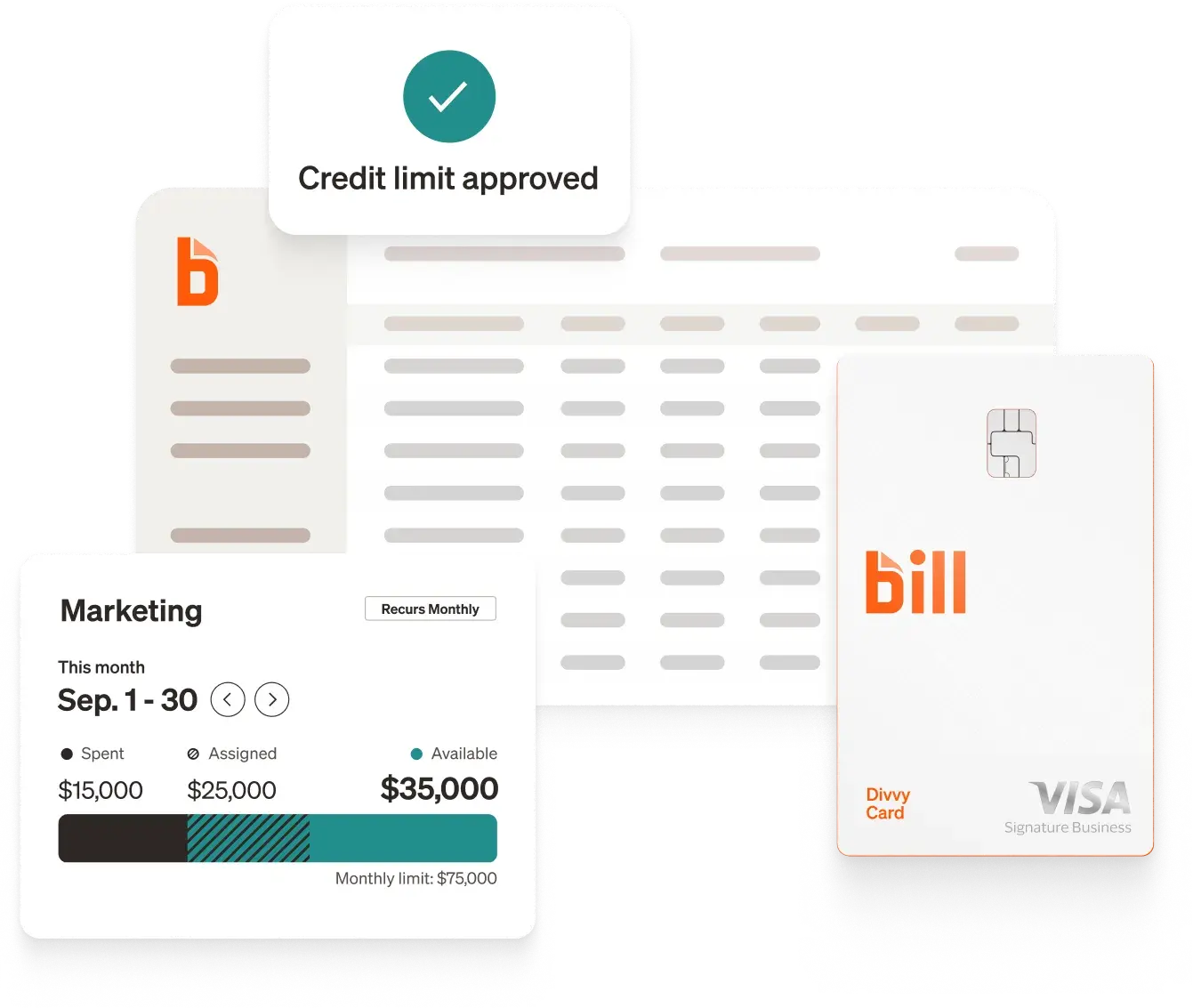
For most growing businesses, BILL is the top choice, offering AI-powered invoice capture across formats and channels, built-in approvals and payments, and seamless sync with leading accounting platforms and ERPs. In this guide, we compare BILL and other leading invoice capture and AP automation tools on features, pricing, and integrations so you can find the option that fits your finance stack and growth stage.
Comparing top invoice capture software
*Pricing and features are based on publicly available information as of September 2026 and may change. Always confirm details with each provider.
How we chose the best invoice capture software†
In this list, we considered invoice capture tools based on:
- Capture and extraction capabilities. How invoices enter the system, which formats and languages are supported, and whether line items are captured alongside header fields.
- What happens after capture. Coding, PO matching, approval routing, and whether payment execution is included or handled elsewhere.
- Integration with accounting systems and ERPs. Published connectors, two-way sync, and API access.
- Pricing transparency. Published pricing where providers publish it, and add-on or transaction costs where those are disclosed.
- Fit for different business types. From small businesses using QuickBooks or Xero through global enterprises running SAP, NetSuite, or Oracle.
Top picks for 2026
{{listicle-invoice-capture="/listicle"}}
Key questions about invoice capture software
What is invoice capture software?
Invoice capture software reads incoming invoices and converts them into structured data your finance systems can use. Instead of typing vendor names, invoice numbers, dates, amounts, and line items by hand, a finance team lets the software extract those fields from a PDF, a scanned paper invoice, an emailed attachment, or an electronic invoice format.
The scope of these tools varies. Some are focused specifically on extraction and hand the data to another system for approvals and payment. Others include capture as the first step of a broader accounts payable platform that also handles coding, purchase order matching, approval routing, and payment execution. BILL, for example, captures invoice data, routes it through customizable approval workflows, and pays vendors by ACH, virtual card, credit card, check, or international wire transfer within one platform. [1]
How does invoice capture software work?
- Invoice intake. Invoices arrive through channels such as a dedicated email address, PDF upload, mobile photo, scanner, EDI, or an e-invoicing network, depending on the tool.
- Data extraction. OCR and AI read the document and pull header fields and, in many tools, line-item detail into structured fields.
- Coding and matching. The system suggests or applies GL codes and compares the invoice against purchase orders and receipts, flagging discrepancies and possible duplicates.
- Review and approval. Extracted data is presented for human review, then routed to approvers according to configurable rules.
- Export or payment. Approved invoice data syncs to the accounting system or ERP. In platforms that include payments, the approved bill is paid from the same system.
What features should you look for in invoice capture software?
- Multiple intake channels. Email forwarding, PDF upload, mobile capture, scanning, and electronic invoice formats, so you are not limited by how vendors choose to send invoices.
- Line-item extraction. Header fields alone are often not enough for coding or matching. Check whether line items are included in the tier you are pricing.
- Coding and matching. GL code suggestions plus 2-way and 3-way matching against purchase orders and receipts, with tolerance rules.
- Approval workflows. Rule-based routing, reminders, mobile approval, and an audit trail of every step.
- Accounting and ERP integration. Confirm whether your system is supported by a two-way sync or only by file import and export, and on which plan.
- Duplicate and fraud controls. Duplicate invoice detection and monitoring for suspicious activity before a payment goes out.
- Deployment and data residency. Cloud, on-premises, or a specific hosting region, if your industry or jurisdiction requires it.
How much does invoice capture software cost?
Pricing models in this category differ substantially, which makes direct comparison difficult:
- Per-user subscriptions. BILL publishes per-user pricing for businesses at $49 per user per month on Essentials, $65 on Team, and $89 on Corporate, plus a custom Enterprise plan. [2]
- Per-month plans tied to volume. Doxis SpendControl lists Effective at €95/mo for up to 4,000 invoices per year and up to 10 active users, and Premium at €275/mo for up to 12,000 invoices per year. [15] Tungsten AP Essentials lists Basic starting at $41 per month and Premium starting at $62 per month. [13]
- Annual contracts based on document volume. Rossum lists Starter starting at $18,000 per year with pricing based on the volume of pages or documents processed and a one-year minimum contract. [5]
- Quote-based pricing. ABBYY does not publish pricing for FlexiCapture for Invoices on the pages reviewed, and SAP Concur does not publish a price for Concur Invoice; both direct buyers to contact their teams. [7][10][11]
- Add-ons and transaction fees. Many platforms charge separately for integrations, workflow modules, or payments. Doxis SpendControl lists approval workflows at +€50/mo and accounting integrations from €50/mo. [15] With BILL, sending an ACH or ePayment from a bank account, BILL Balance, or BILL Cash Account costs $0.59 per transaction, sending a check that BILL mails costs $1.99 per transaction, and sending a payment by virtual card is free. [2]
Benefits of invoice capture software
Less manual data entry. Automated extraction removes the keystrokes involved in typing invoice fields into an accounting system. BILL AI automatically codes multi line items bills reducing manual time by 20%* while capturing key invoice fields with 99% accuracy** (*Based on BILL's analysis of Alpha customer performance before and after adopting the agent, results may vary. **Based on BILL's analysis of the top 20% of common bills assuming doc layouts and user behaviors stay consistent. Results will vary by invoice layout and data quality). [1]
Fewer duplicate and incorrect payments. Matching invoices against purchase orders and receipts, plus duplicate detection, catches problems before money moves. BILL performs invoice matching and purchase order matching, flagging potential duplication to reduce the chance that you'll pay the same bill twice. [1]
Faster approvals. Rule-based routing with reminders and mobile approval keeps invoices moving rather than sitting in an inbox. With BILL, as each invoice comes in, BILL matches it to the right workflow and directs it to the right people for approval, handling that distribution automatically. [1]
A searchable record. Digitized invoices and logged activity replace paper filing. With BILL, any back-and-forth conversation about a bill is stored with the bill itself—logged and time-stamped in a permanent, detailed audit trail just like every other touchpoint from entry to payment. [1]
Cleaner books. When captured data syncs to the general ledger automatically, reconciliation gets easier. BILL states that the data entered in BILL is automatically synced and posted to your general ledger. [1]
How to choose the right invoice capture software for your business
Conclusion
For businesses that want AI-powered invoice capture connected to approvals, accounting sync, and payment execution in a single platform with published per-user pricing, BILL offers accounts payable automation starting at $49 per user per month for businesses, with invoices entering by email, PDF upload, or mobile photo and paid by ACH, virtual card, credit card, check, or international wire transfer. [1][2]
†Important disclosures:
- This article is for informational purposes only and is based on our review of publicly available information from each provider's website as of September 2026.
- We did not independently test or audit every feature described. Actual performance and suitability will vary by business.
- Inclusion in this list does not constitute an endorsement, recommendation, or guarantee of results. Evaluate each solution against your own requirements and risk standards.
- BILL is our own product. We include it here using the same evaluation criteria as other providers. This article is published by BILL.
References
[1] BILL. Accounts Payable Software. "With AI-powered AP automation, BILL erases the busywork from capturing invoices, routing approvals, and processing payments—syncing seamlessly with your accounting software so you can focus on growth." "BILL AI automatically codes multi line items bills reducing manual time by 20%* while capturing key invoice fields with 99% accuracy.**" "*Based on BILL’s analysis of Alpha customer performance before and after adopting the agent, results may vary" "**Based on BILL’s analysis of the top 20% of common bills assuming doc layouts and user behaviors stay consistent. Results will vary by invoice layout and data quality" "BILL also automates 2- and 3-way matching—checking invoices against POs and receipts to reduce errors and cut manual work." "Tailor your approval workflows to fit your business rules with BILL handling the routing for you. Track every step, send reminders, and approve from anywhere—speeding payments while strengthening security." "With access to millions of vendors across the BILL network and more payment options—from ACH to credit card, check, and international wire transfer—you have more flexibility and control over payments." "Vendors can email a digital invoice directly to your dedicated AP address, and the platform starts to process it automatically upon arrival. Still getting invoices on paper? Drag and drop pdf scans into BILL on your computer, or snap a picture with your mobile phone and upload it." "Powered by BILL Artificial Intelligence, BILL gets started as soon as incoming invoices are detected, reading them and extracting data with state-of-the-art optical character recognition, then collecting and entering that information for your review." "Why is BILL the leading provider of AP automation, used by more than 80% of the top 100 accounting firms in the United States?" "As each invoice comes in, BILL matches it to the right workflow and directs it to the right people for approval, handling that distribution automatically." "The app has the ability to perform invoice matching and purchase order matching, flagging potential duplication to reduce the chance that you’ll pay the same bill twice." "And any back-and-forth conversation about a bill is stored with the bill itself—logged and time-stamped in a permanent, detailed audit trail just like every other touchpoint from entry to payment, for the kind of transparency investors and loan officers love." "The data entered in BILL is automatically synced and posted to your general ledger." "Choose any of our popular payment methods—ACH, virtual card, international wire, or even paper check—and pay with just a few clicks." "BILL already powers payments to 130+ countries and moves over 1% of US GDP."
[2] BILL. BILL pricing and tier inclusion. "For businesses, BILL Accounts Payable and Accounts Receivable start at $49 per user per month on the Essentials plan." "The Team plan is $65 per user per month." "The Corporate plan is $89 per user per month, and the pricing page marks it Most Popular." "The Enterprise plan is custom pricing rather than a published per-user rate." "On Essentials, accounting sync with QuickBooks Online and Xero is by manual CSV import and export; automatic two-way sync starts on the Team plan." "AI multi-line bill coding with the BILL Invoice Coding Agent starts on the Team plan and is not included on Essentials." "Custom approval policies and discounts for approver-only users start on the Corporate plan." "Multi-entity and multi-location accounting capabilities start on the Corporate plan and are not available on Essentials or Team." "API access is included on all four business plans, from Essentials up." "Deeper ERP syncs (NetSuite, Sage Intacct, Microsoft Dynamics, Acumatica, Rillet, QuickBooks Enterprise) are Enterprise-only." "Sending an ACH or ePayment from a bank account, BILL Balance, or BILL Cash Account costs $0.59 per transaction." "Sending a check that BILL mails costs $1.99 per transaction." "Sending a payment by virtual card is free, as is the BILL Divvy Card virtual card." "These transaction fees apply on every plan, regardless of which subscription tier a business is on."
[3] Rossum. Rossum for Accounts Payable. "Fast-learning data capture AI. High out-of-the-box accuracy and instant learning even on complex line items. Works with any new document layout with as few as 20 documents." "GL & tax coding. Rossum infers the correct code based on document context, your master data, and previous decisions. Like your best accountant handling every invoice." "2/3/4-way matching. Validate invoices against any set of documents. The best part? It’s so easy, your team can configure it on its own." "Reach the automation goals you’ve always dreamed of. Rossum receives documents from the most common data sources and integrates with industry-standard ERP, accounting, and spend management systems." "Automate the full invoice journey from receipt to posting"
[4] Rossum. Enterprise Automation Platform Overview. "Using proprietary transactional LLM supporting 276 languages with zero hallucinations." "Process structured and unstructured documents with our proprietary LLM, supporting 276 languages and handwriting" "Ingest documents at scale via email, scanners, PEPPOL, shared drives, and more" "### Duplicate detection and handling" "Including SAP, Coupa, NetSuite, Workday, Microsoft Dynamics and more." "Coupa Acquires Rossum"
[5] Rossum. Rossum Pricing | End-to-End Document Automation Plans. "Starting at $18,000 per year" "For scale ups who need to automate data capture to keep growing" "Unlimited seats" "For global businesses with multiple use cases, looking to seamlessly process millions of transactions" "Rossum pricing is tailored to your business needs and automation scale, based on the volume of pages or documents you process and the complexity of your workflows. Additional services, integrations, and add-ons are available to enhance your return on automation." "If you exceed your plan’s limit, you can easily upgrade to a higher volume plan or pay per additional page." "The minimum contract length is one year." "Keeping your data secure is our top priority at Rossum. That’s why we’ve built robust security measures right into our platform, and meet the highest industry standards (ISO 27001, SOC2, HIPAA, TX-RAMP,etc), ensuring the confidentiality of your documents." "### How does the 14-day free trial work?" "## Our most popular add-ons" "Yes, Rossum integrates with third-party apps. We offer API & SFTP access for upstream (e.g. email system) and downstream integration (e.g. ERP, P2P), including certified integrations with technology giants like SAP and Coupa."
[7] ABBYY. Automated Invoice Processing - ABBYY FlexiCapture for Invoices. "The solution supports multiple input channels, including e-mail, web-based invoice scanning, MFP, FTP, mobile capture, and fax. It ensures identical document processing, independent of form or format." "Invoice classification technology allows the sorting of documents by type and custom subcategories. The system learns on the fly, enabling fast deployment and higher processing accuracy." "FlexiCapture for Invoices identifies and extracts data from relevant invoice fields. It supports country-specific validation rules and invoice matching against master data, in addition to PO matching." "You can run FlexiCapture for Invoices where it makes the most sense for your business. Choose your deployment option: via our FlexiCapture Cloud infrastructure or deployed on premises." "FlexiCapture for Invoices takes invoice automation to the highest level, easily accommodating invoices in different languages, with hundreds of pages, complex table structures, and unstructured data. ABBYY’s technology has been handling invoice data for 30 years, continually getting better and better." "ABBYY's invoice processing solution is trained on a huge number of documents. Pre-configured extraction is built to extract key invoice data fields without requiring IT staff involvement and complex configuration." "ABBYY smoothly plugs into RPA, CRM, ERP, BPM, ECM, and accounting systems, making end-to-end business processes smarter, faster, and more responsive. We offer free connectors to Blue Prism, UiPath, Laserfiche, M-Files, Automation Anywhere, SAP, and others." "Automate purchase order processing with a preconfigured project that contains the fields, rules, country settings, and validation rules required to capture data from purchase orders." "Extracted and verified invoice data (and images) are delivered to the systems that need it—RPA, CRM, ERP, BPM, ECM, and accounting systems—providing a smarter, faster, end-to-end accounts payable automated workflow."
[8] ABBYY. AP Automation | Accounts Payable Automation Solution. "Streamline processes, speed up payments, and optimize cash flow with purpose-built AI solutions."
[10] SAP Concur. Invoice Management Software: AP Automation and Processing. "Concur Invoice combines invoice capture software, OCR data extraction, approval workflow automation, purchase order matching, and spend visibility tools to help finance teams automate accounts payable processes from end to end." "Suppliers submit invoices through multiple channels such as email, PDF, EDI, or paper. All invoices are automatically captured and centralized in a single system." "AI-powered OCR technology extracts key invoice details such as vendor name, invoice number, dates, and amounts, eliminating manual data entry." "Invoices are automatically validated and matched against purchase orders and receipts, while discrepancies are flagged for quick resolution." "Invoices are automatically routed through configurable approval workflows, which helps ensure that the right stakeholders review and approve them." "Store and manage all invoices in a secure cloud-based system with a complete digital audit trail, making it easy to track, search, and report on invoice activity." "Concur Invoice can be combined with Concur Expense, Concur Travel, and many other SAP Concur solutions to manage all business spending in one place." "Using pre-built connectors, open APIs, and secure file transfers, Concur Invoice can automate data sharing, reduce manual data entry, and streamline AP processes." "Yes, leading AP automation solutions like Concur Invoice integrate with ERP systems such as SAP and Oracle NetSuite to synchronize financial data and streamline procure-to-pay processes." "
[11] SAP Concur. SAP Concur Pricing for Expense, Travel, Invoice Solutions. "Starting at $7 per report" "Price can vary based on monthly commitment." "For smaller businesses with basic expense reporting needs." "* Concur Expense" "Custom pricing" "Get a price quote" "Our flexible pricing models scale with your business. The more you purchase with your contract, the less you pay per report."
[12] Tungsten Automation. AP Essentials Invoice Verification Software. "Tungsten AP Essentials™ is a world class accounts payable solution that automates the capture and validation of invoices from any source, in any format. Supplier invoices typically arrive in paper, PDF or myriad electronic formats delivered through postal services, emails, EDI or Internet portals." "Invoice Document Library: Pre-trained model ensures 95%+ first-time capture." "Machine learning optimizes line item extraction that improves with each invoice processed. The result is highly efficient 2-way (invoice to purchase order) and 3-way (invoice to purchase order and goods delivered) line item matching." "Configurable rules-driven approval and exception workflows make for quicker processes. User-assisted GL coding and image storage provides additional capabilities for end-to-end invoice automation." "The suite integrates with ERP and pay-to-procure market leaders like Microsoft D365 Business Central, Microsoft D365 Finance and Operations, Oracle Financial Cloud, Oracle NetSuite and Coupa Spend Management." "Supports a wide range of invoice origin and user interface languages based on over 25 years of global invoice processing experience." "Set-up requires no hardware or software investment or time-consuming maintenance, upgrades or updates." "Use Microsoft Excel to easily import supplier master data and PO data for validation and verification." "Increase invoice processing extraction rates in XML or PDF files and reduce manual verification and correction." "Enhanced OCR Accuracy: Capture complex scripts and handwriting precisely."
[13] Tungsten Automation. Tungsten AP Essentials plans and pricing. "* Starting at $41 per month" "* Starting at $62 per month" "* Try 2 months for free" "* Process up to 500 documents" "* No credit card required" "* Best in class invoice capture" "* Output as XML" "* Header/footer capture" "* Line item capture" "* Purchase order pairing" "* 2-way matching with tolerances" "* 3-way matching with auto retry" "* GL Coding" "* AP Approval workflows" "* Exception workflows" "* Approval hierarchy" "CONTACT US"
[14] Doxis (formerly Klippa). Automated Invoice Processing & Approval Software. "Easily manage invoice processing with automatic data extraction, quick approvals, and smooth integration with your accounting system — on the go or at your desk." "Upload invoices mobile, online or by email" "Say goodbye to tedious manual data entry. Save over 70% on management time with digitized workflows that extract, categorize, forward, and archive invoices automatically." "Prevent duplicate or fraudulent invoices" "Automatically fill in vendor data and check IBAN" "Set up customized approval guidelines" "Synchronize data with ERP & accounting system"
[15] Doxis (formerly Klippa). Prices - SpendControl Invoice Processing. "### €95 /mo" "### €275 /mo" "Up to 4.000 invoices per year" "Up to 10 active users" "Up to 12.000 invoices per year" "Up to 30 active users" "Registration of invoices via automatic email forward, camera capture, and web or mobile app" "Digital approval workflows (+ €50/mo)" "Custom business rules for digital workflows" "Detection of duplicate and potentially fraudulent invoices" "Automatic filling in of vendor data and IBAN check" "Processing of extra invoices (from €0.28 per invoice)" "Integrations with accounting systems (from €50/mo)" "Integrations with ERP systems (from €100/mo)" "Secure cloud storage of documents for 10 years" "SpendControl app in 7 languages: English, German, Dutch, Spanish, French, Portuguese, & Arabic" "SSO for user & workflow control" "Access to SpendControl’s API" "## Custom" "### Contact sales for pricing"
[16] Doxis (formerly Klippa). Pre-Accounting Solution for Your Finances - Doxis SpendControl. "## Klippa is now Doxis - Find out more" "As a certified Peppol Access Point, SpendControl also processes worldwide e-invoices, providing effortless processing and accurate information at your fingertips." "* ✓ Hosted in EU" "ISO 9001 & ISO 27001 certified" "Compliance with the GDPR, SOC & SOC 2 and CCPA" "At Doxis, your data is treated with utmost care. We comply with global data protection and international privacy regulations."