Growing companies rarely fix procurement in a single step. First the vendor spreadsheet goes stale. Then purchase requests start arriving by email and Slack. Then an invoice shows up for something nobody remembers approving.
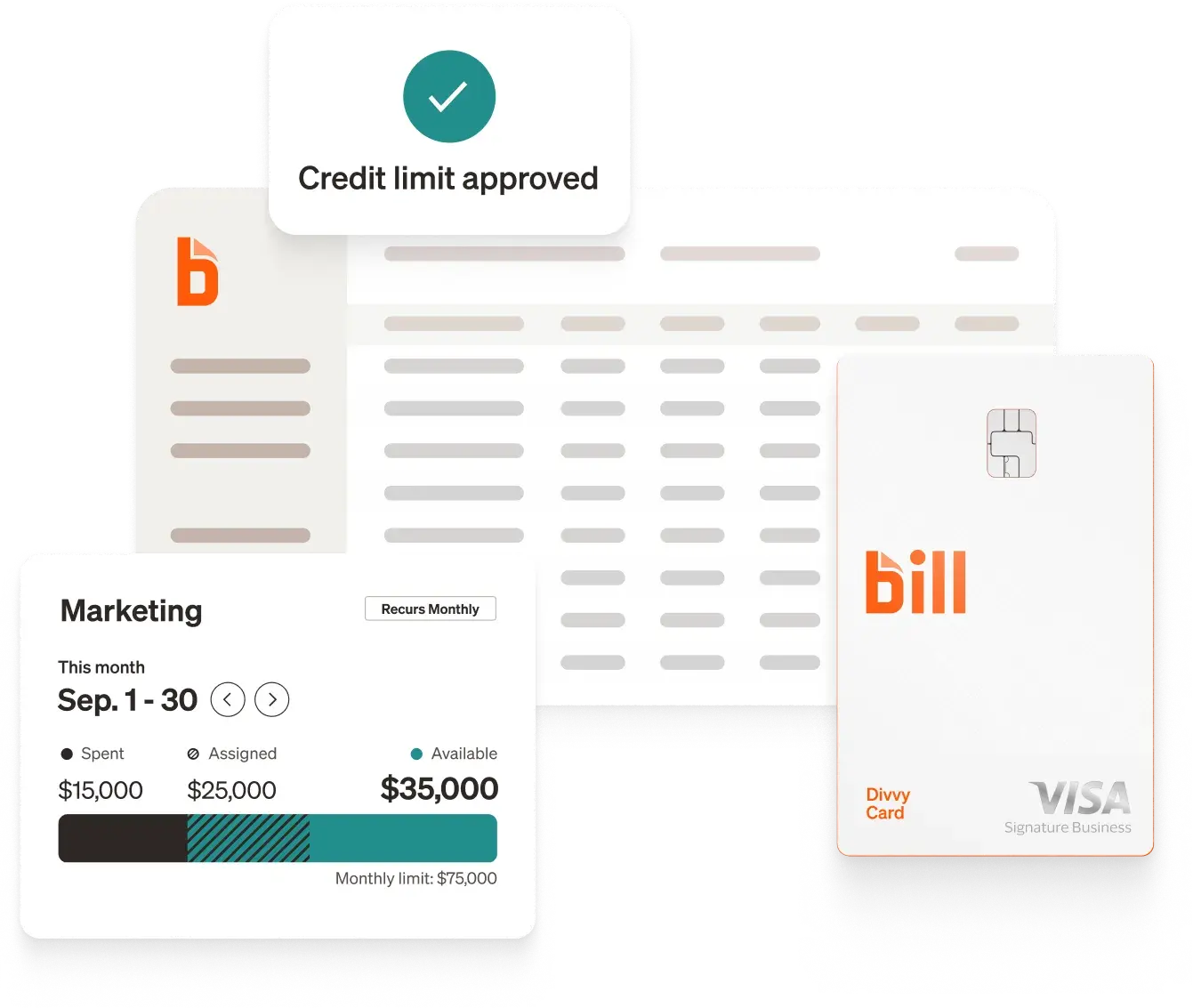
BILL Procurement solves this by putting vendors, requests, orders, and payments under one set of rules, so finance and operations teams always know what was bought, who approved it, and what it cost.
This guide walks through what to require in a procurement solution, how to score your options, and where integration decisions can make or break the rollout.
What supplier management means inside procurement software
Supplier management is the work of onboarding, validating, and maintaining relationships with the vendors you buy from. Inside a procurement platform, that usually means a central vendor management record for each supplier, document collection, payment details, and a history of orders and invoices.
It sits alongside the broader procure-to-pay cycle: a request is approved, a purchase order is issued, goods or services arrive, and the invoice is matched and paid. If you are still sorting out terminology, BILL explains the difference between procurement and purchasing in plain language.
Supplier management matters most when your vendor list grows faster than your finance team. A larger list means more tax forms to chase, more bank details to protect, and more chances for a duplicate or unapproved payment.
Capabilities to require
Use this matrix as a starting scorecard. Mark each row as required, nice to have, or not needed.
5 step process to evaluate platforms
- Map your current flow. Write down how a purchase moves today, from request to payment, and mark where it stalls.
- List your supplier data needs. Decide what you must collect for each vendor, such as tax forms, bank details, and contacts.
- Set approval rules. Define thresholds and who signs off, then confirm each platform can express those rules without workarounds.
- Test matching. Run a sample PO, receipt, and invoice through each demo and see how mismatches are flagged.
- Check the accounting connection. Confirm which of your systems sync, in which direction, and on which plan.
For a broader market view, BILL's roundup of procurement software options lays out common options, and the procurement policy guide helps you document the rules you are about to automate.
Why supplier onboarding deserves extra weight
Onboarding is where supplier risk enters your books. A clean process validates the vendor, collects required documents, and records payment details once, in one place. A weak process leaves you with unverified bank accounts and missing forms at tax time. See BILL's primer on supplier onboarding for the steps involved, and its guidance on identifying and preventing vendor fraud for what to guard against.
BELAY, an accounting and virtual assistant firm serving more than 3,000 clients, adopted vendor self-service so team members no longer key in sensitive banking details, and it separated the people who edit vendor details from those who approve payments. Brad Ebenhoeh, Director of Sales at BELAY, describes the result as "controlled efficiency."
How BILL approaches procurement and supplier workflows
BILL Procurement works with accounts payable so purchase requisitions, purchase orders, and payments live in one workspace. Approvers can be added by policy through payment approvals, and AP controls support separation of duties. AI-powered invoice intake feeds matching against POs. 93% of customers surveyed agreed that BILL is easy to use,[2] which matters when procurement has to work for requesters outside finance.
Integration: the decision that shapes everything else
Procurement data is only useful if it reaches your ledger. BILL integrates with leading accounting software: QuickBooks, Xero, Oracle NetSuite, Sage Intacct, and Microsoft Dynamics.[3] Ask each vendor on your shortlist which of these connections are two-way, which features sync, and whether sync depends on plan level. See more BILL integrations.
Cost and implementation
Compare overall cost, not list price alone. Ask about per-user fees for requesters and approvers, add-ons for procurement features, and any plan requirements for accounting sync. Review BILL pricing for plan details, and ask each vendor for a written implementation outline with owners and milestones. For a wider look at payment workflows, the guide to automating payments is a useful companion.
Conclusion
Bringing structure to procurement isn’t just about eliminating spreadsheet chaos; it’s about giving your team the clarity and confidence to scale without losing control. When vendor records, approval workflows, and payments live in harmony with your accounting setup, your finance team transforms from paper-chasers into strategic enablers. Take the time to map your workflows, test platforms against your real-world scenarios, and prioritize a seamless integration. The right platform won't just keep your books audit-ready; it will give your business the room and agility to keep growing.
Frequently asked questions
What is the difference between procurement software and AP automation?
Procurement software manages what you buy and how it is approved, while AP automation manages how invoices are captured, approved, and paid. The two overlap at purchase orders and invoice matching, which is why many teams prefer a platform that connects them.
Connecting the two reduces re-entry. A PO created in procurement can be matched to the invoice that arrives in AP, so approvers see the original request next to the bill.
What should a growing business prioritize first?
Start with approvals and supplier onboarding. Approval rules protect spend before it happens, and clean supplier records prevent errors downstream. Matching and analytics become more valuable once those basics are in place.
Does procurement software integrate with my ERP or accounting system?
Many platforms do, but depth varies. Confirm whether sync is two-way, which objects sync, and whether your plan includes it. BILL integrates with leading accounting software, including QuickBooks, Xero, Oracle NetSuite, Sage Intacct, and Microsoft Dynamics,[3] and you can see more BILL integrations.
How long does implementation take?
It depends on your vendor count, approval complexity, and accounting setup. Ask for a phased plan: start with approvals and POs, then add matching and onboarding workflows. Avoid a single big-bang cutover.
Disclosures
[1] Based on a BILL survey conducted in January 2026.
[2] Based on a 2026 BILL survey sent to customers.
[3] Official contracts and integrations.
BILL and its affiliates do not provide tax, legal or accounting advice. This material has been prepared for informational purposes only, and is not intended to provide, and should not be relied on, for tax, legal or accounting advice. You should consult your own tax, legal and accounting advisors before engaging in any transaction. BILL assumes no responsibility for any inaccuracies or inconsistencies in the content. While BILL has made every attempt to ensure that the information contained in this site has been obtained from reliable sources, BILL is not responsible for any errors or omissions, or for the results obtained from the use of this information. All information in this site is provided "as is", with no guarantee of completeness, accuracy, timeliness or of the results obtained from the use of this information, and without warranty of any kind, express or implied. In no event shall BILL, its affiliates or parent company, or the directors, officers, agents or employees thereof, be liable to you or anyone else for any decision made or action taken in reliance on the information in this site or for any consequential, special or similar damages, even if advised of the possibility of such damages.