


Quick answer: For finance teams that need to collect vendor tax and banking details so suppliers can get paid fast, BILL is the strongest fit — but the right supplier onboarding software in 2026 ultimately depends on what "onboarding" means for your business: screening third parties for regulatory risk, or qualifying contractors for safety before they reach a jobsite.
In this guide, we compare 8 leading platforms on features, pricing, and integrations so you can find the option that fits your finance stack and growth stage.
At-a-glance comparison table
*Pricing and features are based on publicly available information as of October 2026 and may change. Always confirm details with each provider.
How we chose the best supplier onboarding software†
In this list, we looked at supplier onboarding tools based on:
- Core onboarding capabilities. Supplier self-service portals, document and tax form collection, approval workflows, and verification checks.
- What happens after onboarding. Whether the platform carries a supplier through to purchase orders, invoices, and payment—or hands off to another system.
- Total cost of ownership. Published pricing where available, plus which plan tier a capability requires and whether it is an add-on.
- Fit for different business types. From growing businesses with a lean finance team to large enterprises with dedicated procurement, risk, and safety functions.
Our top supplier onboarding tool picks for 2027
Software Comparison


- Purchase requests and purchase orders created and tracked in one place, with unlimited purchase requesters added at no extra cost [1][5]
- Automatic W-9 collection and verification with the W-9 Agent, an Accounts Payable feature included on every business plan tier [1]
- Automated 2- and 3-way matching across POs, receipts, and invoices, with tolerance rules you set so mismatches don't slow down big moves [5]; on the plan tiers, 2-way matching and tolerance rules are listed for Corporate, while syncing purchase orders with automatic 2- and 3-way matching is listed under Enterprise [1]
- Approvers added automatically based on policies you set, with BILL spotting duplicate invoices before they derail your flow [5]
- Vendors receive purchase orders directly and can get paid through the BILL network, and can track payment status in real time [5]
- Automatic 2-way sync with QuickBooks Online, QuickBooks Pro, QuickBooks Premier, and Xero on the Corporate plan, and with QuickBooks Enterprise, Oracle NetSuite, Sage Intacct, Microsoft Dynamics, and more on the Enterprise plan [1]
Pros
- Procurement, AP, and payment live in one workspace rather than separate systems [5]
- Published per-user pricing for the plan that includes Procurement [1]
- Unlimited purchase requesters at no extra cost [1][5]
- W-9 collection and verification included with Accounts Payable on every business plan tier [1]
- Payment options include ACH, virtual card, credit card, check, and international transfers [1]
Cons
- Procurement is an add-on on the Essentials and Team plans rather than included [1]
- The Procurement add-on price is not published [1]
- Automatic 2-way sync with QuickBooks Enterprise, Oracle NetSuite, Sage Intacct, and Microsoft Dynamics is listed under the Enterprise plan [1]
- Syncing purchase orders with automatic 2- and 3-way matching is listed under the Enterprise plan, and features vary by accounting software [1]
- Some payment types—like checks, ACH, instant transfers, or international payments—also have per-transaction fees on top of the subscription, regardless of plan [1]
Most tools on this list treat supplier onboarding as a stage that ends when a vendor record is approved—what happens next is another system's problem. BILL Procurement connects the two: purchase requests become purchase orders, POs go directly to vendors through the BILL network, matching catches price and quantity mismatches before payment, and payments are applied to matching bills in your accounting system so you have complete remittance info for every transaction. [5]
BILL Procurement works with Accounts Payable to help you manage procure-to-pay processes from a single, easy-to-use workspace. [5] It is also one of the few platforms here with published per-user pricing, so finance teams can estimate the cost of the plan that includes Procurement before talking to sales. [1]
Commonly compared to: Zip and Coupa (for procure-to-pay), and PaymentWorks (for vendor verification before payment).
- According to Coupa's documentation, the Coupa Supplier Portal is a free tool for suppliers to easily do business with their customers who use Coupa [3]
- As described on the product documentation, suppliers can view purchase orders, set up delivery methods, create catalogs, send invoices and advance ship notices, and check the status of transactions [3]
- Coupa's documentation states that catalogs can be integrated into a buyer's Coupa instance by hosting it on the Coupa Supplier Portal, using Punchout, cXML, or through universal search [2]
- Per the documentation, Coupa sends and receives documents through email, the Coupa Supplier Portal or cXML [2]
- According to the documentation, Supplier Actionable Notifications let suppliers receive orders and work with customers who use Coupa, all without the need to join Coupa's supplier network or create a Coupa Supplier Portal account [3]
- The documentation describes a Setup tab where suppliers manage users, merge requests, and remit-to addresses, set up electronic invoicing, and add fiscal representatives [3]
Pros
- The supplier portal is described as a free tool for suppliers [3]
- Suppliers can act on POs without creating a portal account, per the documentation [3]
- Multiple document exchange methods including cXML and SFTP are documented [3]
- Supplier guides are published in several languages [3]
Cons
- Coupa does not publish pricing on the cited pages [2][3]
- The documentation notes that getting suppliers set up within Coupa depends on the specific solution each Coupa customer has implemented, so not all methods of integration will apply [2]
- The documentation states that buyers and suppliers need to talk to understand the specifics of the buyer's Coupa setup [2]
- The cited pages are marked as legacy documentation that is no longer being maintained [2][3]
Coupa's supplier onboarding sits inside a broader spend management suite, and its documentation reflects that scope—catalogs, punchout, sourcing events, advance ship notices, service sheets, and inventory collaboration all appear alongside basic supplier registration. [3] Coupa's own supplier enablement material frames onboarding as a multi-step program with stages for analyzing spend, determining a supplier load strategy, and establishing a catalog strategy before moving to production. [2] That breadth suits organizations consolidating many spend categories onto one platform. For a growing business that mainly needs a vendor set up and paid, it is a larger surface area than the job requires.
Commonly compared to: SAP Ariba and Ivalua (for enterprise source-to-pay), and Zip (for procurement orchestration).

- According to SAP, SAP Ariba Supplier Lifecycle and Performance supports both internal initiated requests and optional external requests from potential suppliers [4]
- SAP's page states the product collects detailed information on certifications, financial stability, and regulatory compliance through modular questionnaires [4]
- Per SAP, supplier self-service data entry is enabled for faster cycle times and reduced errors [4]
- SAP describes a Supplier 360 profile that provides sourcing professionals with all critical supplier intelligence in a single view [4]
- According to SAP, the product proactively monitors documents to track and surface certificate and contract expiration dates [4]
- SAP's supplier management page describes two-way sync with SAP ERP, keeping supplier data consistent between SAP ERP and SAP Ariba solutions [16]
Pros
- SAP publishes a monthly per-user list price for this product [4]
- Suppliers can access and update their own information via SAP Business Network, according to SAP [16]
- Modular questionnaires cover certifications, financial stability, and regulatory compliance [4]
- SAP states it was named a Leader in the Gartner Magic Quadrant for Source-to-Pay Suites [4]
Cons
- The published list price is USD 740.00 monthly in blocks of 1 user, with a contract duration of 3 to 60 months and auto-renewal [4]
- SAP Ariba Supplier Management is split into two solutions—Supplier Lifecycle and Performance, and Supplier Risk—according to SAP's FAQ [16]
- The documented two-way ERP sync on these pages is with SAP ERP [16]
- Pricing is listed per user per month, where individuals with unique active profiles are counted [4]
SAP Ariba's supplier management is built around the SAP ecosystem: SAP describes two-way synchronization with SAP ERP, supplier self-service through SAP Business Network, and in-context sharing of supplier information across SAP Ariba procurement solutions. [16] For an organization already standardized on SAP, that gravity is the point. SAP is also unusual among enterprise suites in publishing a list price—USD 740.00 monthly in blocks of 1 user—which makes the enterprise tier of this category concrete rather than abstract. [4] Businesses running QuickBooks, Xero, or Sage Intacct will find the integration story pointed at a different ERP universe.
Commonly compared to: Coupa and Ivalua (for enterprise source-to-pay), and Aravo (for supplier risk).

- According to Ivalua, its Supplier Management solution consolidates onboarding, risk, performance, collaboration, and master data into one platform [6]
- Ivalua's page describes a comprehensive, branded supplier portal to facilitate automated collaboration [6]
- Per Ivalua, Advanced Supplier Information Management uses AI to extend, validate, and manage supplier information across your entire ERP landscape [6]
- Ivalua states you can update ERP supplier records in bulk to reduce manual effort and minimize risk [6]
- According to Ivalua, smart approval workflows can be set to ensure compliance and governance at every step [6]
- Ivalua describes supplier scorecards and KPIs for tracking performance and identifying top-performing suppliers [6]
Pros
- Supplier onboarding, risk, performance, and master data are described as one unified platform [6]
- Branded supplier portal for onboarding, compliance, and document sharing [6]
- Bulk ERP supplier record updates across a multi-ERP landscape [6]
- Ivalua cites being named a Leader in the Ardent Partners Supplier Management Technology Advisor Report, 2025 [6]
Cons
- Ivalua does not publish pricing on the cited pages [6][7]
- The cited pages direct prospective buyers to watch a demo or contact the company [6][7]
- The breadth described spans sourcing, contracts, spend analysis, and direct materials alongside onboarding [6]
- Ivalua's supplier management page is oriented toward organizations managing supplier data across multiple ERP systems [6]
Ivalua's pitch on its supplier management page is data consolidation: a 360-degree view of supplier information and activity, with master data management that cleanses supplier records and updates ERP records in bulk. [6] A Honeywell quote on the page describes Ivalua as a single source of truth for vendor master management across ERP systems and business units globally. [6] That is a specific and demanding problem—one that generally shows up in organizations running several ERPs with years of accumulated supplier records. Businesses with one accounting system and a manageable vendor list are solving a different problem.
Commonly compared to: Coupa and SAP Ariba (for enterprise source-to-pay), and Aravo (for supplier risk).

- According to Zip, its AI-powered supplier portal delivers an automated, guided experience so suppliers can submit documents correctly and on time [8]
- Zip's page states it uses AI to automate third-party checks like TIN, VAT, OFAC, D&B, and bank account verification to surface financial risks and fraud [8]
- Per Zip, one-click ERP supplier creation automatically creates and updates supplier records in your ERP system [8]
- Zip describes centralized supplier records as a single source of truth, keeping data consistent and visible across cross-functional teams [8]
- According to Zip, centralized data and automatic task scheduling make it simple for procurement, finance, legal, IT, and AP teams to conduct reviews [9]
- Zip lists a Supplier 360 agent, procurement precheck agent, and adverse media agent that analyze supplier documents, review MSAs and SOC 2 reports, and scan public news sources [8]
Pros
- Zip claims an 85% faster onboarding cycle time and a 98% portal completion rate [8]
- Automated third-party checks spanning tax ID, sanctions, and bank account verification [8]
- Vendors upload business data,...
Key questions about supplier onboarding software
What is supplier onboarding software?
Supplier onboarding software collects and verifies the information a business needs before it can work with and pay a new supplier—tax forms, banking details, contact information, insurance certificates, and compliance documentation. Rather than tracking this through email threads and spreadsheets, the supplier enters their own information through a portal, and the platform routes it for review and approval.
The scope varies widely across the category. Some platforms focus on verifying identity and banking data before a record enters the ERP. Others treat onboarding as one stage of a full procure-to-pay process that continues through purchase orders, invoices, and payment. Still others center on risk qualification—screening suppliers against sanctions lists, assessing cybersecurity posture, or confirming safety credentials before work begins.
How does supplier onboarding software work?
- Invitation and registration. The buyer invites a supplier, who creates a profile and enters company details through a self-service portal rather than emailing documents back and forth.
- Document and data collection. The supplier submits tax forms, banking information, certificates, and any other documentation the buyer requires.
- Verification and screening. The platform validates submitted data—tax ID, bank account, sanctions list screening—depending on the product's scope and the buyer's requirements.
- Review and approval. Submissions route to the right internal approvers based on configurable rules, with an audit trail of each action.
- Record creation and sync. Approved supplier data is written to the accounting system or ERP, so purchasing and payment can proceed without re-keying.
What features should you look for in supplier onboarding software?
- Supplier self-service portal. A guided experience where suppliers enter and maintain their own information, reducing back-and-forth and manual data entry.
- Tax form collection. Automated W-9 collection and verification so tax documentation is captured at the start rather than chased later.
- Approval workflows. Routing based on amount, department, or vendor, with reminders and a complete audit trail.
- Verification checks. Depending on your risk profile, tax ID validation, bank account verification, and sanctions screening.
- Accounting and ERP integration. Two-way sync with your accounting software so approved supplier records and transactions stay consistent.
- What happens after onboarding. Whether the platform carries the supplier through to purchase orders, matching, and payment, or hands off to a separate system.
How much does supplier onboarding software cost?
Pricing in this category is mostly quote-based, with a few exceptions:
- Per-user subscriptions are published by BILL for businesses, where Procurement is included on the Corporate plan at $89/user/month and available as an add-on on the Essentials and Team plans. [1] SAP publishes a list price of USD 740.00 monthly in blocks of 1 user for SAP Ariba Supplier Lifecycle and Performance. [4] Coupa pricing ranges from free plans that let you do business with Coupa customers to $400 per month depending on the tier needed. [17]
- Quote-based pricing applies to Ivalua [6][7], Zip [8][9], Avetta [10][11], Aravo [12][13], and PaymentWorks [14][15], whose cited pages direct prospective buyers to a demo or sales conversation rather than listing a price.
- Transaction fees apply separately from subscription costs on platforms that also move money. BILL lists per-transaction fees for ACH, check, international wire, and card payments. [1]
Benefits of supplier onboarding software
Supplier onboarding software delivers value in several areas:
Less manual data entry. When suppliers enter their own information through a portal, finance and procurement teams stop re-keying the same details and chasing missing forms. [1][14]
Tax documentation captured up front. Automated W-9 collection and verification means tax forms are gathered when the relationship starts rather than at year-end. [1]
Stronger spend control. Approving spend before the business commits to it—through purchase requests and purchase orders—closes the gap between what was agreed and what gets invoiced. [5]
Fewer payment errors. Matching invoices against POs and receipts with configurable tolerance rules catches price and quantity mismatches before payment goes out. [5]
A clearer audit trail. Configurable approval workflows record who approved what and when, which supports both internal controls and external audit requirements. [12][14]
How to choose the right supplier onboarding software for your business
Conclusion
For growing businesses that want supplier onboarding connected to the rest of the purchasing process—purchase requests and POs in one place, W-9 collection and verification built into Accounts Payable, automated matching before payment, and vendors reached directly through the BILL network—BILL Procurement works with Accounts Payable to manage procure-to-pay processes from a single, easy-to-use workspace, included on the Corporate plan for businesses at $89/user/month. [1][5]
†Important disclosures:
- This article is for informational purposes only and is based on our review of publicly available information from each provider's website as of October 2026.
- We did not independently test or audit every feature described. Actual performance and suitability will vary by business.
- Inclusion in this list does not constitute an endorsement, recommendation, or guarantee of results. Evaluate each solution against your own requirements and risk standards.
- BILL is our own product. We include it here using the same evaluation criteria as other providers. This article is published by BILL.
References
[1] BILL. Pricing & Plans.
[2] Coupa. Core Supplier Onboarding. "Since getting suppliers set up within Coupa depends on the specific solution each Coupa customer has implemented, not all methods of integration will apply to you. Suppliers and buyers need to talk to understand the specifics of the buyer's Coupa setup." "Catalogs can be integrated into a buyer's Coupa instance by hosting it on the Coupa Supplier Portal, using Punchout, cXML, or through universal search." "Coupa sends and receives documents through email, the Coupa Supplier Portal or cXML." "We’ve upgraded our documentation! This page is part of our legacy documentation and is no longer being maintained." "Step 1: Analyze Your Spend" "Step 2: Determine Supplier Load Strategy" "Step 4. Establish Your Catalog Strategy" "Step 8: Move to Production"
[3] Coupa. Getting Started with the Coupa Supplier Portal.
[4] SAP. SAP Ariba Supplier Lifecycle and Performance. "monthly price
[5] BILL. BILL Procurement: From Request to Pay, All in One Place.
[6] Ivalua. Supplier Management Software.
[7] Ivalua. Supplier Collaboration and Innovation. "Contact Us"
[8] Zip. Supplier Onboarding.
[9] Zip. Vendor management software.
[10] Avetta. Streamlined Contractor Onboarding.
[11] Avetta. Contractor Pre-qualification & Monitoring.
[12] Aravo. Vendor Onboarding.
[13] Aravo. Procurement Risk Management Software.
[14] PaymentWorks. Vendor Onboarding Software.
[15] PaymentWorks. Vendor Management System.
[16] SAP. SAP Ariba Supplier Management Software.
[17] Coupa. Coupa Suppliers Pricing.


Frequently asked questions
Continue learning with BILL
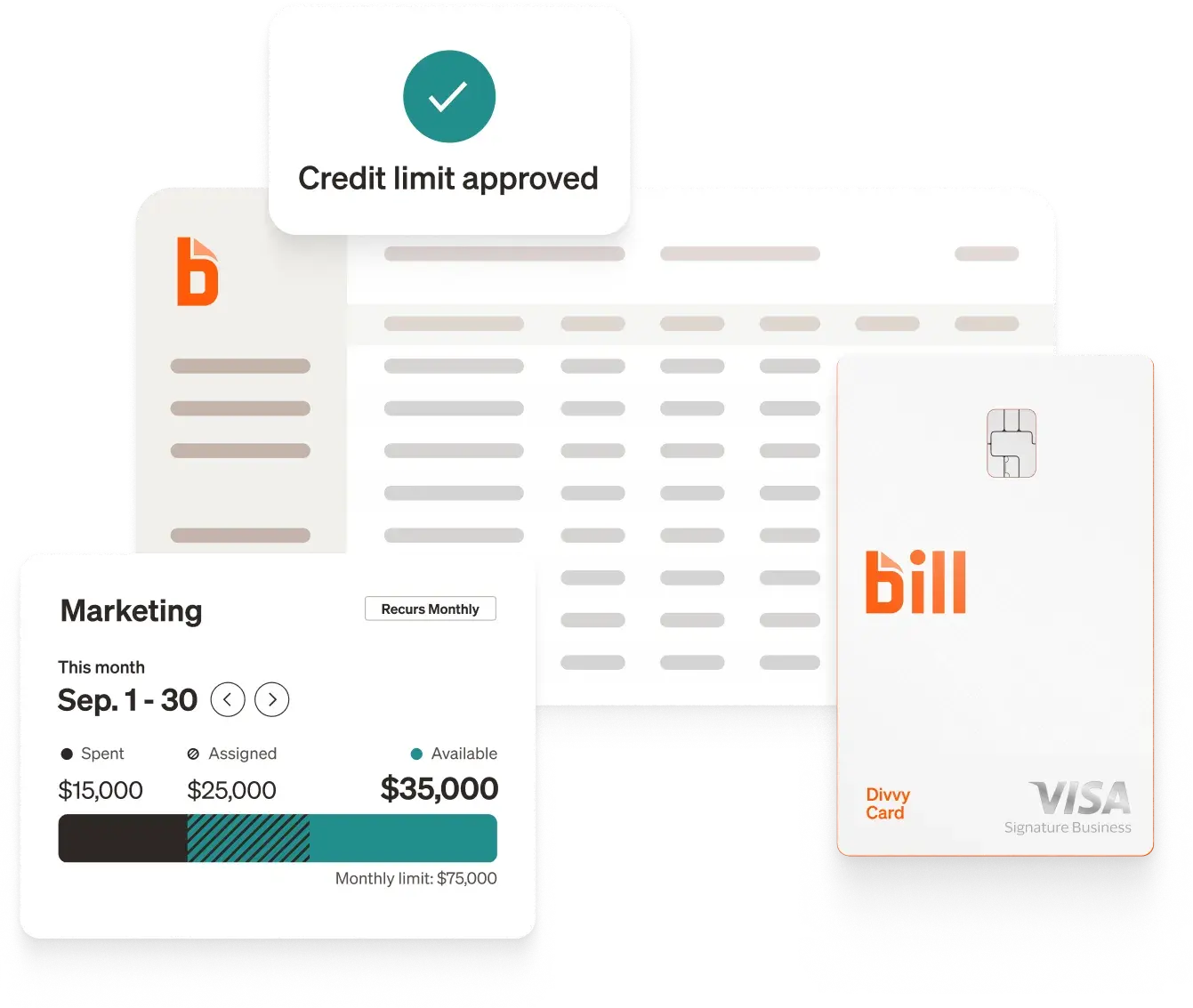
Ready to bring AI to your finance team?
Take a demo with BILL to see how our integrated platform can provide your business with seamless AP, AR, and spend and expense management.
Software Comparison
- Smart corporate cards with real-time tracking, flexible limits, and instant visibility into every transaction across your team [1]
- Unlimited free virtual cards with unique numbers for each vendor or subscription—freeze, delete, or set custom limits instantly to prevent overcharges and reduce fraud risk [5]
- AI-powered auto-categorization and receipt matching that connects card transactions and expenses into a single reconciliation workflow [1]
- Customizable budgets with spend controls based on merchant, amount, receipt requirements, and configurable approval workflows [3]
- Auto-freeze on cards with incomplete transactions, ensuring receipts and documentation are captured before additional spend is approved [1]
- Up to 7x points on restaurants, 5x on hotels, 2x on recurring software, and 1.5x on all other purchases (rates shown are for weekly or daily billing cycle; rates vary by billing frequency) [2]
- Two-way sync with QuickBooks, NetSuite, Sage Intacct, Xero, and Microsoft Dynamics; additional integrations with Acumatica, Slack, and HRIS platforms [1]
Pros
- $0/user/month with all features included—no paid tier to unlock [4]
- Merchant controls and auto-freeze cards at no extra cost [1]
- Credit lines that don't fluctuate daily based on bank balance [4]
- All ERP integrations (NetSuite, Sage Intacct, Xero) included free [1]
Cons
- 12-month holding period before rewards can be redeemed [2]
- Category reward multipliers cap at $5,000/month per category [2]
- Less established in global, enterprise-scale expense programs with multi-country regulatory requirements
BILL Spend & Expense pairs corporate cards with AI-powered expense management and budget controls in a single platform at no cost—teams aren't paying per user or upgrading to unlock features that competitors gate behind paid tiers.
Merchant-level spend controls and auto-freeze on incomplete transactions give admins granular oversight without manual policing, and two-way ERP integrations are included free where Ramp and Brex charge for NetSuite and Sage Intacct access. The main trade-off is an initial 12-month rewards holding period before accumulated points can be redeemed. [1][2][3][4]
Commonly compared to: Ramp and Brex (for card-first expense management), and SAP Concur (for enterprise expense programs).

- AI-powered receipt capture via ExpenseIt on the SAP Concur mobile app, with smart matching that combines credit card charges and e-receipts into expense reports automatically [7]
- Configurable approval workflows with built-in audit rules that flag policy exceptions, plus optional Intelligent Audit and Verify add-ons for automated compliance checks [6][7]
- Modular product suite: Concur Expense, Concur Travel, and Concur Invoice are separate products that can be purchased individually or together, so organizations can start with expense management and add capabilities over time [6]
- Bank card feed integrations that import corporate card transactions directly into expense reports for automatic reconciliation [6]
- Joule, SAP's AI assistant, for expense report review, spend analysis, and cost estimation [6]
- Budget tracking and monitoring tools that give finance teams visibility into spend against departmental or project-level budgets [6]
- Support for global operations with multi-currency expense reporting and country-specific tax and regulatory compliance tools [6]
Pros
- 300+ pre-built integrations including native SAP ERP sync [7][8]
- Global coverage with multi-currency and regulatory compliance tools [6]
- Modular—add travel or invoice management without switching platforms [6]
- AI-powered receipt capture and smart matching via ExpenseIt [7]
Cons
- Quote-based pricing; no published rates on the website [6]
- No corporate card offering; relies on bank card feed integrations [6]
- Implementation can be complex for smaller organizations [6]
- Live support requires purchasing the User Support Desk service [6]
SAP Concur is the incumbent in expense management software, with the largest partner ecosystem and broadest global footprint on this list. Its modular approach gives large organizations flexibility to start with expense management and layer on travel or invoice capabilities independently.
The trade-off is complexity—pricing is opaque, there's no corporate card offering, and smaller teams may find the platform more than they need. Organizations already in the SAP ecosystem will get the most value from native S/4HANA integration. [6][7][8]
Commonly compared to: BILL (for SMB expense management), and Coupa (for enterprise spend management).

- Corporate cards with customizable spend controls by merchant, category, employee, or department, plus unlimited virtual and physical cards [9][10]
- AI-powered receipt matching, transaction coding, and memo suggestions that auto-populate as soon as a card is swiped [9]
- Policy agent that reviews every expense against company policy, auto-approves compliant transactions, and escalates only exceptions with full audit trail [9]
- Expense submission via SMS, Slack, or Microsoft Teams in addition to web and mobile app [9]
- Reimbursements for out-of-pocket expenses paid to employees' bank accounts in 1–2 business days [9]
- Real-time spend reporting with custom dashboards, natural-language queries, and proactive overspend alerts [9]
- Broader spend platform that includes AP automation, procurement, vendor management, and treasury alongside expense management [9]
Pros
- Free plan includes corporate cards, expenses, and bill pay [11]
- AI policy agent reviews 100% of expenses automatically [9]
- Submit expenses via SMS, Slack, or Teams—no app required [9]
- Broader spend platform covers AP, procurement, and vendor management [9]
Cons
- Budget tracking requires Ramp Plus at $15/user/month [11]
- NetSuite, Sage Intacct, and Dynamics integrations require a paid plan [11]
- HRIS syncs and auto-lock cards require a paid plan [11]
- Credit limits fluctuate daily based on connected bank balance [12]
Ramp's strength is breadth—it's not just an expense tool but a full spend management platform that includes AP automation, procurement, and vendor management alongside expenses. The AI policy agent is a differentiator, reviewing every transaction against company rules rather than relying on manual manager approvals.
The trade-off is that several features mid-market teams rely on—budget tracking, ERP integrations beyond QuickBooks and Xero, and HRIS syncs—require upgrading to Ramp Plus at $15/user/month plus a platform fee. [9][11]
Commonly compared to: Brex and BILL (for corporate cards and expense management), and SAP Concur (for enterprise expense programs).

- Corporate cards with customizable spend limits by role, department, or category, plus auto-approve for in-policy expenses and auto-decline for out-of-policy spend [13][14]
- AI-powered expense reviews that auto-approve compliant transactions and surface only exceptions for human review, with clear visibility into why a transaction is flagged [13]
- Auto-generated receipts and memos with OCR that matches receipts in any language or currency, plus automatic GL coding by department, project, and entity [13]
- Live Budgets that let department heads set top-level budgets, provision spend to individuals or teams, and track usage in real time with anomaly detection [13]
- Global reimbursements in 70+ countries in employees' local currency, with subsidiaries able to issue reimbursements from local bank accounts [13]
- Expense submission and approval via Slack and WhatsApp, with in-app commenting on individual transactions [13]
- Broader financial platform that includes bill pay, business banking with up to 3.68% yield, and treasury alongside expense management [14]
Pros
- Free plan includes corporate cards, expenses, bill pay, and travel [15]
- AI expense reviews with 99% average policy compliance rate [14]
- Global reimbursements in 70+ countries in local currency [13]
- Live Budgets with real-time tracking and anomaly detection [13]
Cons
- Live Budgets require Premium at $12/user/month [15]
- HRIS syncs and customizable ERP integrations require a paid plan [15]
- Credit limits fluctuate daily based on connected bank balance [16]
- Multiple expense policies and dynamic review chains require Premium [15]
Brex positions itself as a full financial stack for startups—cards, expenses, banking, and treasury in one platform. The AI expense reviews and 99% average compliance rate (per Brex's internal metrics) are notable, and the global reimbursement coverage across 70+ countries is broader than most competitors on this list.
Like Ramp, Brex gates budget management and HRIS integrations behind a paid tier, and credit limits fluctuate daily based on your bank balance. Teams that need predictable spending power or are past the startup stage may find the pricing structure adds up. [13][14][15]
Commonly compared to: Ramp and BILL (for corporate cards and expense management), and SAP Concur (for enterprise expense programs).

- SmartScan receipt capture by photo, email forwarding (receipts@expensify.com), or text message; auto-extracts transaction details and categorizes expenses [17]
- Bring-your-own-card support: link existing corporate cards from 10,000+ banks globally for automatic reconciliation without switching card providers [17]
- Expensify Visa Commercial Card with cash back on US purchases; cash back first offsets the Expensify subscription cost, then flows to the company's bank account [17]
- Concierge AI for automated expense categorization, policy violation flagging, rule enforcement, and error reduction [17]
- Global reimbursements for employees and independent contractors in their local currency [17]
- Chat-based collaboration directly on individual expenses to resolve questions in real time rather than through email follow-ups [17]
- 45+ integrations including QuickBooks, NetSuite, Sage Intacct, Xero, Workday, and Gusto [17]
Pros
- Bring-your-own-card from 10,000+ banks globally [17]
- Expensify Card cash back can offset the subscription cost [17]
- SmartScan receipt capture by photo, email, or text message [17]
- 45+ integrations including major ERPs and payroll systems [17]
Cons
- No free plan; starts at $5/user/month [18]
- Pricing structure varies by card spend volume [18]
- Budget management, advanced approvals, and expense policies require Collect or Control plans [17]
- No department-level budget management on par with card-first platforms
Expensify's strength is accessibility—it has the lowest barrier to entry for teams that just need to start tracking expenses and submitting receipts. The bring-your-own-card support from 10,000+ banks means companies don't have to switch card providers, and the SmartScan receipt capture (by photo, email, or text) is one of the more flexible input methods on this list.
The trade-off is that several features mid-market teams expect—budget management, advanced approvals, and expense policies—require upgrading to the Collect or Control plans, and spend controls are primarily limited to the Expensify Card rather than extending across all connected cards. [17][18]
Commonly compared to: Zoho Expense (for budget-friendly expense management), and BILL and Ramp (for integrated cards and expenses).

- Autoscan receipt capture with OCR that auto-categorizes and itemizes each expense, plus the ability to split or tag expenses across departments, projects, or cost centers [19][20]
- Automated per diem calculations with pre-defined rules based on country, location, and trip details for regional compliance [20]
- Corporate card management with real-time feeds that automatically match transactions to uploaded receipts for faster reconciliation [20]
- Mileage tracking with four input methods across Android, iPhone, and Apple Watch [20]
- Configurable approval workflows, expense policies, and audit rules with detailed audit trails for compliance [19][20]
- Custom modules, workflow automation, webhooks, and configurable UI elements for businesses that need tailored expense processes [19]
- Active-user pricing model: only employees who actually create expenses are charged, so admins and approvers who don't submit reports are free [21]
Pros
- Free plan available for up to 3 users with core expense tracking [21]
- Active-user pricing—admins and approvers aren't charged [21]
- Automated per diem calculations by country and location [20]
- Deep customization with custom modules and workflow automation [19]
Cons
- Corporate card feeds and multi-level approvals require Standard plan [21]
- Deepest value requires the broader Zoho ecosystem (Books, People, CRM) [19]
- No corporate card offering; relies on connecting existing cards [20]
- Travel booking, per diem, and live budgets require Premium plan [21]
Zoho Expense offers unusually deep customization at a low price point—custom modules, workflow automation, webhooks, and configurable UI elements that most competitors don't expose. The active-user pricing model is genuinely cost-effective for companies where only a portion of employees submit expenses regularly.
The trade-off is that there's no corporate card offering—you'll need to connect your existing cards—and the platform delivers its deepest value when used alongside other Zoho products like Zoho Books and Zoho People. [19][20][21]
Commonly compared to: Expensify (for budget-friendly expense management), and SAP Concur (for global compliance and customization).
Software Comparison
- AI-powered invoice coding that automatically extracts and codes multi-line items with 99% accuracy, reducing manual processing time by approximately 20% [1][3]
- Customizable approval workflows with routing based on business rules, real-time tracking, automated reminders, and mobile-friendly approvals [1]
- Payment options including ACH, credit card, check, and international wire transfers across 130+ countries, with $0 wire fees for local currency payments [1][5]
- Predictive fraud detection monitoring transactions in real-time, processing 5M+ predictions daily across 300M+ network transactions [1]
- Automated 2-way and 3-way matching across invoices, purchase orders, and receipts, with configurable tolerance limits [1][6]
- BILL Cash Account with 3% APY and next-day ACH payments; bulk processing of up to 2,000 bills at once [1]
Pros
- AI agents automate coding, W-9 collection, and reconciliation [3][4]
- 99% accuracy on key invoice fields [1]
- 130+ countries for international payments [5]
- 93% of users report ease of use [1]
Cons
- Starts at $49/user/month; no free AP tier [2]
- Per-transaction fees apply (e.g., $0.59 per ACH) [2]
- Procurement features require Corporate plan or higher, or an add-on fee at lower levels [2]
- Some ERP integrations require Enterprise tier [2]
BILL's strength in AP automation is its combination of AI agents and network scale. The platform has processed over 1.3 billion documents and stopped 8 million fraud attempts, with AI agents that autonomously handle invoice coding, W-9 collection, and transaction reconciliation—not just data extraction. [3][4] The 93% ease-of-use rating and two-week time-to-value make it accessible without a lengthy implementation, and benefits extend beyond AP with accounts receivable available on the same platform. [1][2]
Commonly compared to: Ramp and Tipalti (for mid-market AP automation).
- Invoice OCR with 99% accuracy for capturing details and line items, with bulk processing from PDFs, scans, and emails [7][9]
- Four AI agents on paid tiers: Auto-Coding, Fraud Prevention, Approval, and Automatic Payment for touchless invoice processing [9]
- Payment options including ACH, same-day ACH, checks, virtual cards, and international wires; eligible transaction fees waived when paying from a Ramp Business Account [7][8]
- Customizable approval workflows with routing by amount, department, vendor type, and role-based permissions [7]
- Two-way and three-way PO matching, duplicate detection, and recurring bill automation [9]
- Automated W-9 collection and 1099 IRS filing at $0.65 per filing [7][8]
Pros
- Core plan with no base software cost [8]
- 99% OCR accuracy on invoice capture [7]
- Unified platform covers AP, cards, expenses, and travel [7]
- Per-user pricing, not per-transaction [8]
Cons
- Full AI features require Plus plan at $15/user/month [8]
- NetSuite and Sage integrations require a paid tier [8]
- Multi-entity support requires Plus or Enterprise [8]
- Plus plan includes a platform fee on top of per-user cost [8]
Ramp's reported free tier covers basic AP automation—OCR capture, approval workflows, and multiple payment methods with no base software cost, though per-transaction fees apply. The trade-off is that Ramp reports several features mid-market teams typically need—AI auto-coding, ERP integrations beyond QuickBooks and Xero, and multi-entity support—to require upgrading to Ramp Plus at $15/user/month plus a platform fee. Ramp's advertised feature package is strongest when used as a unified platform across AP, cards, and expenses rather than as a standalone AP tool. [7][8][9]
Commonly compared to: BILL and Tipalti (for mid-market AP automation).

- Payments across 200+ countries and territories in 120+ currencies with 50+ payment methods including the Tipalti Card [10][12]
- Supplier self-service onboarding portal available in 27 languages with automated tax form collection and validation [10]
- AI-powered invoice capture supporting 145+ languages, with auto-coding and approval routing [10]
- Two-way and three-way PO matching with reconciliation against ERP systems [10]
- Global tax compliance with validation across 60+ countries [10][11]
- FX hedging and multi-currency fund management on higher tiers [11]
Pros
- 200+ countries, 120 currencies, 50+ payment methods [10]
- Unlimited users on all plans [11]
- Supplier portal in 27 languages [10]
- IDC MarketScape Leader for midmarket AP automation [10]
Cons
- Starts at $99/month—higher entry than some alternatives [11]
- PO matching requires Advanced plan at $199/month [11]
- Custom ERP integrations only on Elevate tier [11]
- No free tier or trial mentioned on pricing page [11]
Tipalti reports a strong feature listis the strongest option on this list for businesses with significant international payment needs. The combination of 200+ countries, 120 currencies, and a supplier portal in 27 languages as listed on its website will be attractive tomakes it purpose-built for global AP operations in a way that general-purpose AP tools are not. Customers profiled on the site report up to 80% reduction in AP workflow time. [10] The trade-off is complexity and cost—according to Tipalti's materials, the full global feature set requires the Advanced plan at $199/month or higher, and there is no listed free tier to start with.
Commonly compared to: BILL and Stampli (for mid-market AP), and Coupa (for enterprise procurement).

- Stampli Cognitive AI automates invoice capture, GL coding, PO matching, and approval routing with an 86% automation rate across 2,500+ fields [13][15]
- In-house ERP integrations with 13+ systems including SAP, Oracle, Microsoft Dynamics, Sage Intacct, QuickBooks, NetSuite, and Acumatica [13]
- Built-in collaboration tools for team communication directly on invoices—questions, discussions, and approvals happen in one place [13]
- Stampli Direct Pay for check, ACH, wire, and international payments [13]
- 12 pre-built analytics reports with interactive dashboards and full audit trails [13]
- Vendor management with secure onboarding and compliance enforcement [13]
Pros
- 86% automation rate across 2,500+ unique fields [15]
- All ERP integrations built in-house, not third-party [13]
- Team collaboration directly on invoices [13]
- Dedicated Customer Success Manager included [14]
Cons
- Quote-based pricing with no published rates [14]
- Cognitive AI is an upgrade, not included in base tier [14]
- Smaller vendor network than platform-based competitors
- Less focus on payment execution than dedicated AP tools
Stampli's reported in-house ERP integrations and the ability for teams to discuss and resolve invoice questions directly on the document appear to beare genuine differentiators for organizations with complex approval workflows. The listed 86% automation rate is strong, though the Cognitive AI tier is stated to require an upgrade—and the lack of published pricing means teams will need a sales conversation to evaluate cost. [13][14][15]
Commonly compared to: BILL and Tipalti (for mid-market AP automation).

- Bill capture via email or import with auto-fill for vendor details, amounts, line items, and due dates [16]
- Card-to-ACH conversion—pay vendors by credit card even when they only accept bank transfers, earning card rewards on every bill [16]
- Approval workflows with role-based permissions for team review and payment authorization [16]
- Mobile app for sending and tracking payments on the go [16]
- W-9 and 1099 management with centralized tax form handling [16]
- Pay Over Time feature that lets vendors get paid now while the payer repays on their own schedule [16]
Pros
- Free plan available for a single user with 5 ACH/month [17]
- Pay by card even when vendors don't accept cards [16]
- Mobile app for sending and tracking payments [16]
- W-9 and 1099 management included on paid plans [16]
Cons
- $0.50 per ACH transfer after free monthly allowance [17]
- Limited to QuickBooks, Xero, and Amazon Business [16]
- International payment options are limited [16]
Melio appears to be the most accessible option on this list for small businesses that just need to pay bills. The reported card-to-ACH conversion feature lets businesses earn credit card rewards on vendor payments even when vendors don't accept cards, while deferring payment to the next billing cycle for cash flow flexibility. [16] (BILL does this too with BILL Pay By Card.) The trade-off is depth: Melio seems to lacklacks AI invoice coding, PO matching, and ERP integrations that growing businesses typically need, which may require migrating to a more capable platform as AP volume increases. [16][17]
Commonly compared to: BILL and Ramp (for small business AP).

- AI-powered smart data extraction with self-learning GL, tax, and dimension allocations that improve over time [18][20]
- Omnichannel invoice capture via email, mobile app, scan-to-email, SFTP, and vendor portals [18]
- PO creation and matching with configurable approval workflows and dynamic routing [18]
- YoozProtect fraud detection with fake document detection, duplicate detection, and IBAN/account verification [18]
- Vendor statement reconciliation with AI-powered matching and discrepancy detection [18]
- No-code workflow configuration with Google-like document search across all invoices [18]
Pros
- Unlimited users for Gold Edition [19]
- Per-document pricing scales with volume, not headcount [19]
- 250+ ERP and financial system integrations [18]
- Free 15-day trial in a production environment [19]
Cons
- Per-document costs can be hard to predict with volume spikes
- Less robust vendor network than platform-based competitor
- No combined AP and AR capability [18]
- Payment execution features are less detailed than competitors
Yooz reports a pricing model that's unique on this list: per-document rather than per-user. For organizations with large AP teams processing high invoice volumes, this could be more cost-effective than per-seat licensing—especially since unlimited users seem to be included. The AI-powered self-learning capabilities listed on the site say that they improve accuracy over time, and 250+ listed integrations make it compatible with most accounting environments. [18][19] The platform claims to increase productivity by 80%. [18][20]
Commonly compared to: BILL and Stampli (for mid-market AP automation).
Software Comparison
- Smart company cards with real-time tracking, flexible limits, and instant visibility [1]
- Unlimited free virtual cards with unique numbers for each vendor or subscription—freeze, delete, or set custom limits instantly to prevent overcharges and reduce fraud risk [11]
- AI-powered auto-categorization and receipt matching for expenses [1]
- Customizable budgets with spend controls based on merchant, amount, receipt requirements, and approval workflows [4]
- Travel booking powered by TravelPerk with 24/7 human support and 80% refund on cancellations [2]
- Up to 7x points on restaurants, 5x on hotels, 2x on recurring software, and 1.5x on all other purchases (rates shown are for weekly or daily billing cycle; rates vary by billing frequency) [3]
- Two-way sync with QuickBooks, NetSuite, Sage Intacct, Xero, and Microsoft Dynamics; additional integrations with Acumatica, Slack, and HRIS platforms [1]
Pros
- $0 annual fee, no per-card fees, no monthly fees [5]
- Built-in expense management and budget controls at no cost [1]
- Credit lines from $1,000 to $5,000,000 based on approval [5]
- Travel booking with 24/7 support and 80% cancellation refund [2]
Cons
- Category multipliers cap at $5,000/month per category [3]
- Pay-in-full card; balance due in full each billing cycle [5]
- 12-month holding period before rewards can be redeemed [3]
- No airport lounge access included [1]
BILL Spend & Expense is not a traditional credit card—it is an AI-powered expense management platform with a card attached. The rewards rates (up to 7x on restaurants, 5x on hotels) are competitive with premium travel cards, but the real differentiator is the built-in budgeting, approval workflows, and accounting integrations that come at no additional cost. [1][3]
Commonly compared to: Chase Sapphire Reserve for Business, Capital One Venture X Business, and The Business Platinum Card from American Express (for general travel cards).

- 8x points on all purchases through Chase Travel (including The Edit, Chase's curated luxury hotel collection); 4x on direct airline and hotel bookings; 3x on social media and search engine advertising; 1x on all other purchases [6]
- $300 annual travel credit, $250 hotel credit (through 12/31/26), and $500 annual credit for The Edit bookings [6]
- Complimentary Chase Sapphire Lounge by The Club and 1,300+ Priority Pass airport lounges with up to two guests [6]
- Business credits: $420 DoorDash value, up to $200/yr Google Workspace, up to $400/yr ZipRecruiter, up to $120/yr Lyft, up to $100/yr gift cards, $120 Global Entry/TSA PreCheck every 4 years [6]
- Primary auto rental coverage (up to $75,000), trip cancellation insurance (up to $10,000/traveler), cell phone protection (up to $1,000/claim), baggage delay, purchase protection (120 days), extended warranty [6]
- Employee cards at no additional cost with individual spending limits [6]
- IHG One Rewards Platinum Elite status (complimentary through 12/31/27) [6]
Pros
- High portal earning rate at 8x [6]
- Primary auto rental coverage up to $75,000 [6]
- Over $1,000 in annual credits plus business-specific perks [6]
- Free employee cards with individual spending limits [6]
Cons
- $795 annual fee is second-highest on this list [6]
- Top earning rates require booking through Chase Travel [6]
- Pay-in-full card; balance due in full each month [6
The Chase Sapphire Reserve for Business reports a high portal earning rateat 8x through Chase Travel, and the listed travel protections are unusually specific—primary auto rental coverage up to $75,000 and cell phone protection up to $1,000 per claim. [6] The $795 annual fee is offset by over $1,000 in enumerated annual credits, though capturing them requires booking through Chase Travel rather than directly with airlines or hotels. [6]
Commonly compared to: The Business Platinum Card from American Express and Capital One Venture X Business (for general travel cards).

- 5x points on flights and prepaid hotels booked at AmexTravel.com; 2x on key business categories (construction materials, electronics/software, shipping) and eligible purchases of $5,000+; 1x on all other purchases [7]
- 35% Airline Bonus: 3.5 points back for every 10 redeemed on flights with selected airline (up to 1,000,000 points back per year) [7]
- Access to The Centurion Lounge, Sidecar, Escape Lounges, Lufthansa Lounges, Delta Sky Club (10 visits/year; unlimited after $75,000 in annual spend), and Global Lounge Collection partner lounges [7]
- Complimentary Hilton Honors Gold status, Marriott Bonvoy Gold Elite status, and Leaders Club Sterling status from The Leading Hotels of the World [7]
- Statement credits totaling $3,000+/year: $600 hotel, $200 airline fee, $200 Hilton, $209 CLEAR, up to $1,150 Dell, $250 Adobe, $360 Indeed, $120 wireless, $120 Global Entry/TSA PreCheck every 4 years [7]
- Travel protections: trip cancellation, trip delay, baggage, car rental, cell phone, purchase protection, return protection, extended warranty (all secondary coverage) [7]
- Car rental privileges: Hertz, Avis, and National Emerald Club [7]
Pros
- Broadest lounge network on this list across 5+ programs [7]
- Gold elite status at both Hilton and Marriott included [7]
- Over $3,000 in available statement credits annually [7]
- 35% airline bonus on point redemptions [7]
Cons
- $895 annual fee—highest on this list [7]
- Employee Platinum Cards cost $400 each [7]
- Top earning rates limited to Amex Travel portal [7]
- Travel protections are secondary, not primary [7]
The Business Platinum Card reports the highest annual fee on this list at $895, but the listed statement credits total over $3,000 if your team would capture them all. [7] Its strength is its advertised breadth—Centurion Lounge and Delta Sky Club access, Gold status at both Hilton and Marriott, and a 35% airline bonus on point redemptions give it a footprint across multiple travel ecosystems that no single co-branded card matches. [7]
Commonly compared to: Chase Sapphire Reserve for Business and Capital One Venture X Business (for general travel cards).

- 10x miles on hotels and rental cars booked through Capital One Business Travel; 5x on flights, vacation rentals, and Capital One Entertainment; 2x on all other purchases [9]
- Access to 1,300+ lounges worldwide, including Capital One Lounges and Landing [9]
- $300 annual Capital One Business Travel credit; 10,000 bonus miles each anniversary [9]
- Premier Collection hotel benefits: daily breakfast for two, complimentary Wi-Fi, $100 experience credit, room upgrades and early check-in/late checkout when available [9]
- Cancel-for-any-reason flight protection, price drop protection, and price match guarantee through Capital One Business Travel [9]
- Hertz President's Circle status (via enrollment); $120 Global Entry/TSA PreCheck credit every 4 years [9]
- Free employee and virtual cards; purchase records downloadable to QuickBooks, Quicken, and Excel [9]
Pros
- Low annual fee for a premium card at $395 [9]
- 10x on hotels and rental cars—highest portal rate for those [9]
- $300 travel credit + 10,000 anniversary miles reduce net cost [9]
- Free employee and virtual cards [9]
Cons
- Foreign transaction fees not listed in fee disclosures [9]
- Travel insurance details not specified on product page [9]
- Pay-in-full card; balance due in full each month [9]
- Welcome bonus requires $30,000 in spend within 3 months [9]
For $395 per year with a $300 travel credit, the Venture X Business lists 1,300+ lounges, free employee cards, and a 10x portal rate on hotels and rental cars—at roughly half the annual fee of some competing premium cards. [9] Two gaps worth noting: foreign transaction fees are not listed in the card's fee disclosures, and travel insurance protections are not specified on the product page. [9]
Commonly compared to: Chase Sapphire Reserve for Business and The Business Platinum Card from American Express (for general travel cards).

- 10x miles on eligible hotels and car rentals booked through AAdvantage; 4x on eligible American Airlines purchases; 5x on American Airlines after $150,000 in annual spending; 1x on all other purchases [10]
- Complimentary Admirals Club membership (valued at up to $850) with lounge access, complimentary drinks/snacks, Wi-Fi, and conference rooms [10]
- 1 Loyalty Point per eligible AAdvantage mile earned from purchases, plus 10,000 bonus loyalty points at 50,000 and 90,000 points in the same qualification year [10]
- First checked bag free for cardholder and up to 8 companions; priority check-in, screening, and boarding [10]
- 25% savings on inflight food and beverage [10]
- Global Entry or TSA PreCheck credit (up to $120 every 4 years); travel protection benefits included [10]
Pros
- Full Admirals Club membership included (valued at $850) [10]
- 10x earning on hotels and car rentals through AAdvantage [10]
- Free checked bags for cardholder and up to 8 companions [10]
- Loyalty points path toward AAdvantage elite status [10]
Cons
- Authorized users cost $175 each [10]
- 1x earning rate on non-category purchases [10]
- Value is concentrated in American Airlines ecosystem
The Citi AAdvantage Executive is the only card on this list that promotes a full Admirals Club membership, valued at up to $850 by American Airlines—which on its own could cover the $595 annual fee. [10] The reported 10x earning rate on hotels and car rentals through AAdvantage and the loyalty points path toward elite status make it a strong fit for AA-focused businesses, though authorized users at $175 each add up faster than the $0 employee cards offered by Chase and Capital One. [10]
Commonly compared to: Delta SkyMiles Reserve Business Card from American Express and United Club Business Card (for co-branded airline cards).
Software Comparison
- Travel booking powered by Duffel with access to 500+ airlines and 1.5 million hotels, plus 24/7 human travel support and up to 80% refund on cancellations [2]
- Travel policies and budgets enforced at the point of booking, so employees see what's in-policy before they book rather than finding out after a trip [1][4]
- Unlimited free virtual cards with unique numbers for each vendor or trip—freeze, delete, or set custom limits instantly, with every transaction tied to the corresponding travel expense [5]
- AI-powered auto-categorization and receipt matching that connects travel bookings, card transactions, and expenses into a single reconciliation workflow [1]
- Customizable budgets with spend controls based on merchant, amount, receipt requirements, and approval workflows [4]
- Up to 5x points on hotels, 7x on restaurants, 2x on recurring software, and 1.5x on all other purchases (rates shown are for weekly or daily billing cycle; rates vary by billing frequency) [3]
- AI travel agent that assists with itinerary creation, booking alternatives, and managing changes or cancellations directly inside the platform [2]
Pros
- $0/user/month with all features included—no paid tier to unlock [5]
- Travel policies applied at booking so employees know what's approved before they spend [1][4]
- 24/7 human travel support and up to 80% refund on cancellations [2]
- All ERP integrations (NetSuite, Sage Intacct, Xero) included free [1]
Cons
- 12-month holding period before rewards can be redeemed [3]
- BILL Travel is a newer offering compared to established T&E platforms
- May not be the best fit for global, enterprise-level travel programs with multi-country regulatory requirements
- Category reward multipliers cap at $5,000/month per category [3]
BILL Spend & Expense with BILL Travel is designed around a simple idea: set your travel policies and budgets once, and the platform handles compliance from that point forward. Travel bookings, virtual cards, expense reports, and accounting sync all live in one system at no cost—which means admins aren't managing separate tools and travelers aren't guessing what's allowed. The 24/7 human travel support and up to 80% cancellation refund address common pain points for teams that don't have a dedicated travel manager. [1][2][4][5]
Commonly compared to: Navan, Ramp, and Brex (for integrated T&E platforms).
- Modular product suite: Concur Travel and Concur Expense are separate products that can be purchased individually or together, so organizations can add travel booking to an existing expense setup (or vice versa) over time [6][7]
- Concur Travel supports booking through any travel management company (TMC) or global distribution system (GDS), giving organizations flexibility to keep existing agency and supplier relationships [7]
- Concur TripLink captures bookings made outside of Concur Travel (e.g., directly on airline or hotel websites) so travel spend stays visible even when employees book off-platform [7]
- AI-powered receipt capture via ExpenseIt on the SAP Concur mobile app, with smart matching that combines credit card charges, booked itineraries, and e-receipts into expense reports automatically [8]
- Configurable approval workflows with built-in audit rules that flag policy exceptions, plus optional AI-driven Intelligent Audit and Verify add-ons for automated compliance checks [6][8]
- Sustainability tools that surface lower-emission itinerary options within the travel booking flow [6][7]
- Joule, SAP's AI assistant, for itinerary analysis, expense report review, and travel cost estimation [6]
Pros
- Supports any TMC or GDS—no lock-in to a single booking channel [7]
- 300+ pre-built integrations including native SAP ERP sync [9][10]
- Global coverage across 103+ countries with regulatory compliance tools [6]
- TripLink captures off-platform bookings for spend visibility [7]
Cons
- Quote-based pricing; no published rates on the website [6]
- Concur Travel and Concur Expense are sold separately [6][7]
- Implementation can be complex for smaller organizations [6]
- Travel policy enforcement relies on configuration and add-ons [6][8]
SAP Concur is the incumbent in T&E software, with the largest partner ecosystem and broadest global footprint on this list. Its modular approach gives large organizations flexibility to deploy travel and expense capabilities independently, and the ability to work with any TMC or GDS means companies don't have to change their existing booking relationships. The trade-off is complexity—pricing is opaque, travel and expense are separate purchases, and smaller teams may find the platform more than they need. [6][7][9]
Commonly compared to: Navan and BILL (for integrated T&E), and Coupa (for enterprise spend management).
- All-in-one travel booking for flights, hotels, rail, and car rentals with global inventory, where bookings automatically flow into expense reports [11][12]
- AI analyzes 35+ data points to surface personalized, in-policy travel options based on the traveler's preferences, booking history, and corporate policy [13]
- Navan Rewards program incentivizes employees to choose cost-saving travel options by sharing a portion of the savings [11]
- Navan corporate cards with up to 1.5% cash back, or Navan Connect to link existing Visa, Mastercard, or American Express corporate cards for real-time transaction reporting without switching cards [12][14]
- Automatic transaction categorization based on merchant type and employee role, with out-of-policy transactions flagged in a dedicated admin dashboard [12]
- 24/7 travel support agents with self-serve change and cancellation tools for travelers [11]
- Expense management is free for the first 5 monthly users on the Navan Business plan, allowing smaller teams to start without a software commitment [15]
Pros
- Travel booking is the core product, not an add-on [11]
- AI surfaces personalized in-policy options using 35+ data points [13]
- Navan Rewards shares savings with employees who book cost-effectively [11]
- Bring-your-own-card via Navan Connect (Visa, Mastercard, Amex) [14]
Cons
- Expense management costs $15/user/month after the first 5 users [15]
- Enterprise pricing is not published; requires a sales conversation [15]
- Travel booking is free, but full T&E value requires the paid expense tier
- Platform is travel-first; expense features are less mature than dedicated expense tools
Navan is purpose-built around travel booking in a way that most competitors on this list are not—travel isn't a feature added onto a card or expense platform, it's the foundation. The AI-powered booking recommendations and Navan Rewards program create a strong experience for frequent travelers and the admins managing them. The main consideration is cost: while travel booking is free, the expense management side starts at $15/user/month after the first 5 users, which can add up for mid-market teams. [11][13][15]
Commonly compared to: SAP Concur and BILL (for integrated T&E), and Brex (via the BrexPay partnership).
- Travel booking powered by Priceline inventory for flights, hotels, and car rentals with no platform booking fees [17]
- Automatic hotel rate monitoring that rebooks when prices drop by $50 or more after the original reservation [17]
- Corporate cards with customizable spend controls by merchant, category, employee, or department, plus unlimited virtual and physical cards [17][18]
- AI-powered receipt matching, transaction coding, and memo suggestions designed to eliminate manual expense reports [17]
- Customizable travel policy controls by location, duration, and department, with flexible guardrails based on market rate [17]
- Off-platform booking support: employees can book on any travel site and Ramp will match the transaction to the trip, capture receipts, and check against policy [17]
- Option to split savings with employees who book more cost-effective travel options [17]
Pros
- Free plan includes corporate cards, travel, expenses, and bill pay [19]
- Automatic hotel rate monitoring and rebook when price drops [17]
- Employees can book on any platform and Ramp still captures the data [17]
- Broader spend platform includes AP, procurement, and vendor management [17]
Cons
- Budget management requires Ramp Plus at $15/user/month [19]
- NetSuite, Sage Intacct, and Dynamics integrations require a paid plan [19]
- Travel is powered by Priceline, not a dedicated travel platform [17]
- HRIS syncs and auto-freeze cards require a paid plan [19]
Ramp's strength is breadth—it's not just a T&E tool but a full spend management platform that includes AP automation, procurement, and vendor management alongside travel and expenses. The free plan is genuinely useful, and the automatic hotel rebook feature is a unique cost-saving tool. The trade-off for T&E specifically is that travel booking runs through Priceline rather than a dedicated travel platform, and several features that mid-market teams rely on—budget management, ERP integrations beyond QuickBooks and Xero, and HRIS syncs—require upgrading to Ramp Plus. [17][19]
Commonly compared to: Brex and BILL (for corporate cards and expense management), and Navan (for travel booking).
- In-app travel booking for flights, hotels, car rentals, and rail with inventory sourced from direct airline integrations (NDC), global distribution systems, low-cost carriers, and consumer booking sites [20][22]
- Group event management: invite attendees to book travel using a shared spend limit, track RSVPs, collect dietary preferences, and monitor all travelers in one view [20]
- Market-based travel policies that automatically adjust for seasonal price changes and enforce rules at the time of booking [20][22]
- Auto-generated receipts matched to bookings for airfare, prepaid lodging, and car rentals, with AI that pre-populates memos, categories, and expense fields [20]
- Unused airline ticket tracking that helps employees find and apply credits toward future bookings [22]
- Corporate cards with customizable spend limits by role, trip duration, or category, plus auto-approve for in-policy expenses and auto-decline for out-of-policy spend [20][21]
- 24/7 live travel support by email, phone, or chat with no hidden fees [20]
Pros
- Multi-source travel inventory (NDC direct, GDS, low-cost carriers, consumer sites) [22]
- Group event management with shared spend limits and RSVP tracking [20]
- Unused airline ticket tracking for future bookings [22]
- 4x points on flights and prepaid hotels booked through Brex travel [22]
Cons
- Budget management requires Premium at $12/user/month [23]
- HRIS syncs require a paid plan [23]
- Credit limits fluctuate daily based on connected bank balance [20]
- Primarily positioned for startups; mid-market features require Premium or Enterprise
Brex differentiates on travel inventory—sourcing from direct airline integrations, global distribution systems, low-cost carriers, and consumer booking sites gives travelers more options than most competitors on this list. The group event management feature is also unique and useful for companies that regularly coordinate team offsites or client events. Like Ramp, Brex gates budget management and HRIS integrations behind a paid tier, and its credit limits fluctuate daily based on your bank balance, which may be a consideration for teams that need predictable spending power. [20][22][23]
Commonly compared to: Ramp and BILL (for corporate cards and expense management), and Navan (via the BrexPay partnership).
- In-app travel booking for flights, hotels, cars, and rail, with every booking synced to the employee's expense report automatically [25]
- SmartScan receipt capture by photo, email forwarding (receipts@expensify.com), or text message; auto-extracts transaction details and categorizes expenses [24]
- Bring-your-own-card support: link existing corporate cards from 10,000+ banks globally for automatic reconciliation without switching card providers [24]
- Expensify Visa Commercial Card with cash back on US purchases; cash back first offsets the Expensify subscription cost, then flows to the company's bank account [24]
- Smart Limits on the Expensify Card to control travel spending before it happens, with real-time policy enforcement [26]
- Global reimbursements for employees and independent contractors in their local currency [24]
- Chat-based collaboration directly on individual expenses to resolve questions in real time rather than through email follow-ups [24]
Pros
- Bring-your-own-card from 10,000+ banks globally [24]
- Expensify Card cash back can offset the subscription cost [24]
- SmartScan receipt capture by photo, email, or text message [24]
- In-app travel booking syncs directly to expense reports [25]
Cons
- No free plan; starts at $5/user/month [27]
- Pricing structure is complex and varies by card spend volume [27]
- Travel booking is a newer addition, not the core product [25]
- Spend controls are limited to the Expensify Card; no department-level budget management
Expensify's strength is accessibility—it has the lowest barrier to entry for teams that just need to start tracking expenses and submitting receipts. The bring-your-own-card support from 10,000+ banks means companies don't have to switch card providers, and the SmartScan receipt capture (by photo, email, or text) is one of the more flexible options on this list. Travel booking is available in-app, but it's a more recent addition and not the platform's primary focus. Teams that need deeper travel policy controls or budget enforcement at the point of booking may find the travel features thinner than dedicated T&E platforms. [24][25][27]
Commonly compared to: Zoho Expense (for budget-friendly expense management), and BILL and Ramp (for integrated cards and expenses).
- Travel self-booking for flights, hotels, trains, and car rentals within the platform via Sabre GetThere integration, with bookings tied to trip requests and travel expenses automatically [29]
- Centralized travel desk feature that allows admins to manage bookings on behalf of employees through third-party travel providers [28]
- Automated per diem calculations with pre-defined rules based on country, location, and travel details for regional compliance [29]
- Autoscan receipt capture with OCR that auto-categorizes and itemizes each expense, plus the ability to split or tag expenses across departments, projects, or cost centers [28][29]
- Corporate card management with real-time feeds that automatically match transactions to uploaded receipts for faster reconciliation [29]
- Mileage tracking with four input methods across Android, iPhone, and Apple Watch [29]
- Active-user pricing model: only employees who actually create expenses are charged, so admins and approvers who don't submit reports are free [30]
Pros
- Lowest published starting price on this list at $4/user/month [30]
- Active-user pricing—admins and approvers who don't submit expenses aren't charged [30]
- Centralized travel desk for admin-managed bookings through third parties [28]
- Automated per diem calculations by country and location [29]
Cons
- Travel booking relies on Sabre GetThere integration, not a native booking engine [29]
- Deepest value requires the broader Zoho ecosystem (Books, People, CRM) [28]
- No corporate card offering; relies on connecting existing cards [29]
- Less travel-specific functionality than dedicated T&E platforms
Zoho Expense is the most affordable option on this list and offers unusually deep customization—custom modules, workflow automation, webhooks, and configurable UI elements that most competitors don't expose. The active-user pricing model is genuinely cost-effective for companies where only a portion of employees travel and submit expenses. For travel specifically, the platform supports self-booking and a centralized travel desk, but the booking experience runs through a third-party integration (Sabre GetThere) rather than a native tool, and there's no corporate card offering—you'll need to connect your existing cards. [28][29][30]
Commonly compared to: Expensify (for budget-friendly expense management), and SAP Concur (for global compliance and customization).