Quick answer: BILL is the best fit among these four for most small businesses on QuickBooks, because it handles bill capture, approvals, payments and two-way sync on one platform, with native mobile apps for approvals and payments.[1] The others are credible for narrower needs, and the sections below show where.
AP software that integrate with QuickBooks: Comparison
G2 ratings as of October 2026, from G2 review analysis.[4]
Reading the table
The four tools are built for different starting points. Melio starts from bill pay, Ramp from spend management, Tipalti from global payouts, and BILL from AP, AR and spend on one platform.[2][3][6][12] That starting point shows in the QuickBooks column: Ramp's QuickBooks Online bill and payment sync is USD only, Melio's sync is described as limited, and BILL's two-way sync begins at the Team plan.[2][3][12] Ramp has the highest G2 rating in the group at 4.8 from 2,546 reviews, a strength worth weighing. Check payment fees, international needs and which plan unlocks the sync before you compare prices.
What QuickBooks users report about each option
Based on G2 review analysis, the four tools score between 4.4 and 4.8 out of 5, and Ramp leads on rating with the largest review base.[4] The detail sits in what each group praises and flags. Review points are paraphrased from individual reviewers and reflect their opinions only.
BILL: Broad coverage, trial the sync
Pros: Based on G2 review analysis of 1,812 reviews (4.4 out of 5), the top themes are ease of use, easy payments, easy integrations, easy setup and time savings.[4] A small-business reviewer likes that payments collected outside BILL can be recorded without creating duplicate QuickBooks entries, another uses BILL to pay vendors, reimburse employees and invoice customers, and a third said the information can be learned very quickly.
Cons: The minor complaints are that certain symbols are no longer allowed in the memo field and that the client window opens awkwardly after an update. More significantly, G2's most frequent complaint about BILL is sync issues with accounting software, which reviewers often describe in QuickBooks terms, so trial it with your own chart of accounts.[4]
Melio: Simple bill pay for light use
Melio suits occasional or simple payments. G2 lists Xero as Melio's vendor, and BILL's comparison describes Melio's AP as good for basic bill pay with more rigid automations and workflows.[4][12]
Pros: Based on G2 review analysis of 248 reviews, convenience, easy payments and easy integrations lead the praise.[4] One reviewer called it user-friendly with unmatched customer service and a seamless QuickBooks Online integration, another found it affordable for occasional contractor payments, and a third simply called it very user friendly.
Cons: Reviewers report problems with the postal service when vendors choose paper checks, and clients who struggle with bank-account verification. G2's negative themes are payment-processing delays, with some reviewers waiting over a week for vendors to receive funds, plus poor support, high fees and poor reporting. For a business that pays vendors on tight terms, test delivery timing with a real payment.
Tipalti: Power you may not need
Tipalti's strengths are global payouts and complex approval chains.
Pros: Based on G2 review analysis of 426 reviews, ease of use and support lead the praise.[4] A small-business reviewer praised the support team, a mid-market reviewer said phone receipt scanning saves steps, and an enterprise reviewer valued seamless international payments.
Cons: Reviewers say it can feel complex and not very intuitive for new users, report false negative syncs, call reporting weak, and describe a lag between funding payments and release to vendors. Recurring negative themes are invoicing problems, delays, poor reporting and sync issues. BILL's comparison also notes no native AR and no shared vendor network, so vendors re-register for each customer.[6]
Ramp: Spend-first driven
Ramp's G2 score (4.8 from 2,546 reviews) is the highest in this comparison, and its support pages say automatic QuickBooks Online sync is available on its entry-level tier.[4][3]
Pros: Based on G2 review analysis, ease of use, efficiency and expense management lead the praise.[4] A small-business reviewer loved the modern, quick interface, another said the site is very fast, and a mid-market reviewer listed ease of use, virtual cards, accounting sync, bill pay and simple rewards.
Cons: Reviewers report receipts that fail to match even when correct, trouble with two-factor sign-in, and a feel that Ramp can be restrictive for complex or global finance needs. G2's negative themes are missing features, receipt management, inconvenience and rigid approval workflows. Compared with BILL, Ramp's AP automation has shallower controls and its AR is in beta, according to BILL's comparison.[5]
The pattern: each tool earns praise for ease of use, while complaints follow the starting point. Melio reviewers raise payment delays and fees, Tipalti reviewers raise complexity and sync, Ramp reviewers raise missing features and receipts, and BILL reviewers raise sync with accounting software.[4]
How to pick AP software for QuickBooks
Small teams watch cash and time closely, so choose in this order:
- Confirm your QuickBooks version. QuickBooks Online, Pro, Premier and Enterprise are different connection targets, and vendors support them unevenly. On BILL, Team and Corporate plans sync with QuickBooks Online, Pro and Premier, and QuickBooks Enterprise sits in the Enterprise plan.[2]
- Compare payment methods, fees and timing. Start with the basics of ACH payments, then see what an ACH hold is and how to read an ACH trace number when a payment runs late.
- Match the tool to the job. Melio starts from bill pay, Ramp from spend, Tipalti from global payouts, and BILL from AP, AR and spend together.[2][3][6][12]
- Check mobile. BILL's mobile app covers AP, AR and Spend & Expense, while Ramp's mobile app is focused on spend and travel, according to BILL's comparison.[5] Tipalti's mobile app is limited to Tipalti Expenses, and AP is handled in a web browser.[6]
- Run one real payment on each shortlist item. Use a process flow chart and a way to keep track of invoices to make the test concrete.
The AP features worth paying for with QuickBooks
- Two-way QuickBooks sync: bills, vendors, accounts and payment status move in both directions.
- Invoice capture: reads bills from email or upload and codes them.
- Approval workflows: routing by amount or person, with a record of who approved what.
- Flexible payments: ACH, card and check, plus business-to-business ACH and ACH payment platforms options.
- Cash visibility: cash flow forecasting for upcoming payables.
- AR and invoicing: sending invoices and recording payments without duplicate QuickBooks entries.
- Spend and cards: corporate cards, budgets and expense tracking; see expense reporting tools that integrate with QuickBooks.
- Mobile approvals: approve and pay from a phone between jobs.
Real-time QuickBooks sync: What to confirm
Ask how often data moves, whether it runs both ways, and what happens when a payment is voided or fails. Ramp updates a bill's status when it is paid in QuickBooks, and its QuickBooks Online integration currently syncs bills and payments in USD only.[3] BILL's comparison describes Melio's sync as limited, and BILL offers two-way sync from the Team plan.[2][12] Tipalti reviewers on G2 report false negative syncs.[4]
G2's most frequent complaint about BILL is sync issues with accounting software, which reviewers often describe in QuickBooks terms, so trial it with your own chart of accounts.[4]
Automate your QuickBooks AP with BILL
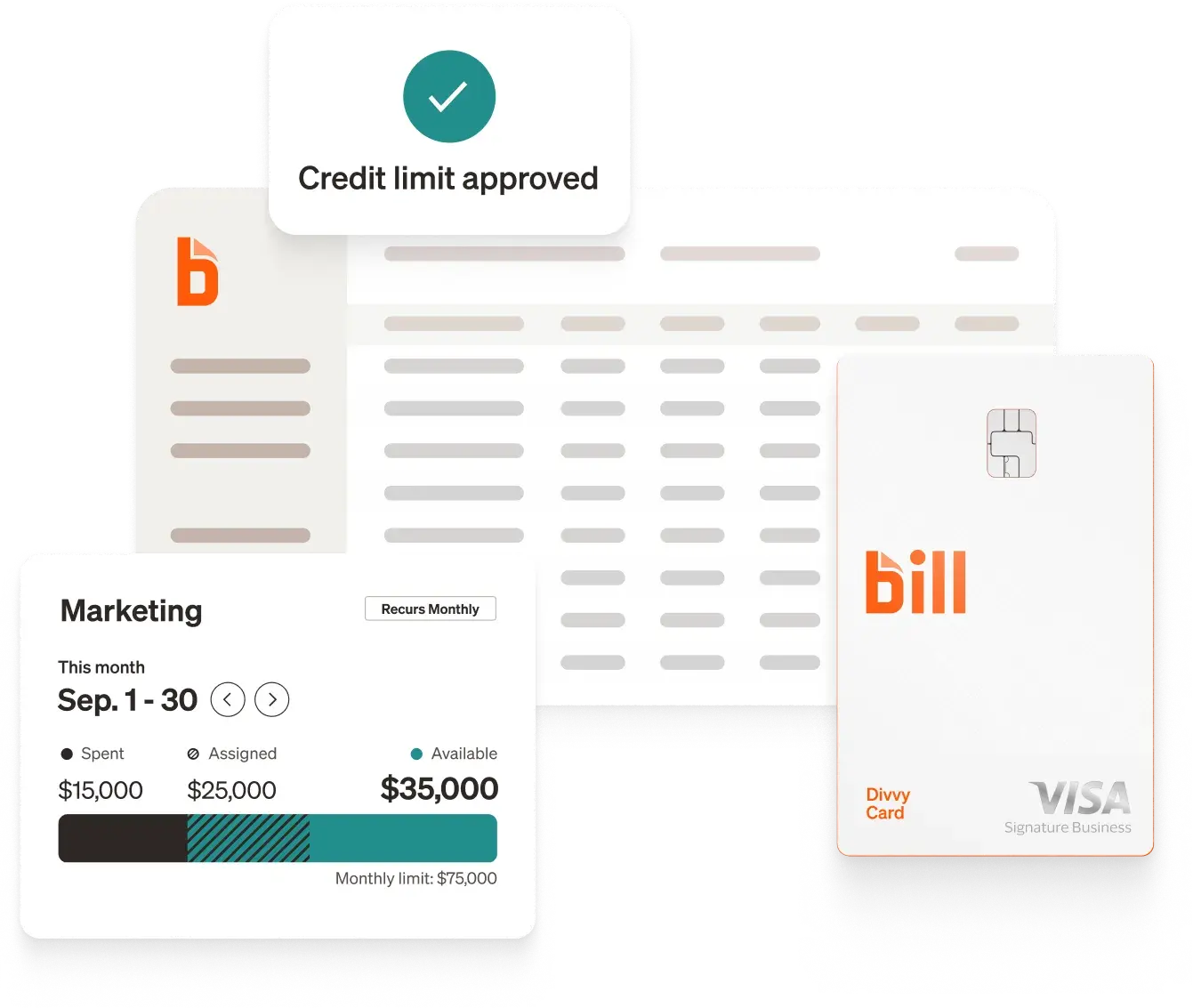
BILL connects QuickBooks to AP automation, payment approvals and pay by card options. Customers report saving 8 hours a week on AP compared to non-customers,[7] 91% of customers surveyed agree that BILL is easy to learn,[8] and 90% agree that BILL makes it easy to pay vendors.[8] The BILL Spend & Expense plan is $0 per user per month and includes corporate cards, budgets and expense tracking, so cardholders can be added without raising a per-user software bill.[9] See expense reporting tools that integrate with QuickBooks and the spend and expense guide.
Entreprenista co-founder and co-CEO Courtney Spritzer said: "I had QuickBooks, but I was still doing things very, very manually."[10]. At First Steps Financial, Marc Chianese said: "We get about half the time back from bill pay because we're not typing almost anything in."[11]
Frequently asked questions
Does BILL work with QuickBooks?
Yes, BILL offers two-way sync with QuickBooks Online, Pro and Premier starting on the Team plan. BILL integrates with leading accounting software: QuickBooks, Xero, Oracle NetSuite, Sage Intacct, and Microsoft Dynamics.[13] See more BILL integrations.
Melio or BILL for QuickBooks?
Melio fits simple, occasional bill pay, and BILL fits teams that want deeper approvals, AR and a payment network. BILL's comparison says Melio offers fewer payment options with more fees,[12] while G2 reviewers praise Melio's ease. Compare one real payment on both. This guide to managing accounts payable effectively helps frame the test.
Does Ramp sync bill payments with QuickBooks Online?
Yes, with limits. Ramp updates a bill's status when it is paid in QuickBooks, and its QuickBooks Online integration currently syncs bills and payments in USD only.[3] Check these limits against your vendor mix.
How much does QuickBooks AP software cost?
BILL's Essentials, Team and Corporate plans list at $49, $65 and $89 per user per month, with payment fees depending on the method.[2] Ramp's entry-level tier may cost less for light use, so estimate your monthly bill count and payment mix before choosing. See the AP automation ROI guide.
Can I automate AP and still avoid vendor fraud?
Yes. Use approval limits, vendor verification and a clear payment trail, and read why you should not pay vendors through informal apps.
Disclosures
[1] Recommendations in this article reflect BILL's editorial assessment of the criteria described and are not an independent evaluation. Competitor information comes from publicly available documentation, G2 reviews and BILL comparison materials as of the dates noted.
[2] Based on BILL's pricing page as of October 2026. Plans, prices and features are subject to change, and sync availability and features vary by accounting software.
[3] Ramp support center, "QuickBooks Online overview" and "Two-way bill payment sync" (support.ramp.com), reviewed October 2026.
[4] G2 review analysis, as of October 2026, from G2's public pros-and-cons pages: Melio 4.4/5 from 248 reviews (g2.com/products/melio/reviews); Tipalti Accounts Payable 4.5/5 from 426 reviews (g2.com/products/tipalti-accounts-payable/reviews); Ramp 4.8/5 from 2,546 reviews (g2.com/products/ramp-financial-ramp/reviews); BILL AP/AR 4.4/5 from 1,812 reviews (g2.com/products/bill-ap-ar/reviews). Themes come from G2's summaries; quotes and paraphrased reviews are from individual G2 reviewers, reflect their opinions only, and have not been verified by BILL.
[5] Comparison based on BILL's review of Ramp's publicly available documentation as of August 2026. Please note that terminology regarding features may vary slightly, potentially complicating direct comparisons. It is essential to acknowledge that modules and features are subject to ongoing updates. BILL is committed to diligently updating this content to accurately reflect any changes in the software landscape.
[6] Comparison based on BILL's review of Tipalti's publicly available documentation as of September 24, 2026. Please note that terminology regarding features may vary slightly, potentially complicating direct comparisons. It is essential to acknowledge that modules and features are subject to ongoing updates. BILL is committed to diligently updating this content to accurately reflect any changes in the software landscape.
[7] Based on a 2026 BILL survey comparing time spent for customers vs. non-customers.
[8] Based on a 2026 BILL survey sent to customers.
[9] Based on BILL's pricing page as of October 2026: the BILL Spend & Expense plan is $0 per user per month and includes corporate cards, budgets and expense tracking. Eligibility for a BILL Spend & Expense account is subject to credit approval and underwriting. Credit limits and terms, including rates and fees, may vary based on eligibility criteria.
[10] Results reflect Courtney Spritzer / Entreprenista's experience. Results are not typical and will vary depending on how BILL is used.
[11] Based on First Steps Financial's experience using BILL as of April, 2026. Results are not guaranteed and may vary by business.
[12] Comparison based on BILL's review of Melio's publicly available documentation as of October 15, 2026. Please note that terminology regarding features may vary slightly, potentially complicating direct comparisons. It is essential to acknowledge that modules and features are subject to ongoing updates. BILL is committed to diligently updating this content to accurately reflect any changes in the software landscape.
[13] Based on BILL's official contracts and integrations as of October 2026.
The BILL Divvy Card may be issued by one of Divvy Pay, LLC's bank partners (bill.com/bank-partners). The BILL Divvy Card is not a deposit product. For your specific lender, see your Card Agreement.
BILL and its affiliates do not provide tax, legal or accounting advice. This material has been prepared for informational purposes only, and is not intended to provide, and should not be relied on, for tax, legal or accounting advice. You should consult your own tax, legal and accounting advisors before engaging in any transaction. BILL assumes no responsibility for any inaccuracies or inconsistencies in the content. While BILL has made every attempt to ensure that the information contained in this site has been obtained from reliable sources, BILL is not responsible for any errors or omissions, or for the results obtained from the use of this information. All information in this site is provided "as is", with no guarantee of completeness, accuracy, timeliness or of the results obtained from the use of this information, and without warranty of any kind, express or implied. In no event shall BILL, its affiliates or parent company, or the directors, officers, agents or employees thereof, be liable to you or anyone else for any decision made or action taken in reliance on the information in this site or for any consequential, special or similar damages, even if advised of the possibility of such damages.