Last Updated: November 18, 2026
What is a budget forecast?
A budget forecast is a financial plan that estimates what a business expects to earn, spend, and hold in cash over a future period. It combines two documents that finance teams often keep separate: a budget that sets targets and spending limits, and a forecast that estimates likely results from current trends. Keeping them together gives owners one view of the plan and one view of reality.
Budget versus forecast
A budget is a target set in advance, while a forecast is an estimate that changes as conditions change. The distinction matters because a budget that stays fixed can drift far from what the business is actually doing. BILL's explainer on budgeting versus financial forecasting walks through the difference, and the short version is simple. You set the budget once a year, then compare it against a forecast you refresh each month. The gap between the two shows where to act.
Why a forecast matters for product businesses
Product businesses need a forecast because they usually pay for inventory, materials, and freight before the related sales arrive. That timing gap can strain cash even in a profitable quarter. A forecast that models when purchases are paid and when customers pay lets the owner see a shortfall weeks ahead instead of discovering it on payday. It also supports better decisions on reorder quantities, supplier terms, and hiring. For background on the underlying discipline, see BILL's overview of business forecasting.
Step 1: Gather your historical data
The first step is to collect 12 to 24 months of actual revenue, expenses, and cash balances from your accounting system. Historical data anchors each assumption that follows, so gaps or miscoded entries here carry into the forecast. If your books are current, export a profit and loss statement and a cash flow statement by month. If they are not, reconcile the most recent months first, because a forecast built on stale actuals is a guess with extra steps.
Pull 12 to 24 months of actuals
Two years of monthly actuals show seasonality, which a single year cannot. Look for months where revenue spikes, where purchases cluster, and where one-time costs distort the pattern. Export the data by month and by account, then place it in a spreadsheet or a forecasting tool. Keep a separate column for each year so you can compare the same month across periods. This comparison often reveals that a cost you assumed was flat actually climbs in the same quarter each year.
Clean and categorize the data
Clean data means each transaction sits in the right account and each vendor appears under one name. Merge duplicate vendors, move miscoded items, and flag one-time events such as a legal settlement or equipment purchase so they do not repeat in the forecast. A consistent chart of accounts makes later steps faster, and BILL's guide to business budget categories offers a starting structure. Spending an extra day here saves several days of rework later.
Step 2: Choose a budgeting method
The right method depends on how stable your costs are and how much time your team can spend on planning. Most small and midsize businesses pick one of four approaches, and each trades effort for accuracy in a different way. BILL's reference on business budgeting methods covers the options in more depth.
Incremental, zero-based, and flexible budgets
An incremental budget starts from last year's numbers and adjusts them by a set percentage, which is quick but can carry old waste forward. A zero-based budget rebuilds each line from zero and asks each owner to justify the spend, which takes longer but exposes costs nobody questions. A flexible budget moves with activity, so cost lines rise and fall with sales volume. Learn more about incremental budgeting, zero-based budgeting, and the flexible budget. A static plan, by contrast, holds one set of numbers regardless of activity; see the explanation of a static budget.
Which method fits a product business
Product businesses with variable costs usually do well with a flexible budget layered on top of an incremental baseline. Fixed costs such as rent and salaries stay incremental, while cost of goods, freight, and packaging flex with unit volume. This hybrid keeps planning time reasonable and still tracks reality when sales swing. If your costs have grown faster than revenue, run a zero-based review on the categories that grew the most.
Step 3: Forecast revenue
Revenue forecasting starts with a baseline built from past results and then adds assumptions about what could change. The baseline is the trend you would expect if nothing changed. Assumptions cover price changes, new products, lost customers, and seasonal swings. Document each assumption in plain words next to the number, so anyone reviewing the forecast can challenge the logic instead of the arithmetic.
Build a baseline from trends
A simple baseline multiplies last year's monthly revenue by a growth rate drawn from recent months. If revenue grew at a steady pace over the past two years, use that pace. If growth was uneven, use the median of the last six months rather than the peak. Check the baseline against your order book or pipeline, because a trend line that ignores a known lost contract overstates the year.
Add scenarios for upside and downside
Run at least three scenarios: a base case, a downside, and an upside. The downside might assume a 10 percent drop in unit sales or a delayed product launch, and the upside might assume faster reorders. Scenarios do not predict the future. They show how much room the business has before cash gets tight, and they give you triggers, such as pausing hiring if sales fall below a set level for two months.
Step 4: Forecast expenses
Expense forecasting sorts costs by behavior so each category gets the right treatment. Some costs repeat on a schedule, some move with sales, and some happen once. Treating them differently keeps the forecast from either padding or missing real spending. BILL's explanation of fixed versus variable expenses is a useful reference for the sorting step.
Separate fixed, variable, and one-time costs
Fixed costs stay constant across a range of activity, variable costs move with volume, and one-time costs occur outside the regular pattern. Rent, insurance, and salaries are typically fixed. Materials, freight, and sales commissions are typically variable. Equipment purchases and legal fees are often one-time. Label each account in your forecast with its type, and apply the matching rule: carry fixed costs forward, scale variable costs with revenue, and add one-time costs only in the month you expect them.
Plan for recurring and nonrecurring spend
Recurring spend is predictable and should be scheduled by due date, while nonrecurring spend needs a reserve. Subscriptions, leases, and contract services belong on a calendar. For irregular items, set aside a monthly amount so a large bill does not surprise you. BILL's posts on budgeting for recurring expenses and budgeting for nonrecurring expenses go into the mechanics.
Step 5: Model cash flow and timing
A budget forecast is only useful if it shows when cash moves, not just how much. Revenue earned in March might arrive in May, and a supplier invoice dated in April might be due in June. Convert your income and expense forecast into a cash view by applying your real payment terms to each line. The result is a month-by-month cash balance that shows pinch points before they arrive.
Map payables and receivables timing
Start with your open payables and receivables, then apply average payment terms to future amounts. If customers pay in 45 days on average, shift revenue forward by that lag. If suppliers are paid in 30 days, shift purchases the same way. BILL's guide on forecasting accounts payable shows one approach, and the cash flow budgeting reference covers the broader method.
Account for inventory and seasonal purchases
Inventory buys often precede peak season by months, so they strain cash well before revenue arrives. Add a line for each planned purchase with its expected payment date, and check the lowest projected cash balance in the year. If that low point sits below your safety reserve, consider negotiating terms, staggering orders, or arranging a credit line in advance. BILL's cash flow forecasting tool lets teams test what-if scenarios against historical accounting data, which helps with this kind of planning.
Step 6: Assign owners and set spend controls
A forecast works better when each budget line has a named owner who can see and influence the spend. Ownership turns a finance document into a shared plan. Assign a budget owner to each department, project, or major vendor category, and give each owner a limit and a review date.
Give each budget a named owner
Owners should know their limit, their actual spend to date, and what happens at the threshold. A department head who sees spend as it posts can adjust before the month ends. BILL's guide to departmental budgets explains how to structure them, and the post on why business budgets fail shows what happens when ownership is missing.
Connect budgets to cards and policies
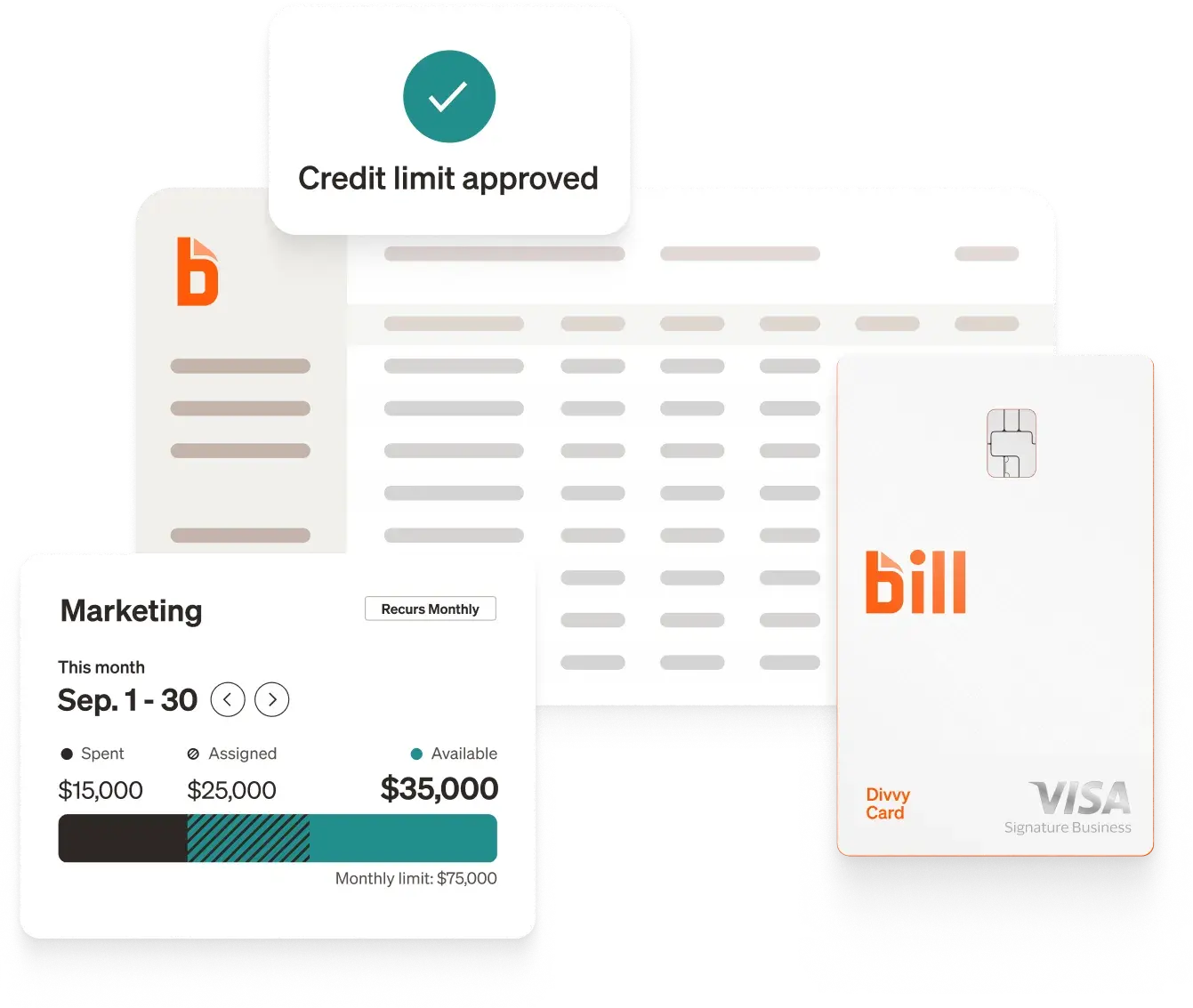
Spend limits are most useful when they apply at the point of purchase, not after the statement arrives. In BILL Spend & Expense, finance teams can create budgets and spend limits by team, department, project, or vendor, and tie them to physical and virtual cards. Teams can choose to decline charges that exceed a limit, allow a set buffer, or allow overspend. Noom's Corporate Accountant, said knowing how much each employee can spend let the team forecast budgets months in advance.
Step 7: Track variance and update the forecast
Variance tracking compares actual results to the plan each month and explains the differences. It is the step that keeps a forecast alive. Without it, the document ages and loses value within a quarter. A short monthly routine is enough for most small and midsize teams.
Run a monthly variance review
Compare actual revenue and each expense category to budget, and flag any line that differs by more than a threshold you set, such as 10 percent. For each flagged line, record the cause, whether it is temporary, and what action follows. The reference on budget variance and the guide to variance analysis cover the formulas. Keep the review to 30 minutes by showing only exceptions.
Move to a rolling forecast
A rolling forecast adds a new month at the end each time one closes, so the plan keeps looking 12 months ahead. It replaces the annual scramble with a steady habit and keeps assumptions fresh. BILL's article on how rolling forecasts improve business explains the benefits. Start by rolling only revenue and the three largest expense lines, then widen the scope once the routine feels comfortable.
Common mistakes to avoid
The most common mistakes are using stale data, ignoring timing, and treating the budget as fixed. Each one is easy to avoid with a checklist. First, refresh actuals before each review. Second, convert the plan to a cash view so timing gaps show up. Third, set a trigger for revisiting assumptions, such as two consecutive months outside the variance threshold. Fourth, resist padding each line, because padded budgets hide real costs. BILL's guide to keeping a business budget intact offers more habits that help. A fifth mistake is building the forecast in isolation. Share it with department heads, ask what they know that the data does not, and record their answers as assumptions.
How BILL supports budgeting and forecasting
BILL supports budgeting and forecasting by connecting the plan to the spending that fills it. In a 2026 survey, 74% of customers surveyed agree that BILL allows them to optimize cash flow more effectively, and 70% of customers surveyed agree that BILL provides valuable visibility into cash flow.[1] Teams that track spend in one place find it easier to compare actuals to the plan, since spend reporting groups transactions by department, vendor, and category.
BILL integrates with leading accounting software: QuickBooks, Xero, Oracle NetSuite, Sage Intacct, and Microsoft Dynamics.[2] Because transactions sync to your accounting system, the actuals you pull for next month's forecast are already coded. See more BILL integrations. For product teams, expense tracking and accounts payable automation close the loop between purchases and the books. One customer example: CrewTracks' Controller, described using pre-assigned budgets by employee and department with visibility into categorized spending.
Budget method comparison
The table below shows which budgeting method fits which situation, so you can match the method to your cost structure and planning capacity.
Most product businesses blend two or three of these methods rather than relying on one. For a deeper survey, see types of business budgets.
A short worked example
Picture a 60-person manufacturer with seasonal sales that peak in the fourth quarter. The finance lead pulls 24 months of actuals, labels each account as fixed, variable, or one-time, and builds a base case with a 6 percent revenue increase. She then adds a downside case with a 10 percent drop in unit sales and shifts supplier payments by 30 days to reflect real terms. The cash view shows a low point in September, just before peak purchases are due. She arranges a credit line in August, assigns owners to the five largest cost lines, and schedules a 30-minute variance review on the fifth business day of each month. When freight costs rise in October, the review flags the line within days, and the team adjusts pricing in November instead of January.
Putting the seven steps together
The main answer is that a budget forecast comes from clean actuals, a chosen method, revenue and expense assumptions, a cash view, named owners, and a monthly variance routine. Each step builds on the one before it, and skipping one weakens the rest. Clean data feeds the method, the method shapes the assumptions, and the cash view turns the plan into something you can act on.
For a product business, the practical next step is to start with the cash view, since timing gaps cause the most surprises. Build the first version in a spreadsheet, review it monthly, and move to connected tools once the routine is stable. The goal is not a perfect prediction. It is an early warning system that gives you time to act.
Frequently asked questions
How far ahead should a budget forecast look?
A budget forecast should usually look 12 months ahead, with the nearest three months in the most detail. Near-term months deserve weekly or monthly granularity because decisions about payroll and purchasing depend on them. Later months can be rougher, since assumptions about price and demand carry more uncertainty.
If your business has long supplier lead times or multi-year contracts, extend the view to 18 or 24 months for those lines only. A rolling approach keeps the horizon constant. Each time a month closes, add a new month at the end so the plan does not shrink as the year goes on.
What data do I need to start?
You need 12 to 24 months of monthly revenue, expenses, and cash balances, plus current open payables and receivables. Pull the figures from your accounting system, and confirm that recent months are reconciled before you rely on them.
Beyond the numbers, gather known upcoming events: planned hires, price changes, lease renewals, large purchases, and signed contracts. These items rarely appear in historical data but often drive the biggest differences between a budget and actual results. If you use an accounting system such as QuickBooks or NetSuite, your accounting export is a good starting point. See more BILL integrations for ways transactions flow into the books.
How often should I update the forecast?
Update the forecast monthly after the books close, and revisit it sooner if a major event occurs. A lost customer, a supplier price increase, or an unplanned purchase can change the picture within days.
Monthly updates work because they match the accounting cycle and give enough time to see trends. Weekly updates make sense only for cash, particularly when the business runs close to its minimum balance. Keep the routine short by reviewing only the lines that moved beyond your variance threshold.
What is the difference between a budget forecast and a cash flow forecast?
A budget forecast covers revenue, expenses, and targets on an accrual basis, while a cash flow forecast tracks actual cash movements on the dates they occur. The two share inputs but answer different questions. The budget forecast asks whether the business is on plan. The cash flow forecast asks whether the bank balance can cover next month's obligations.
Product businesses benefit from building both, because inventory purchases and customer payment terms can create cash gaps even when the budget looks healthy. The cash flow management reference explains the cash side in more detail.
Should I use a spreadsheet or software?
A spreadsheet is a reasonable starting point, and software becomes worthwhile when manual updates start to consume more time than the analysis. Spreadsheets give broad flexibility and low cost, but they depend on manual data entry and can break when formulas change.
Software that connects to your accounting system and spending tools reduces rework and keeps actuals current. BILL's roundup of budgeting and forecasting software compares options, and the spend and expense management guide explains how spending controls fit into the plan.
How do I build a forecast if my business is new?
A new business can build a forecast from assumptions rather than history, then replace assumptions with actuals as data accumulates. Start with known costs such as rent, software, and payroll, and estimate revenue from pipeline conversations or comparable businesses.
Label each assumption and set a review date for each. After three months, compare early actuals to assumptions and adjust the biggest gaps. Keep scenarios wide in the first year, since early results can differ sharply from plan. For guidance on spend visibility as you grow, see BILL's guide on moving from fragmented spend to financial clarity.
Disclosures
[1] Based on a 2026 BILL survey sent to customers.
[2] Official contracts and integrations.
Eligibility for a BILL Spend & Expense account is subject to credit approval and underwriting. Credit limits and terms, including rates and fees, may vary based on eligibility criteria.
The BILL Divvy Card may be issued by one of Divvy Pay, LLC's bank partners (bill.com/bank-partners). The BILL Divvy Card is not a deposit product. For your specific lender, see your Card Agreement.
BILL and its affiliates do not provide tax, legal or accounting advice. This material has been prepared for informational purposes only, and is not intended to provide, and should not be relied on, for tax, legal or accounting advice. You should consult your own tax, legal and accounting advisors before engaging in any transaction. BILL assumes no responsibility for any inaccuracies or inconsistencies in the content. While BILL has made every attempt to ensure that the information contained in this site has been obtained from reliable sources, BILL is not responsible for any errors or omissions, or for the results obtained from the use of this information. All information in this site is provided "as is", with no guarantee of completeness, accuracy, timeliness or of the results obtained from the use of this information, and without warranty of any kind, express or implied. In no event shall BILL, its affiliates or parent company, or the directors, officers, agents or employees thereof, be liable to you or anyone else for any decision made or action taken in reliance on the information in this site or for any consequential, special or similar damages, even if advised of the possibility of such damages.