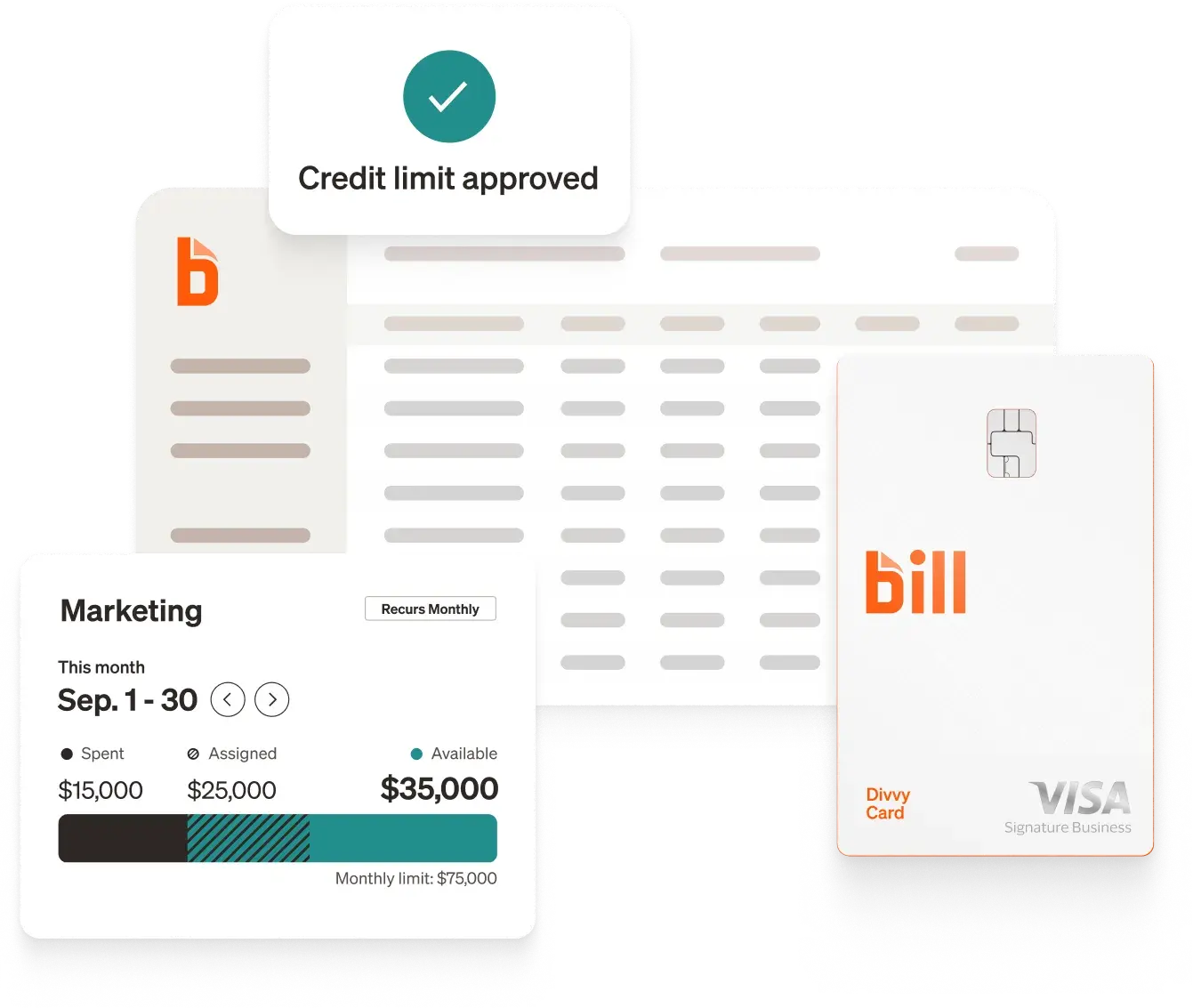
Quick answer: For small and midsize businesses, BILL is the top Expensify alternative to start with. It pairs spend and expense management at $0 per user[1] with AP and AR on one platform. Other options include Ramp, Brex, Zoho Expense, and SAP Concur.
Expensify built its name on receipt scanning and expense reports, and it supports bring-your-own-card from 10,000+ banks.[3] That works well for teams that want to keep their current cards. As teams grow, many want spend controls that apply before a purchase, budgets they can see, and less manual reconciliation.
This guide compares five Expensify competitors on pricing, spend controls, AP and AR depth, and accounting sync. New to the category? Start with the expense management overview.
Pricing is based on publicly available information as of March 2026 and may change. Confirm details with each provider.
How we chose these Expensify alternatives
We evaluated each platform on five criteria that matter to teams moving off Expensify:
- Expense automation. Receipt capture, categorization, and reconciliation.
- Controls. Whether a company expense policy is enforced before or after a purchase.
- Card options. Own cards, existing cards, or both.
- Pricing. Per-user fees and paid tiers.
- Integrations. Sync with major accounting systems.
Top 5 Expensify alternatives
1. BILL
BILL is a financial operations platform that combines spend and expense management with AP and AR. As of September 30, 2025, nearly half a million businesses use BILL to help automate their financial operations[8], and as of June 30, 2025, 8.3 million network members pay or get paid with BILL[9].
Key features
- Spend & Expense at $0 per user: Corporate and virtual BILL Divvy Cards, budgets, receipt capture, and spend reporting, with no paid tier to unlock core controls.[1]
- Built-in travel: BILL Travel is part of BILL Spend & Expense, so teams can book and expense trips in one place.[10]
- AP and AR: Accounts payable automation with approvals, procurement, multi-entity support, W-9 and 1099 tools, and a vendor network, plus AR workflows for invoicing and collecting payments. Customers report saving 8 hours a week on AP compared to non-customers.[11]
- Cash Account: The BILL Cash Account offers about 3% APY[12] with FDIC insurance coverage up to $200M through Column N.A. and its Sweep Program Network Banks[13].
- Accounting sync: BILL integrates with leading accounting software: QuickBooks, Xero, Oracle NetSuite, Sage Intacct, and Microsoft Dynamics.[14] Customers report spending 85% less time on GL reconciliations compared to non-customers.[11] See more BILL integrations.
- Rewards: Points on BILL Divvy Card spend, with higher category multipliers on weekly or daily billing cycles.[15][16]
Blackstone is one example. The accounting manager at Blackstone, said that before BILL she spent probably three days at the end of each month going through credit card expenses, and that with BILL Spend & Expense she now gets through them in about three hours with over 40 cardholders. She also said her team can freeze the card of a cardholder who repeatedly fails to complete transactions.
Pros
- Spend & Expense at $0 per user, with ERP integrations included[1]
- AP, AR, cards, and travel on one platform
- Merchant and amount controls on budgets, plus card freezes for transactions left incomplete[1]
- Two-way AP and AR sync with major ERPs, plus custom file integrations for niche ERPs[14][16]
Cons
- AP and AR require a paid per-user subscription[17]
- Rewards carry a 12-month holding period before redemption, and category multipliers apply to the first $5,000 per month[15]
Ideal for: SMBs and midsize companies that want cards, budgets, AP, and AR in one system without per-user fees on spend management.
Confidently automate and control your business with BILL.
2. Ramp
Ramp is a spend management platform that pairs corporate cards with expense management, an AI policy agent, AP automation, and procurement.[4]
Pros
- Free plan includes corporate cards, expenses, and bill pay[4]
- AI policy agent reviews expenses against company policy and escalates exceptions[4]
- Broader spend platform that covers AP, procurement, and vendor management[4]
Cons
- Budget tracking requires Ramp Plus at $15 per user per month plus a platform fee[4]
- NetSuite, Sage Intacct, and Microsoft Dynamics integrations require a paid plan[4]
- HRIS syncs and auto-lock cards require a paid plan[4]
- Credit limits can fluctuate daily based on connected bank balance[4]
Ideal for: Teams that want expenses inside a broad, card-led spend platform. See more in our Ramp alternatives roundup.
3. Brex
Brex combines AI expense reviews, budgets, global reimbursements, and banking for startups to mid-market teams.[5]
Pros
- Free plan includes corporate cards, expenses, bill pay, and travel[5]
- AI expense reviews that auto-approve compliant transactions and surface exceptions[5]
- Global reimbursements in 70+ countries in local currency[5]
Cons
- Live Budgets require Premium at $12 per user per month[5]
- Multiple expense policies and dynamic review chains require Premium[5]
- HRIS syncs and customizable ERP integrations require a paid plan[5]
- Credit limits can fluctuate daily based on connected bank balance[18]
Ideal for: Startups that want expenses, cards, and banking together. See more in our Brex alternatives roundup.
4. Zoho Expense
Zoho Expense offers OCR receipt capture, per diem automation, and configurable workflows with active-user pricing.[6]
Pros
- $0 plan for up to 3 users with core expense tracking[6]
- Active-user pricing, so admins and approvers who do not submit expenses are not charged[6]
- Deep customization with custom modules and workflow automation[6]
Cons
- No corporate card offering, so teams connect existing cards[6]
- Corporate card feeds and multi-level approvals require the Standard plan[6]
- Travel booking, per diem, and live budgets require the Premium plan[6]
- Deepest value comes with the broader Zoho ecosystem, including Zoho Books and Zoho People[6]
Ideal for: Budget-conscious teams with simpler needs that want customizable workflows.
5. SAP Concur
SAP Concur is a modular expense suite with AI receipt capture, multi-currency support, and 300+ integrations, including native SAP ERP sync.[7]
Pros
- 300+ pre-built integrations, including native SAP ERP sync[7]
- Global coverage with multi-currency and regulatory compliance tools[7]
- Modular suite, so teams can add travel or invoice management without switching platforms[7]
Cons
- Quote-based pricing with no published rates[7]
- No corporate card offering; relies on bank card feeds[7]
- Implementation may be complex for smaller organizations[7]
- Live support requires purchasing the User Support Desk service[7]
Ideal for: Large organizations with global operations, especially those already on SAP.
Why companies are looking for Expensify alternatives
Most teams evaluating Expensify competitors point to four issues.
- Per-user pricing: Expensify starts at $5 per user per month[2], and pricing may reach up to $36 per user per month without card usage or annual prepay[16].
- Budgets, policies, and controls: Budget management, advanced approvals, and expense policies require the Collect or Control plans, and spend controls are primarily tied to the Expensify Card rather than other connected cards[3]. Teams that want corporate card expense policy rules applied consistently often look for a card-native platform.
- Receipt and manual entry friction: On G2, the most common complaints are that receipt management can be slow and still require manual entry (36 mentions), and that repetitive manual input remains even with auto-scan (34 mentions)[19]. Slow recognition of newly uploaded receipts is another recurring theme (29 mentions)[19].
- Navigation and learning curve: G2 reviewers also describe an interface that is not intuitive, with hidden features that complicate navigation for new users (29 mentions), and a learning curve on advanced features and workflows (21 mentions)[19]. One reviewer said a January 2026 update made the admin experience harder to use[19].
G2 reviewers still rate Expensify highly: 4.5 out of 5 from more than 5,600 reviews, most often praising ease of use (244 mentions) and efficient expense tracking (112 mentions)[19]. Expensify also supports SmartScan receipt capture by photo, email, or text, bring-your-own-card from 10,000+ banks, and 45+ integrations including QuickBooks, NetSuite, Sage Intacct, and Xero.[3] For many teams it remains a good fit; the issues above tend to matter most as spend volume and approval complexity grow.
How to switch from Expensify
Plan the move as a short project so no expense or reimbursement is missed.
- Map cards and subscriptions: List each card and recurring charge, then set up replacement cards with the right limits before closing old ones.
- Rebuild budgets and policies: Recreate approval chains and spend limits in the new platform before the cutover. The cost of expense reports is a useful baseline for what to retire.
- Connect your accounting system: Set up sync with your ERP and confirm your chart of accounts maps correctly. See the BILL integrations hub for supported systems.
- Run both systems briefly: Keep Expensify active for a short overlap so employees in transit keep a working process.
- Move reimbursements and AP last: Once cards are stable, move reimbursements and vendor payments. A clear employee reimbursement plan helps.
For a broader look, read our guide to the best expense management software, the BILL vs Ramp vs Brex vs Navan vs Expensify comparison, and the guide on predictable spend.
Frequently asked questions
Is there a low-cost alternative to Expensify?
BILL Spend & Expense is $0 per user per month[1], and Zoho Expense offers a $0 plan for up to 3 users[6]. Ramp and Brex also list $0 per user starting prices, though some features require a paid tier[4][5]. Expensify pricing starts at $5 per user per month[2]. Compare what each plan includes before you commit.
Can I keep my existing cards when I switch?
It depends on the platform. Expensify and Zoho Expense support existing cards, while BILL offers the BILL Divvy Card and virtual cards.[3][6] If you want to keep your cards, ask how controls and receipt matching work across them.
Which Expensify alternatives sync with QuickBooks or NetSuite?
BILL integrates with QuickBooks, Xero, Oracle NetSuite, Sage Intacct, and Microsoft Dynamics.[14] Expensify lists integrations with QuickBooks, NetSuite, Sage Intacct, and Xero.[3] Confirm which plan includes each connection. See more BILL integrations.
Can one Expensify alternative handle AP and AR as well as cards?
Yes. BILL combines spend and expense management with AP and AR, so vendor bills, customer invoices, and card spend sync to the same accounting system. BILL is trusted by more SMBs and accountants than anyone in our space: nearly half a million customers, more than 9,500 accounting firms.[20] As of March 2026, 98 of the top 100 US accounting firms use BILL.[21]
How does BILL approach security and compliance?
BILL is a registered Money Services Business with FinCEN and is a licensed money transmitter across the United States.[22] In a 2026 survey, 97% of customers surveyed believe the BILL platform is secure.[23]
Choose BILL for an Expensify alternative that fits your back office
Expensify remains a strong choice for teams that want to keep their existing cards. If you want cards, expenses, AP, and AR in one platform, with no per-user fees on spend management[1], compare BILL pricing and request a demo.
Important disclosures
†This article is for informational purposes only and is based on BILL's review of publicly available information from provider websites and reputable third-party sources as of March 2026, unless otherwise noted. BILL did not independently test or audit every feature described, and actual performance and suitability will vary by business. Inclusion in this list does not constitute an endorsement, recommendation, or guarantee of results. BILL is our own product; we include it using the same evaluation criteria as other providers. This article is published by BILL.
*BILL Divvy Card. The BILL Divvy Card may be issued by one of Divvy Pay, LLC's bank partners (bill.com/bank-partners). The BILL Divvy Card is not a deposit product. For your specific lender, see your Card Agreement.
Eligibility and credit. Eligibility for a BILL Spend & Expense account is subject to credit approval and underwriting. Credit limits and terms, including rates and fees, may vary based on eligibility criteria.
No tax, legal, or accounting advice. BILL and its affiliates do not provide tax, legal or accounting advice. This material has been prepared for informational purposes only, and is not intended to provide, and should not be relied on, for tax, legal or accounting advice. You should consult your own tax, legal and accounting advisors before engaging in any transaction. BILL assumes no responsibility for any inaccuracies or inconsistencies in the content. While BILL has made every attempt to ensure that the information contained in this site has been obtained from reliable sources, BILL is not responsible for any errors or omissions, or for the results obtained from the use of this information. All information in this site is provided "as is", with no guarantee of completeness, accuracy, timeliness or of the results obtained from the use of this information, and without warranty of any kind, express or implied. In no event shall BILL, its affiliates or parent company, or the directors, officers, agents or employees thereof, be liable to you or anyone else for any decision made or action taken in reliance on the information in this site or for any consequential, special or similar damages, even if advised of the possibility of such damages.
Footnotes
[1] BILL Spend & Expense is $0 per user per month, based on BILL's published pricing at bill.com/product/pricing as of October 2026. No annual fees for BILL Spend & Expense cards. Other fees may apply. See your Cardholder Agreement for details. Transaction or service fees may apply for certain features. See the Terms of Service for details.
[2] Expensify. Corporate Travel Expense Management Software. Pricing as of March 2026.
[3] Expensify. Spend Management Software for Receipts & Expenses. Accessed March 2026.
[4] Ramp. Pricing. Accessed March 2026.
[5] Brex. Brex Pricing Plans. Accessed March 2026.
[6] Zoho. Pricing and Feature Comparison. Accessed March 2026.
[7] SAP Concur. Business Expense Management Software + Automation, How Concur Expense Works, and Concur Integrations. Accessed March 2026.
[8] FY2026 Q1 investor deck (November 2025).
[9] FY2025 Q4 investor deck (August 2025).
[10] BILL Travel and the BILL Travel Agent help automate routine travel booking and expense workflows within customer-defined policies, but do not replace human judgment. Employees and admins are responsible for reviewing all trip details, applying company policies, and making final booking, change, and expense decisions. Travel services and terms are provided by third parties and may change. BILL does not provide travel, legal, tax, or accounting advice.
[11] Based on a 2026 BILL survey comparing time spent for customers vs. non-customers.
[12] The Annual Percentage Yield (APY) as advertised is accurate as of May 28, 2026. Interest rate and APY are subject to change at any time before and after the BILL Cash Account is opened.
[13] BILL is a financial technology company, not a bank. BILL Cash Account and banking services provided by Column N.A., Member FDIC. BILL is a financial technology company, not an FDIC-insured depository institution. FDIC deposit insurance covers the failure of an insured depository institution. Certain conditions must be satisfied for FDIC insurance to apply. Deposits in BILL Cash Accounts are FDIC-insured through Column N.A., Member FDIC and Column's Sweep Program Network Banks. No additional fees apply to opening or holding a BILL Cash Account. Other fees may be applicable to the service used or subscribed to with BILL, including but not limited to BILL account subscription fees, transaction fees, payment processing fees, and other special services fees. For more information on BILL service fees, please see the BILL Terms of Service.
[14] Based on BILL's official contracts and integrations.
[15] Terms apply. Rewards rates, multipliers, holding periods, and redemption values are described at bill.com/product/rewards and may change. Individual results vary. Typical annual rewards are calculated following the BILL billing cycle.
[16] Comparison based on competitive analysis of publicly available documentation as of May 28, 2026. Terminology regarding features may vary among different vendors, potentially complicating direct comparisons. BILL is committed to diligently updating this comparison to accurately reflect any changes in the software landscape.
[17] BILL. Pricing & Plans. Transaction fees apply to certain payment types.
[18] Brex. How Brex Credit Limits Work. Accessed March 2026.
[19] G2. Expensify Reviews and Expensify Pros and Cons. Rating, review count, and review themes as of October 12, 2026. Review themes are based on G2 user-submitted reviews and mention counts, and do not reflect BILL's own testing.
[20] "In our space" refers to the SMB financial operations and spend management software category. Customer count as of September 30, 2025 (FY2026 Q1 investor deck, November 2025); accounting firm count per BILL Q2'26 investor deck.
[21] FY2026 Q2 investor deck; as of March 2026.
[22] BILL licenses. See bill.com/legal/authorizations.
[23] Based on a 2026 BILL survey sent to customers.
G2 reviews